DataGrip添加AWS RDS配置
因为近期(2022-06-01 UTC)AWS的RDS有一个证书轮换的操作,
该操作会导致已有的证书不可用并且针对于特定版本的MySQL数据库(v5.1.38+/v8.0.9+)默认将强制使用SSL/TLS,
并且无法通过过期的证书连接到数据库,
记录一下如何配置DataGrip通过SSL方式连接到AWS RDS数据库
下载证书文件
上面的引用提供了AWS官方的页面地址, 具体可以去翻看, 嫌麻烦的直接点这里下载证书捆绑包
配置DataGrip
Datagrip与大名鼎鼎的Pycharm均属于Jetbrains公司旗下的产品,
是用连接数据库的一个客户端产品, 支持多种数据库格式, 更多详情可以参见: DataGrip: The Cross-Platform
IDE for Databases & SQL by JetBrains
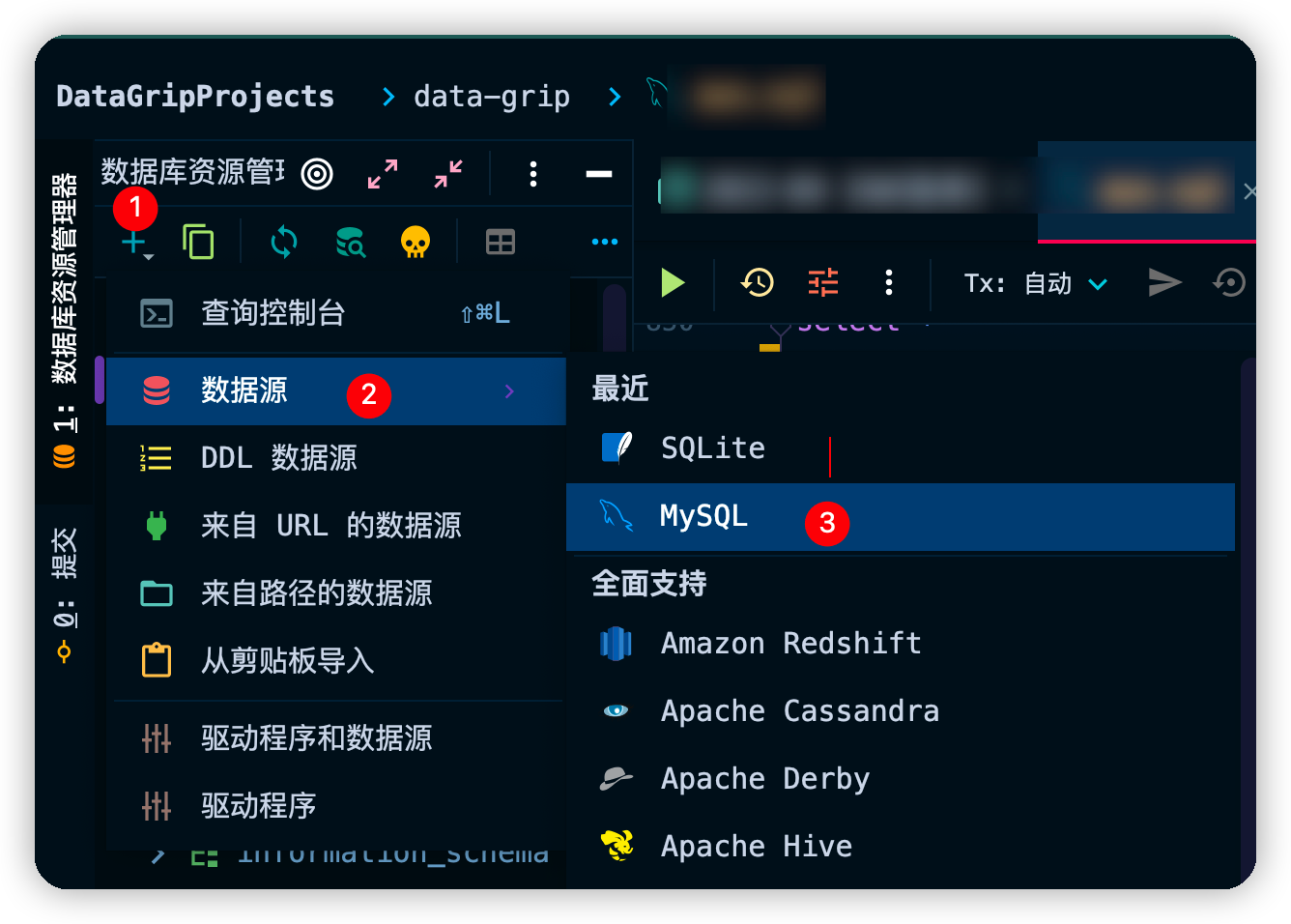
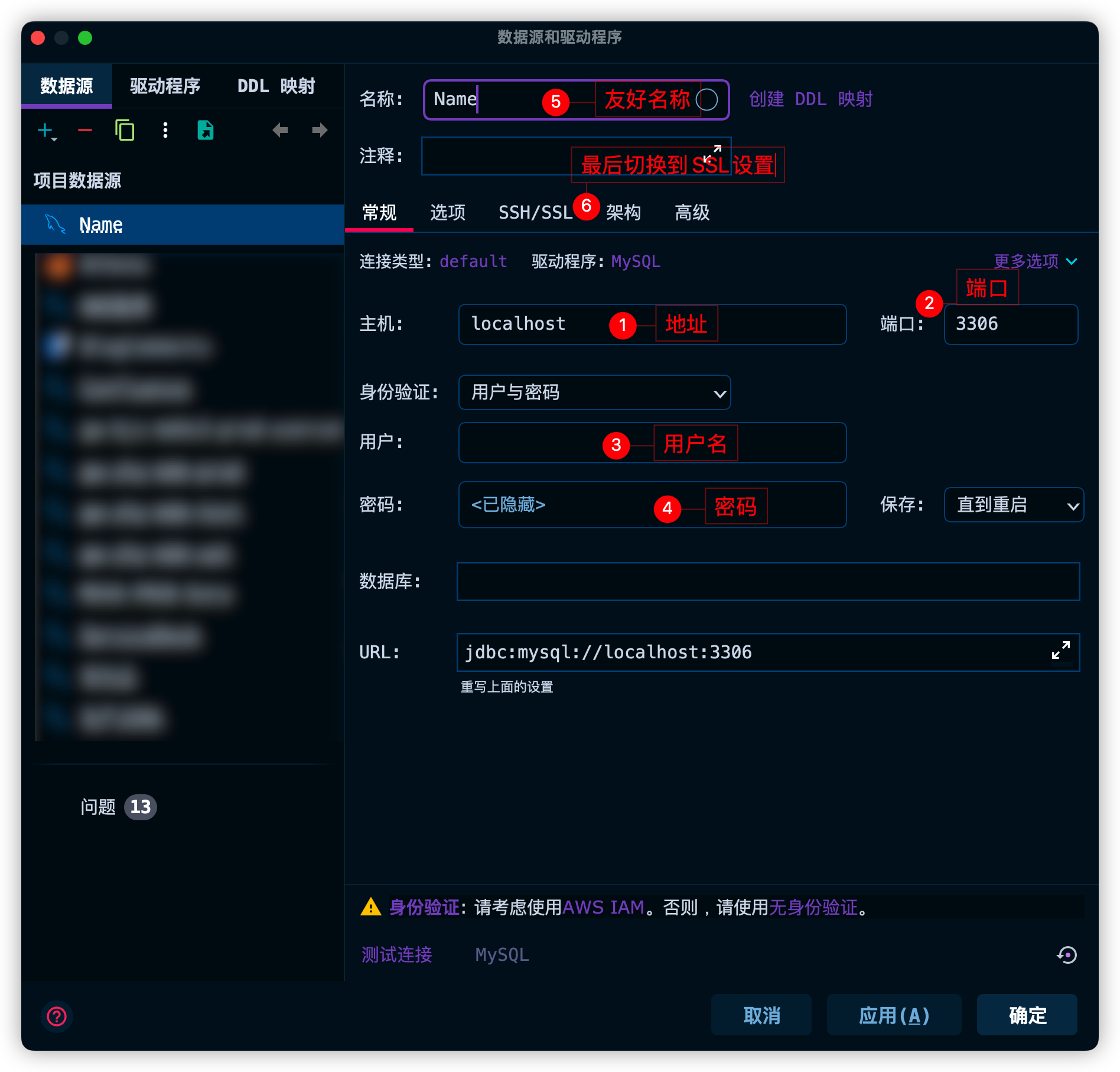
添加MySQL配置
按照以下图示添加
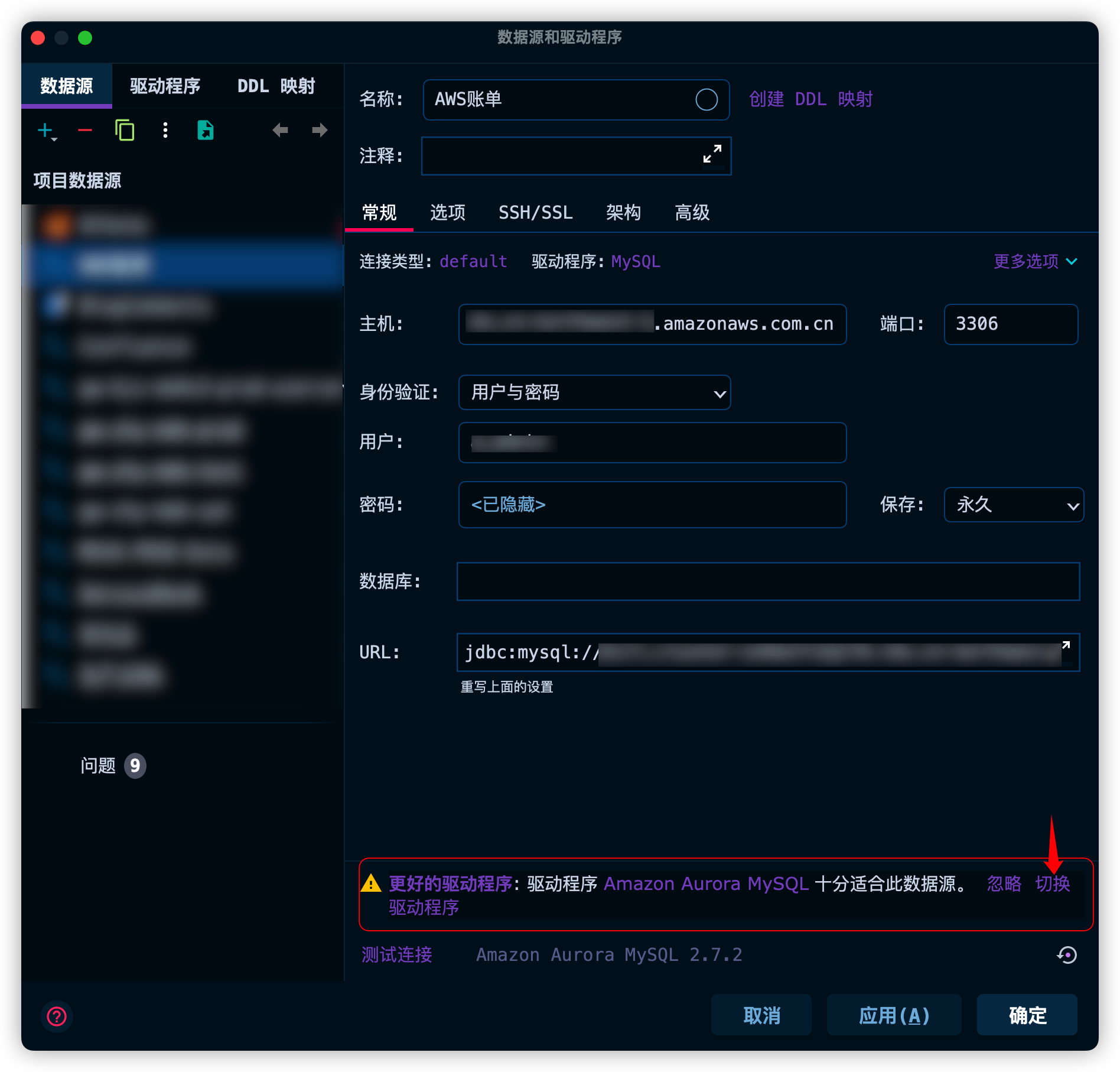
当使用了AWS Aurora MySQL的时候, 可能会提示如下信息,
点击切换驱动程序即可
Q&A
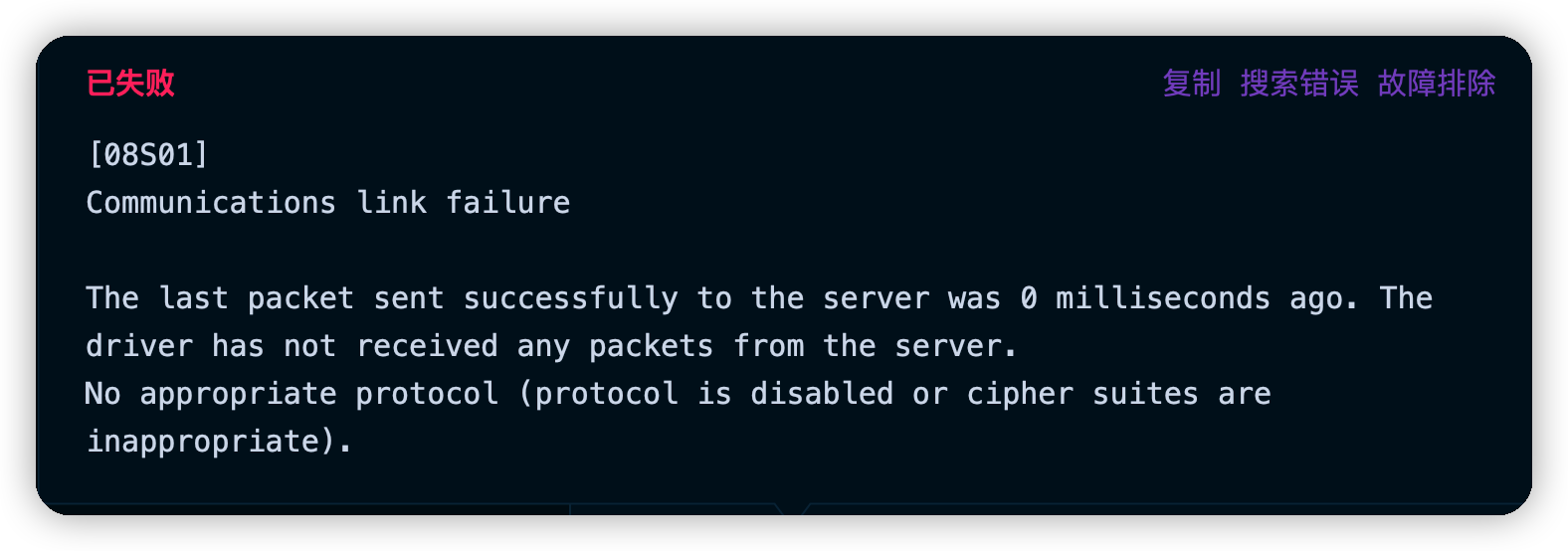
[08S01] No appropriate protocol (protocol is disabled or cipher suites are inappropriate).
报错信息
Communications link failure
The last packet sent successfully to the server was 0 milliseconds ago. The driver has not received any packets from the server.
No appropriate protocol (protocol is disabled or cipher suites are inappropriate).
参考文档
[08S01]问题Communications link failure... No appropriate protocol - 简书
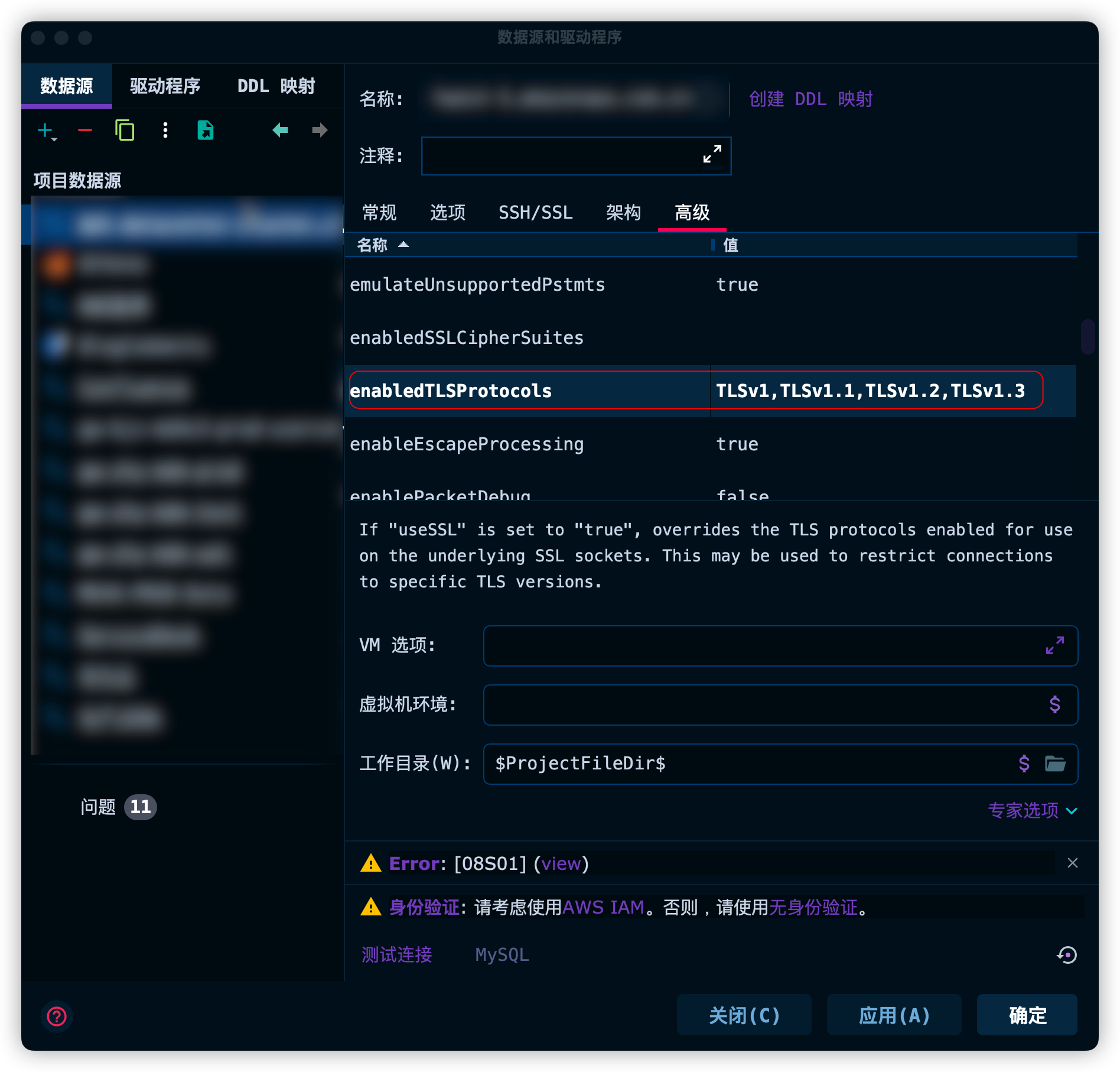
解决方法
需要在高级(Advanced)找到enabledTLSProtocols并配置为TLSv1,TLSv1.1,TLSv1.2,TLSv1.3方可生效
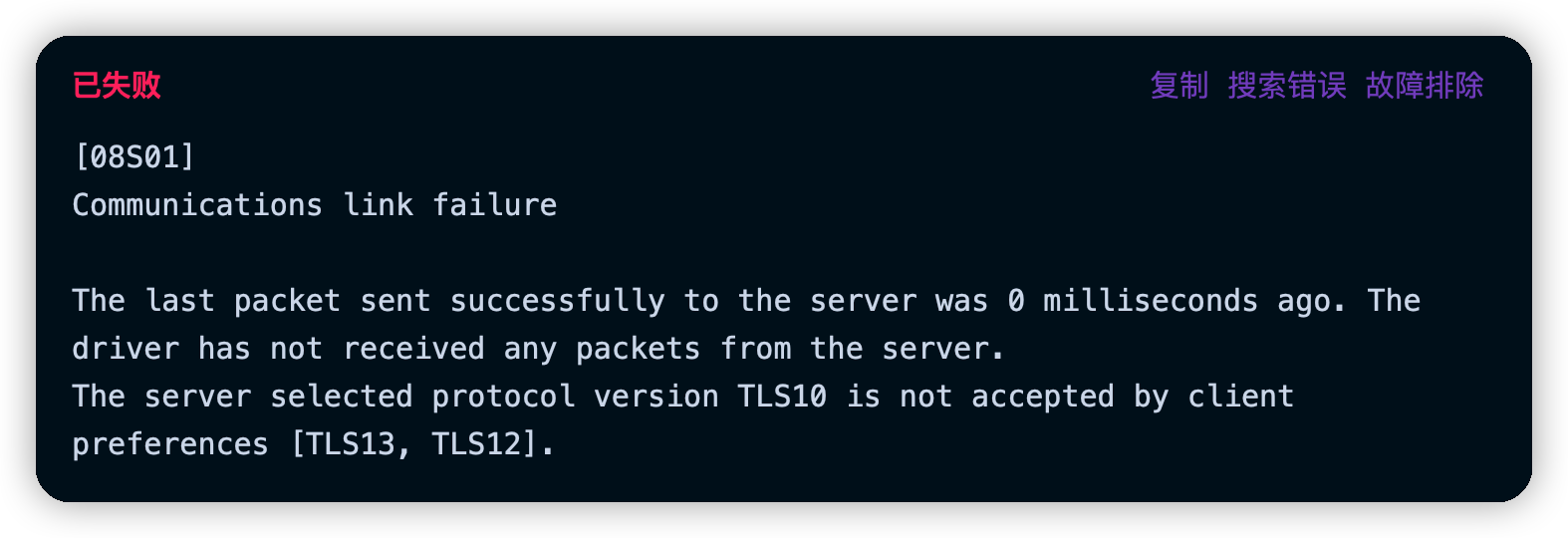
[08S01] The server selected protocol version TLS10 is not accepted by client preferences [TLS13, TLS12].
报错信息
Communications link failure
The last packet sent successfully to the server was 0 milliseconds ago. The driver has not received any packets from the server.
The server selected protocol version TLS10 is not accepted by client preferences [TLS13, TLS12].
参考文档
DataGrip连接数据库报SSL协议错误_jianwen1的博客-CSDN博客
Solved: Re: ReadyAPI -> MySql fail: "Communications link f... - SmartBear Community
The server selected protocol version TLS10 is not accepted by client preferences [TLS12] | 锦瑟流年
解决方法
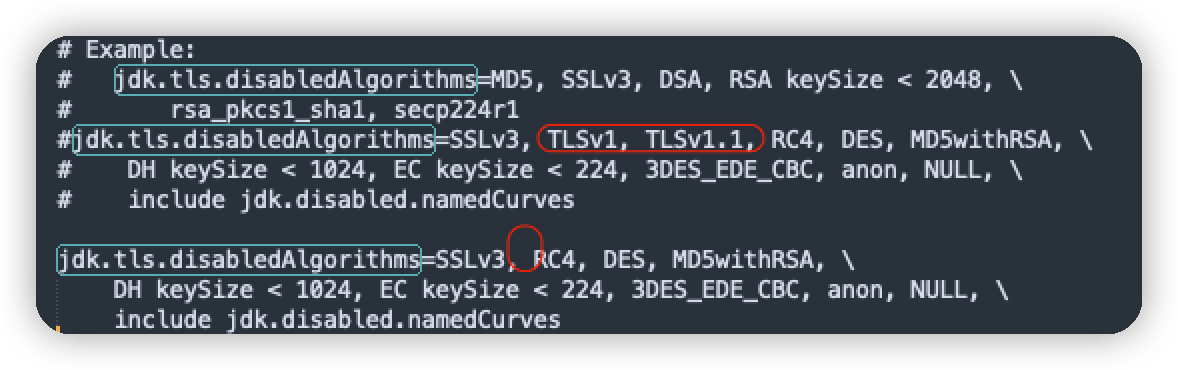
以上参考文档中都提到了一个JAVA属性jdk.tls.disabledAlgorithms,
找到该属性并删除TLS1.0和TLS1.1相关内容即可,
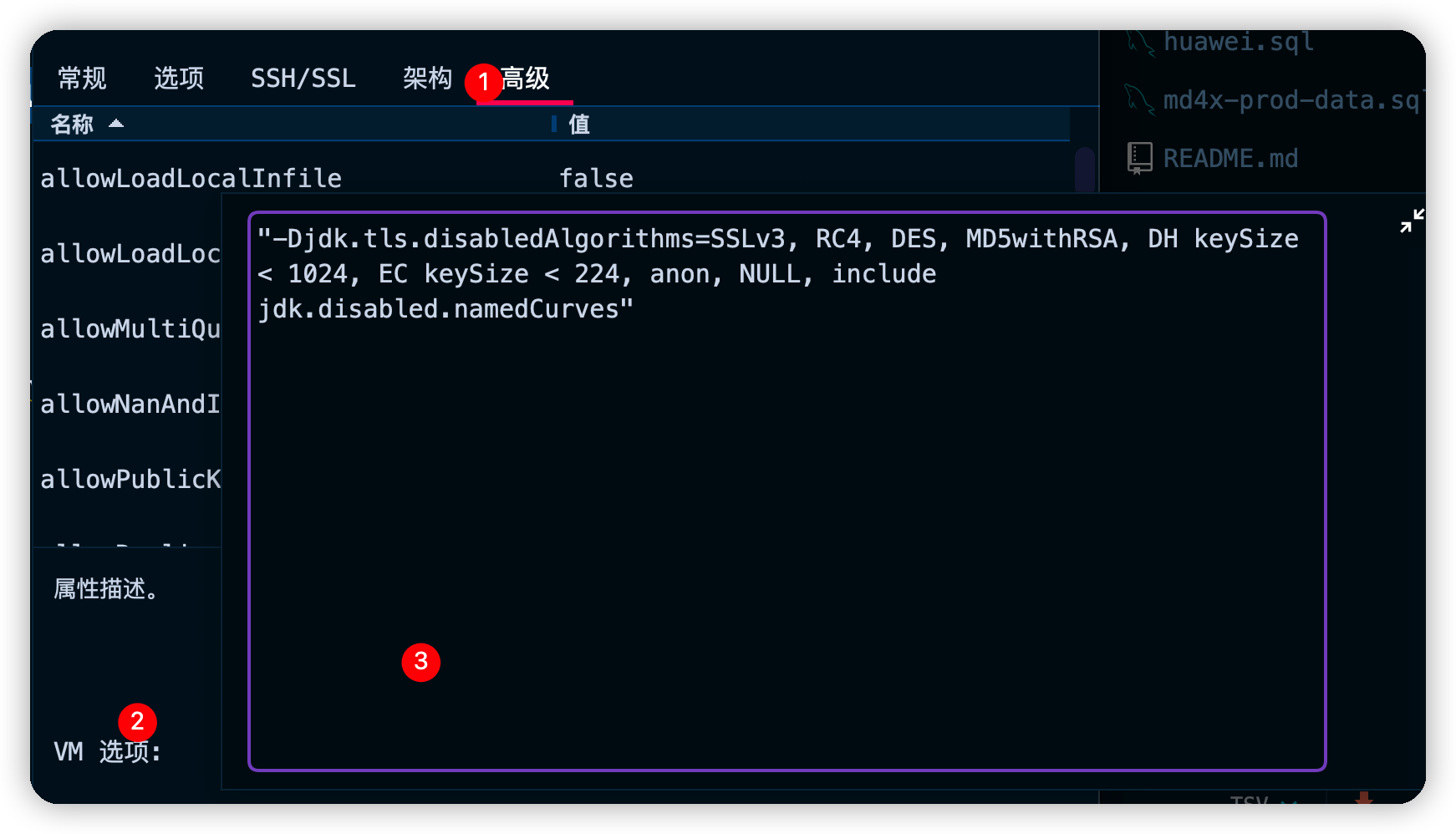
或添加自定义VM参数覆盖设置

通过搜索找到如下内容:
1 | # Example: |
仅修改某个配置项
"-Djdk.tls.disabledAlgorithms=SSLv3, RC4, DES, MD5withRSA, DH keySize < 1024, EC keySize < 224, 3DES_EDE_CBC, anon, NULL, include jdk.disabled.namedCurves"将👆🏻VM配置添加到
高级(Advanced)的VM选项中即可生效![自定义VM属性]()
全局设置
打开
~/Library/Application Support/JetBrains/Toolbox/apps/datagrip/ch-0/221.5080.224/DataGrip.app/Contents/jbr/Contents/Home/conf/security/java.security文件, 按照下图修改配置![修改disabledAlgorithms参数]()
重启DataGrip生效
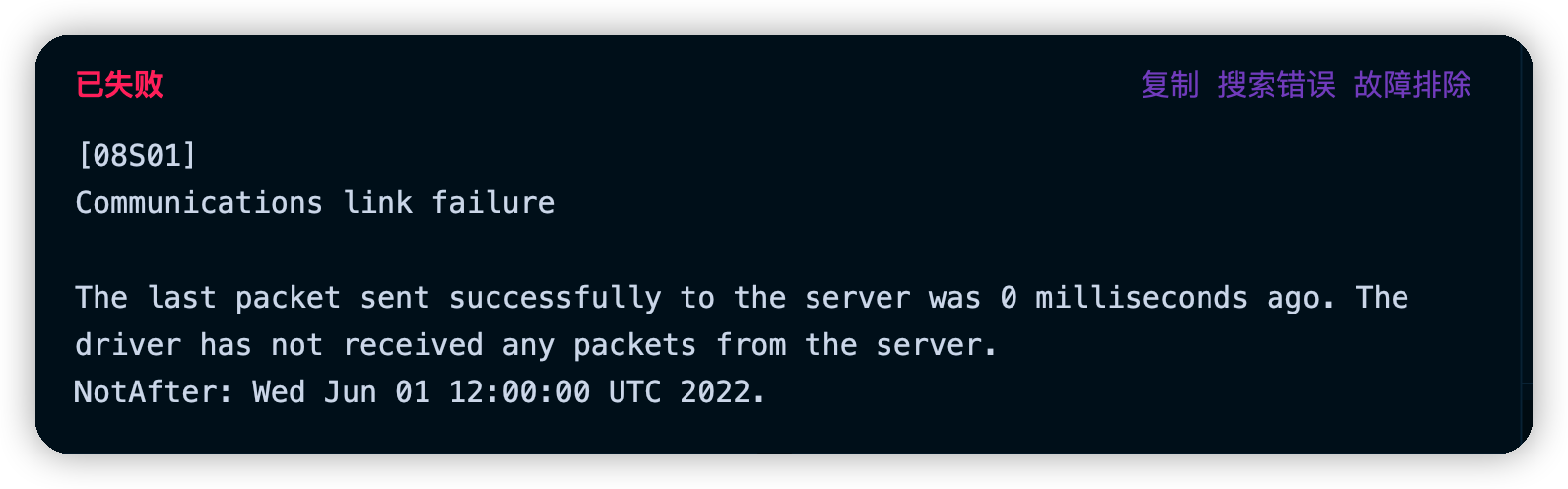
[08S01] NotAfter: Wed Jun 01 12:00:00 UTC 2022.
报错信息
[08S01] Communications link failure
The last packet sent successfully to the server was 0 milliseconds ago. The driver has not received any packets from the server.
NotAfter: Wed Jun 01 12:00:00 UTC 2022.
参考文档
该问题是由于证书过期导致
关于SSL通用workaround
参考文档
在JDBC连接后添加?useSSL=false参数, 如:
jdbc:mysql://localhost:3306/test?useSSL=false