解决Bitwarden对HTTP填充弹窗
最近使用Bitwarden1的时候,
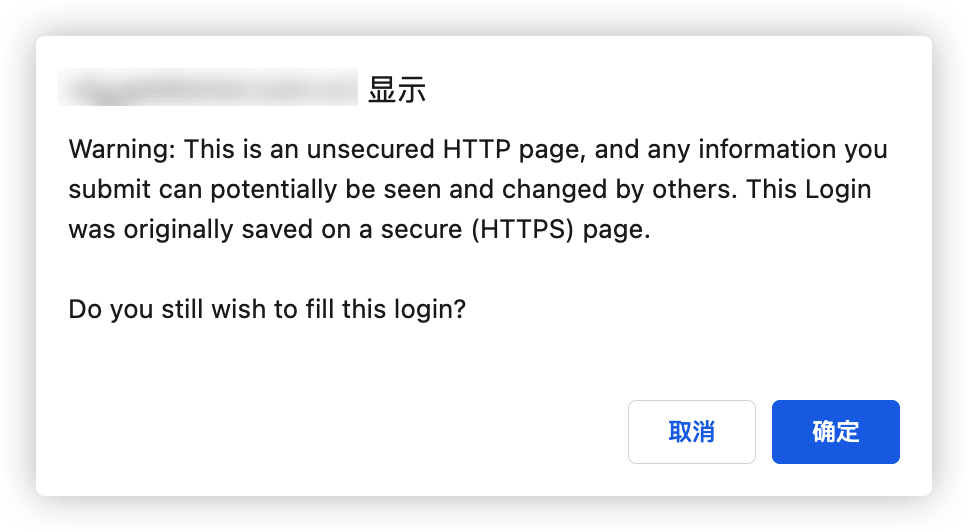
访问HTTP页面的时候经常弹出确认对话框👇, 很是烦人,
记录一下如何解决它
寻找答案
在外网找了一下, 发现这个帖子里面讨论了这个问题, 并且是在2022-12-18提交的, 相关开发者已经关注了这个问题, 并将问题提供给了开发团队(2022-12-23).
我仔细通读了一下讨论内容, 其中有两个回复有很大价值:
This blocked my local development flow enough that i had to disable the browser extension altogether and go back to the web app.🙁Big up vote from me please make this opt-out!
Is there an option to downgrade the extensions in the mean time?Downgrading to 2022.10.1 did the trick, hopefully this gets fixed soon.🙂
👆这个@brainslug老哥给出了一个workround,
就是把插件进行降级,
降级到2022.10.1可以临时解决这个问题.
I’d love to understand your use-case a little bit better. Currently, if you have only a single URI saved on an item, and it is
http, no warning will pop up when you fill the login. It’s only when you have anhttpsURI saved to an item and fill onhttpthat the warning displays. How frequently do you have multiple URIs, some with and some withouthttps, saved on an item?
👆这个@Micah_Edelblut老哥给出的分析就很透彻了,
问题出现的原因就在于你是否对一个密码项目,
既使用了HTTP的网页填充,
也使用了HTTPS的网页填充, 说起来比较绕, 简单举例如下:
- ✅项目A:
https://cn.bing.com - ✅项目B:
http://example.com - ❌项目C:
https://cn.bing.com&http://example.com
解决方案
因此, 解决方案就是针对于该HTTP页面,
单独新建一个密码存储项目, 即可解决该问题,
不过弊端就是会存在多个相似的项目存储了相同的账号密码信息, 类似这样
如果有强迫症/洁癖的话.... 嗯... 等新版发布吧, 有弹窗暂时凑合用吧~