记录一下使用 Docker 构建基于 x86_64 和
arm_v8 架构下的不同镜像过程
手工创建
多架构下的
Docker 镜像 – 陈少文的网站
构建 x86_64 架构镜像
1
2
3
4
5
6
| docker login
...
docker build -t chowrex/hexo-resume:amd64 .
docker push chowrex/hexo-resume:amd64
|
构建 arm 架构镜像
1
2
3
4
5
6
| docker login
...
docker build -t chowrex/hexo-resume:armv8 .
docker push chowrex/hexo-resume:armv8
|
创建 manifest 并推送
1
2
3
4
5
6
7
8
9
10
11
12
13
14
15
16
17
18
19
| docker manifest create \
chowrex/hexo-resume:latest \
chowrex/hexo-resume:armv8 \
chowrex/hexo-resume:amd64
docker manifest annotate \
--os linux \
--arch arm \
chowrex/hexo-resume:latest \
chowrex/hexo-resume:armv8
docker manifest annotate \
--os linux \
--arch amd64 \
chowrex/hexo-resume:latest \
chowrex/hexo-resume:amd64
docker manifest push -p chowrex/hexo-resume:latest
|
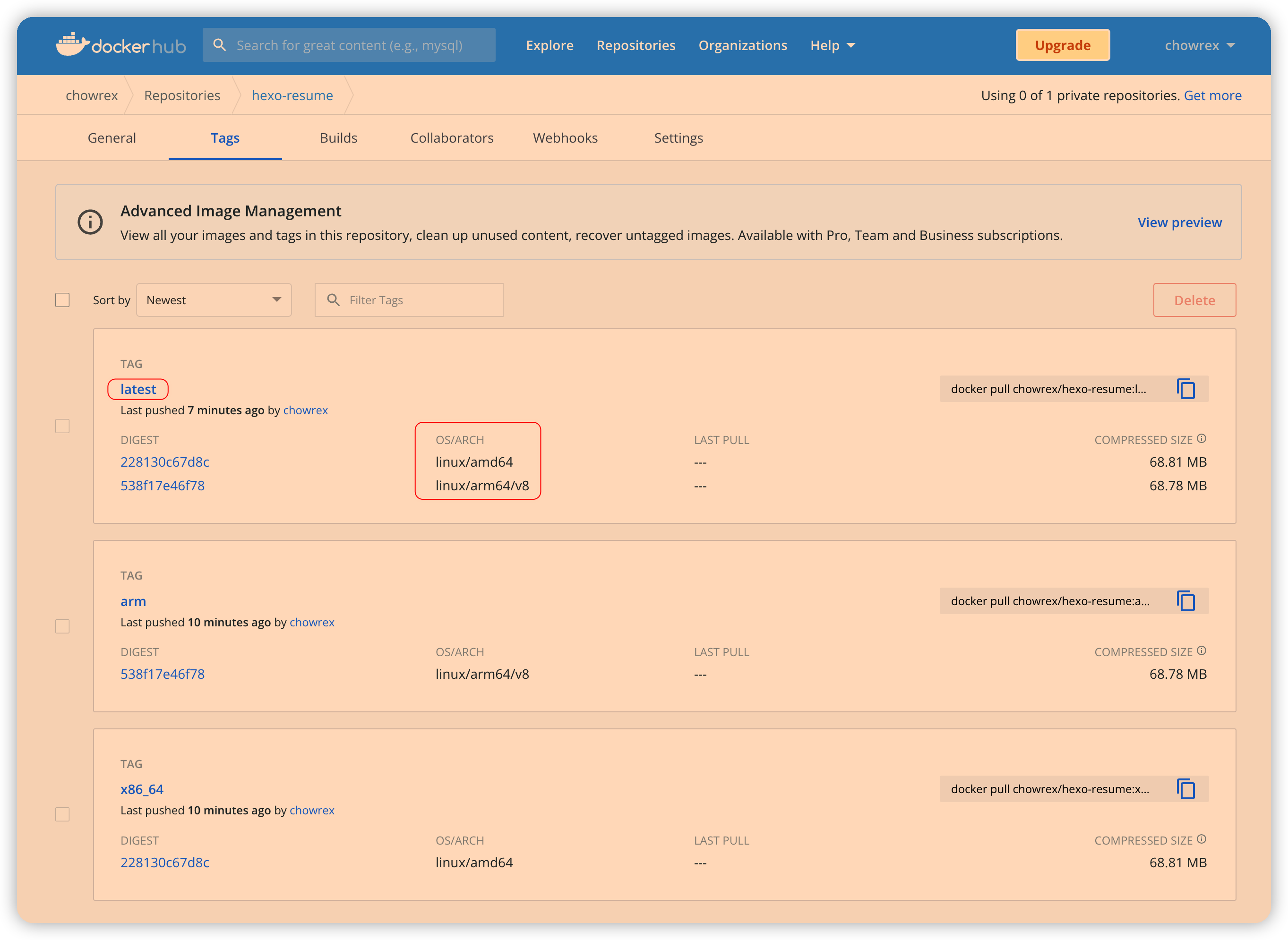
登录 DockerHub,可见 latest
标签会自动根据架构拉取不同镜像
![DockerHub]() DockerHub
DockerHub
Q&A
docker
manifest | Docker Documentation
删除已有 manifest
通过 buildx 构建多架构镜像
如何构建多架构
Docker 镜像?_云计算_Preetam DSouza_InfoQ精选文章
1
| docker buildx build -t chowrex/hexo-resume --platform=linux/arm,linux/arm64,linux/amd64,linux/arm/v8 . --push
|