Gitlab 实现push自动推送镜像

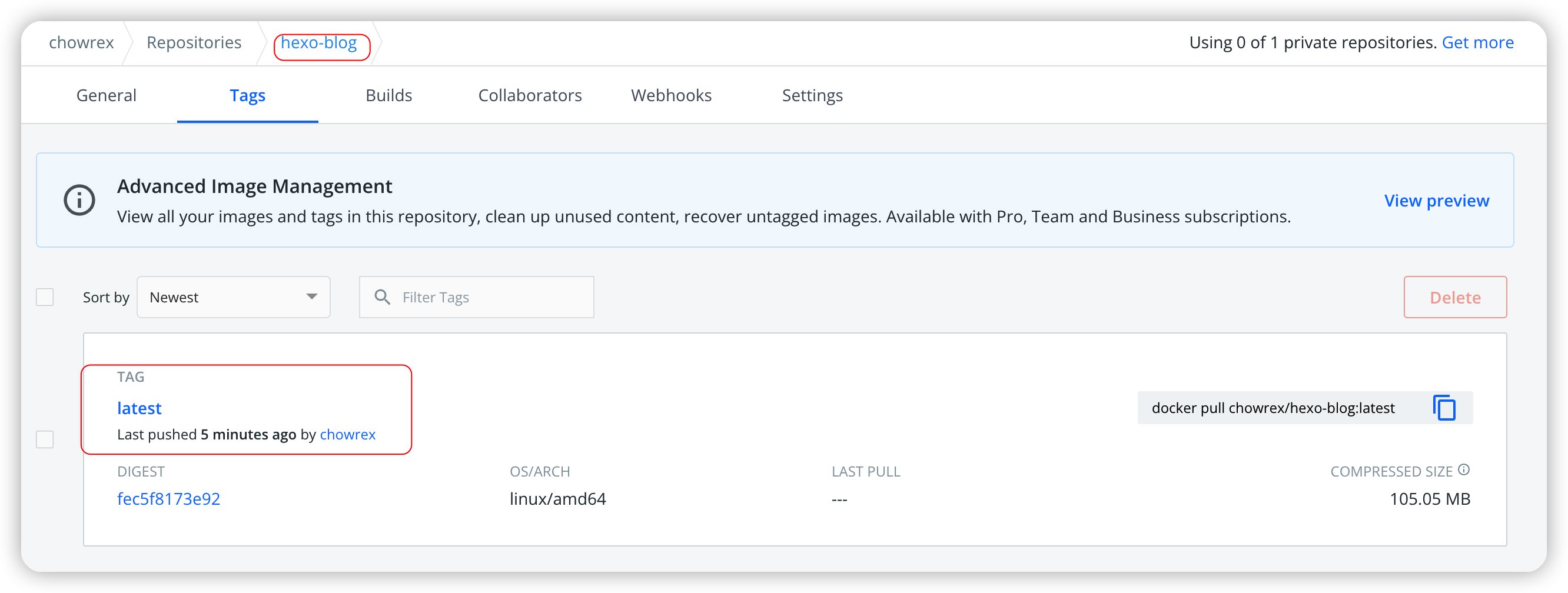
本博客系统是基于Hexo+NexT主题构建的, 并且内容托管于自建的Gitlab, 生成的文档等静态页面通过Pages进行展示, 为了加速每次的发布速度, 我自己构建了一个基于Hexo并且应用NexT主题的Docker镜像 chowrex/hexo-blog - Docker Image | Docker Hub

因为Gitlab默认支持通过编写.gitlab-ci.yml文件实现自动CI/CD功能, 因此记录一下

创建DockerHub的AccessToken

使用个人账号登录DockerHub, 点击Account Settings, 左侧tab页切换到Security, 然后点击New Access Token, 创建私钥
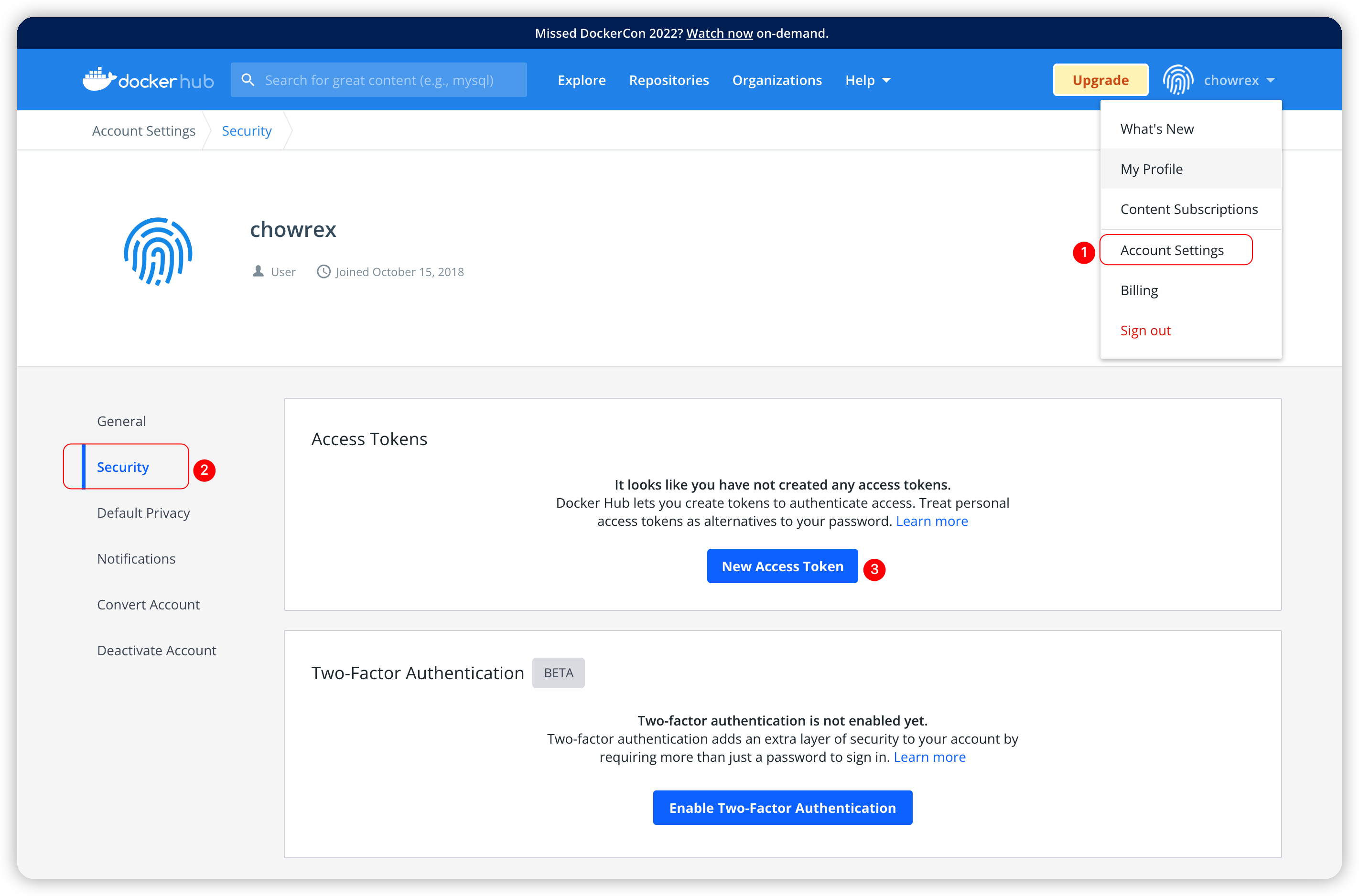
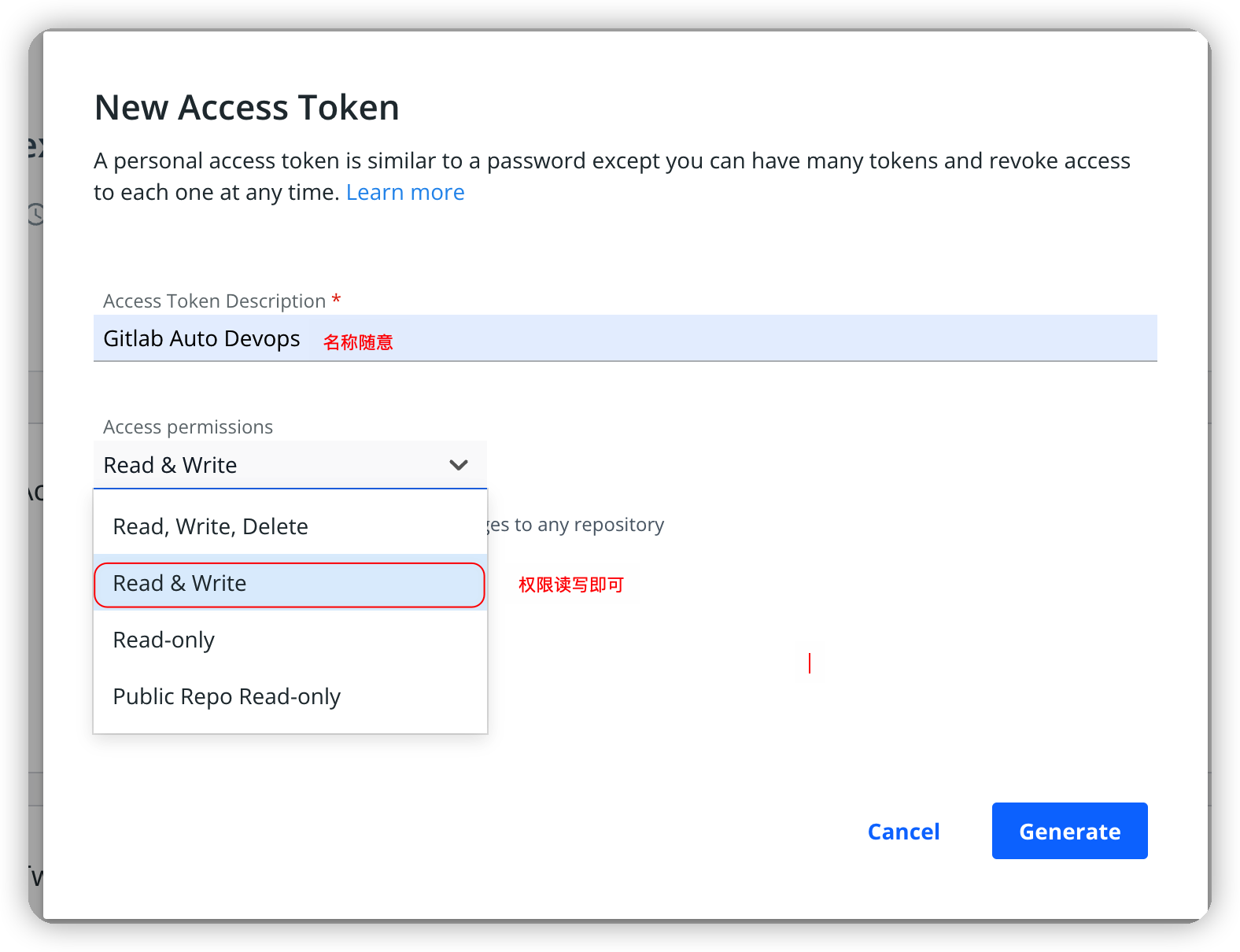
创建Access Token

填写名称, 权限建议RW即可

创建并填写信息

成功后如下图, 复制该Token, 如果页面关闭, 该Token将无法展示, 只能重新创建
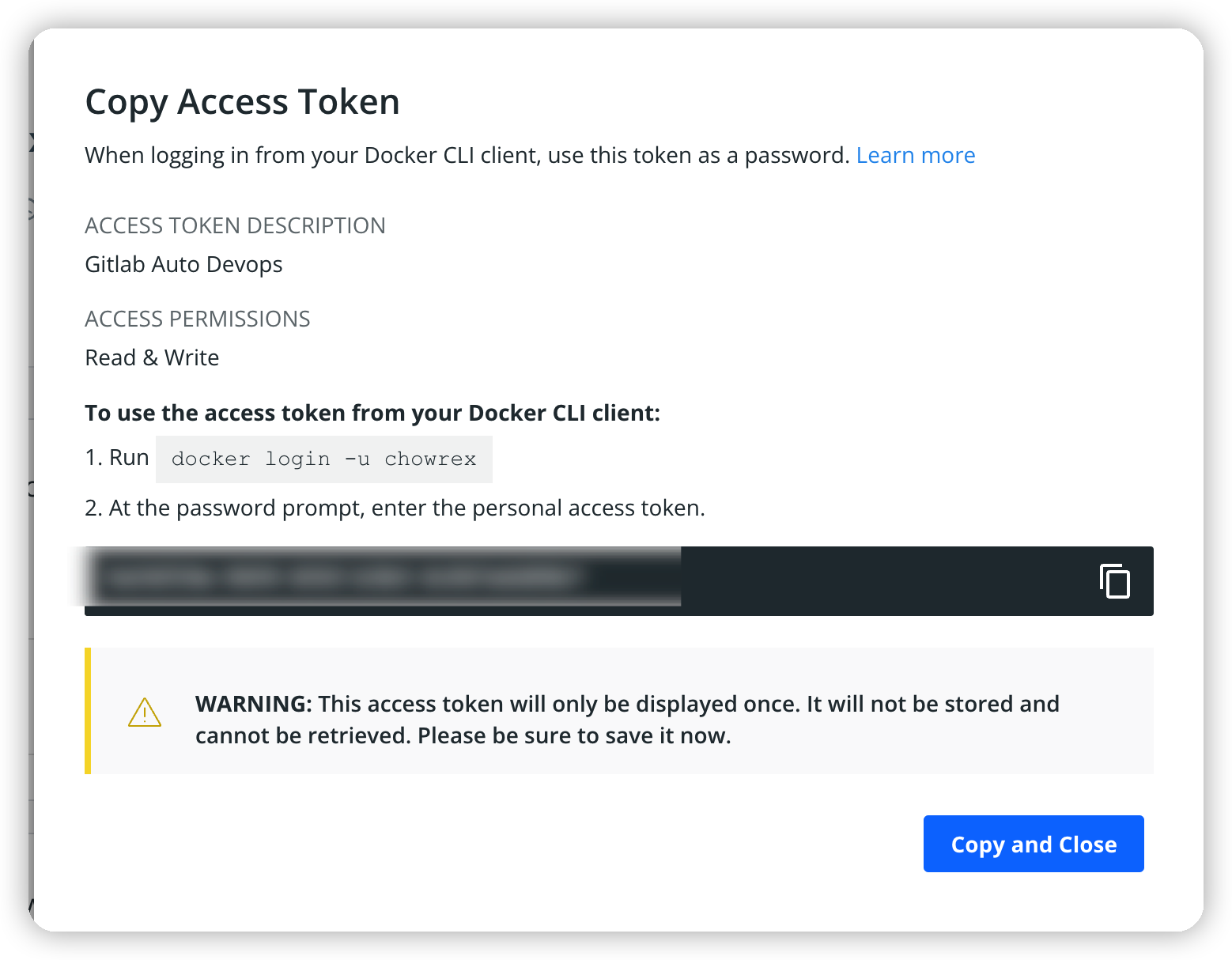
复制Token

获取CI模板

此处建议使用官方推荐的模板进行修改

lib/gitlab/ci/templates · master · GitLab.org / GitLab FOSS · GitLab

1
2
3
4
5
6
7
8
9
10
11
12
13
14
15
16
17
18
19
20
21
22
23
24
25
26
27
28
29
30
31
32
33
34
35
36
37
38
# To contribute improvements to CI/CD templates, please follow the Development guide at:
# https://docs.gitlab.com/ee/development/cicd/templates.html
# This specific template is located at:
# https://gitlab.com/gitlab-org/gitlab/-/blob/master/lib/gitlab/ci/templates/Docker.gitlab-ci.yml

# Build a Docker image with CI/CD and push to the GitLab registry.
# Docker-in-Docker documentation: https://docs.gitlab.com/ee/ci/docker/using_docker_build.html
#
# This template uses one generic job with conditional builds
# for the default branch and all other (MR) branches.

docker-build:
# Use the official docker image.
image: docker:latest
stage: build
services:
- docker:dind
before_script:
- docker login -u "$CI_REGISTRY_USER" -p "$CI_REGISTRY_PASSWORD" $CI_REGISTRY
# Default branch leaves tag empty (= latest tag)
# All other branches are tagged with the escaped branch name (commit ref slug)
script:
- |
if [[ "$CI_COMMIT_BRANCH" == "$CI_DEFAULT_BRANCH" ]]; then
tag=""
echo "Running on default branch '$CI_DEFAULT_BRANCH': tag = 'latest'"
else
tag=":$CI_COMMIT_REF_SLUG"
echo "Running on branch '$CI_COMMIT_BRANCH': tag = $tag"
fi
- docker build --pull -t "$CI_REGISTRY_IMAGE${tag}" .
- docker push "$CI_REGISTRY_IMAGE${tag}"
# Run this job in a branch where a Dockerfile exists
rules:
- if: $CI_COMMIT_BRANCH
exists:
- Dockerfile

如上代码, 可见其中对于登录, 使用到了如下变量信息:

变量 描述
CI_REGISTRY_USER DockerHub的登录用户名, 我这里是chowrex
CI_REGISTRY_PASSWORD DockerHub的密码/AccessToken, 上一节提取的结果
CI_REGISTRY DockerHub的目标仓库名称, 默认就是DockerHub, 可以不指定
CI_REGISTRY_IMAGE DockerHub的目标镜像名称, 我这里是chowrex/hexo-blog

为Gitlab仓库添加变量

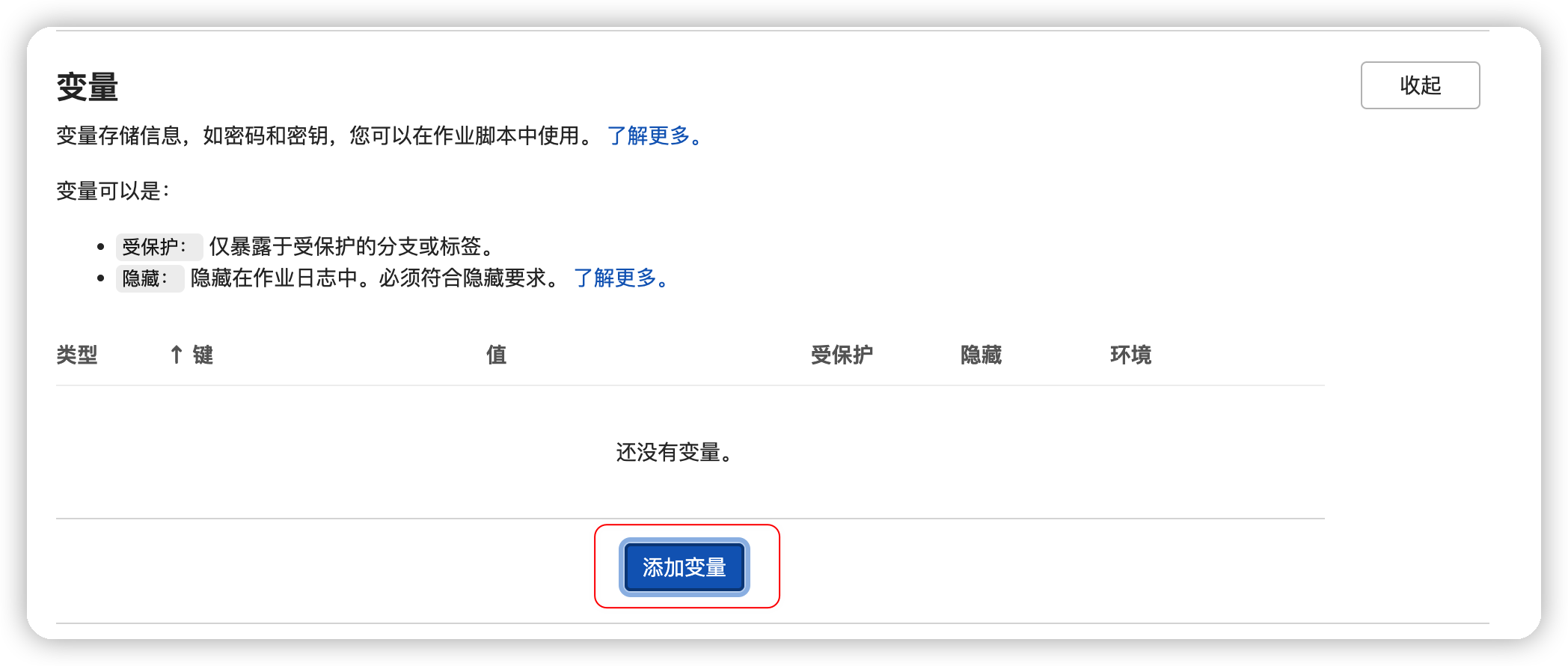
进入Gitlab的Web页面, 依次点击设置->CI/CD->变量->展开
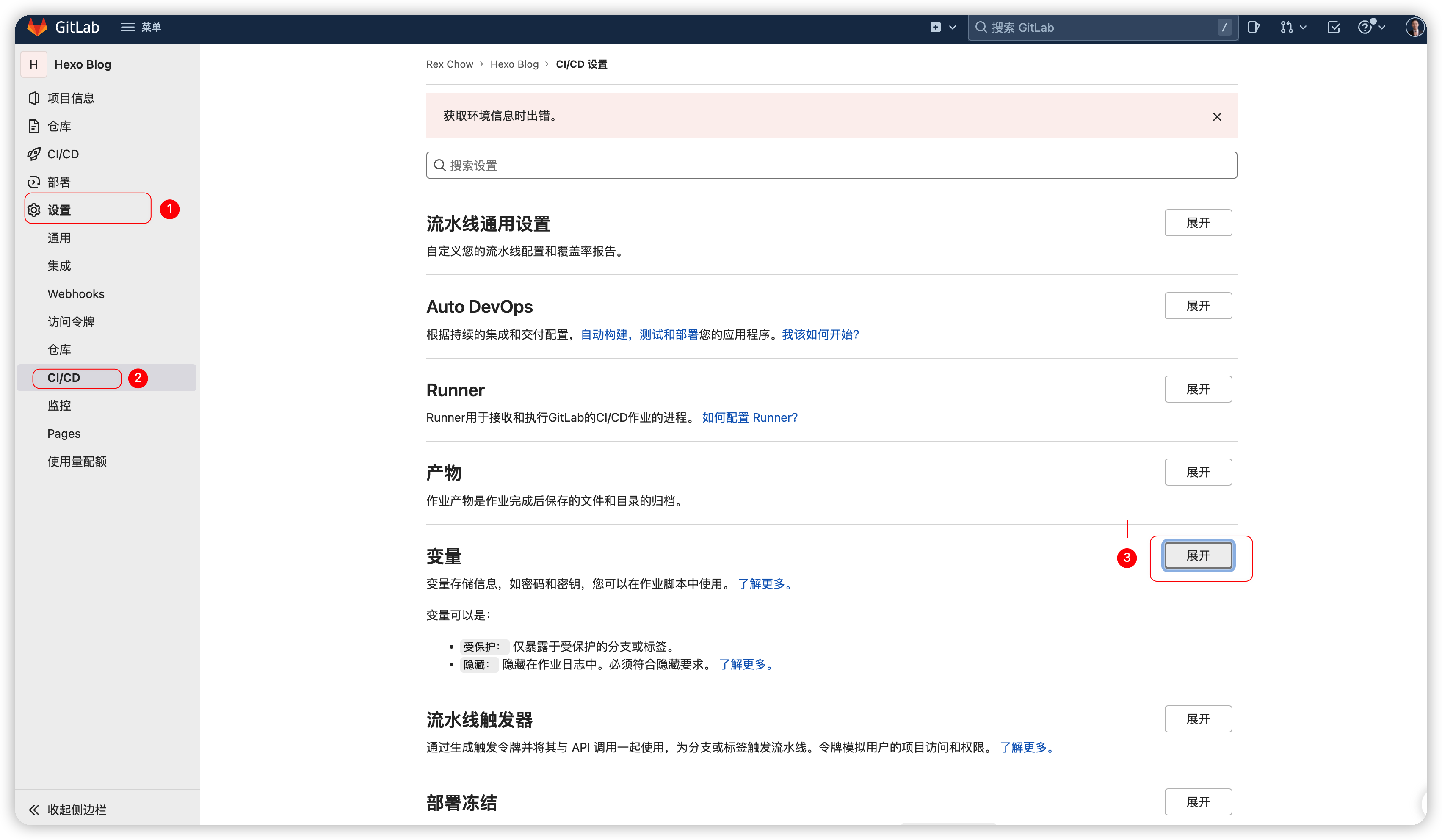
进入变量管理页面

点击添加变量

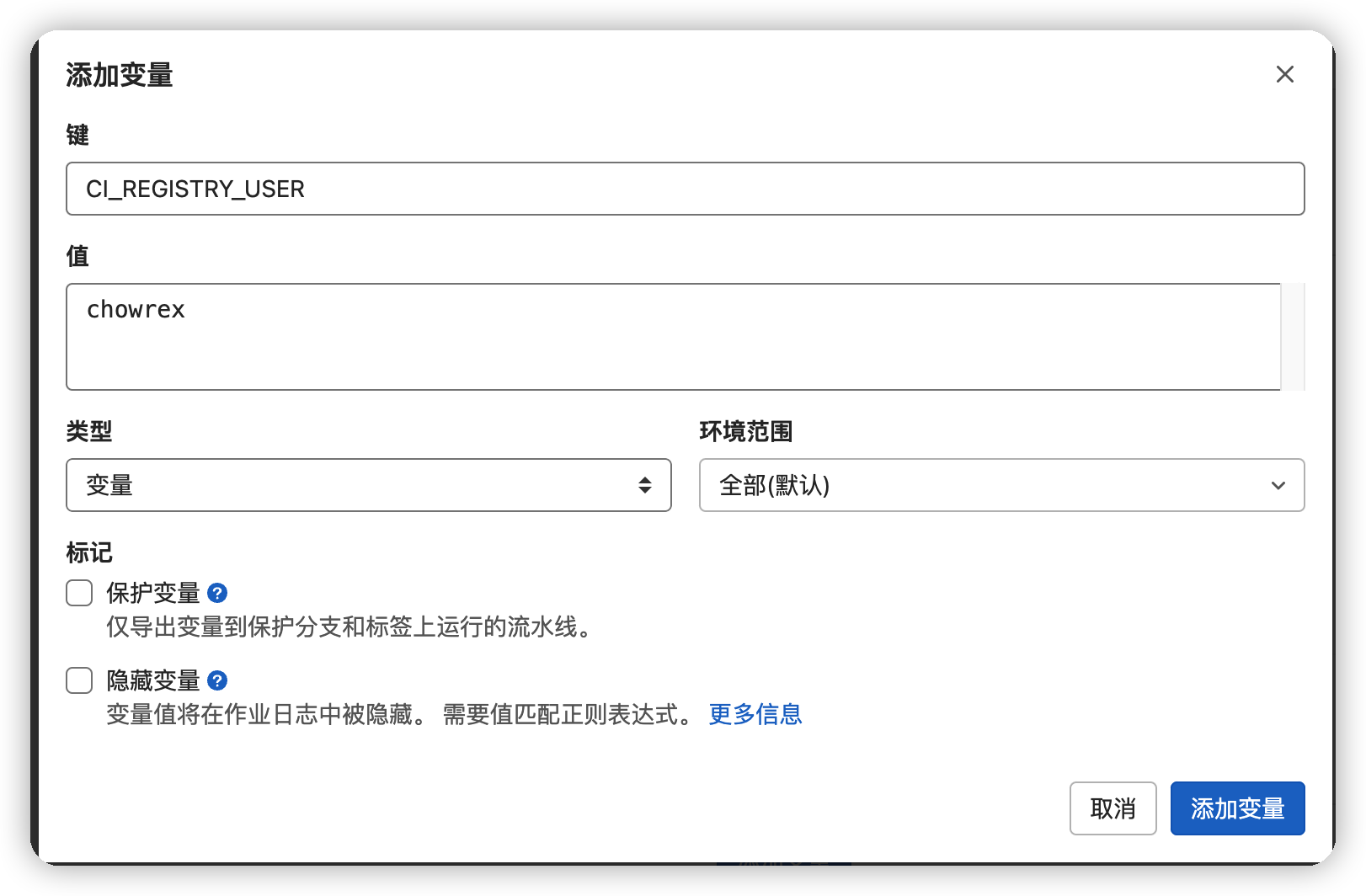
添加变量

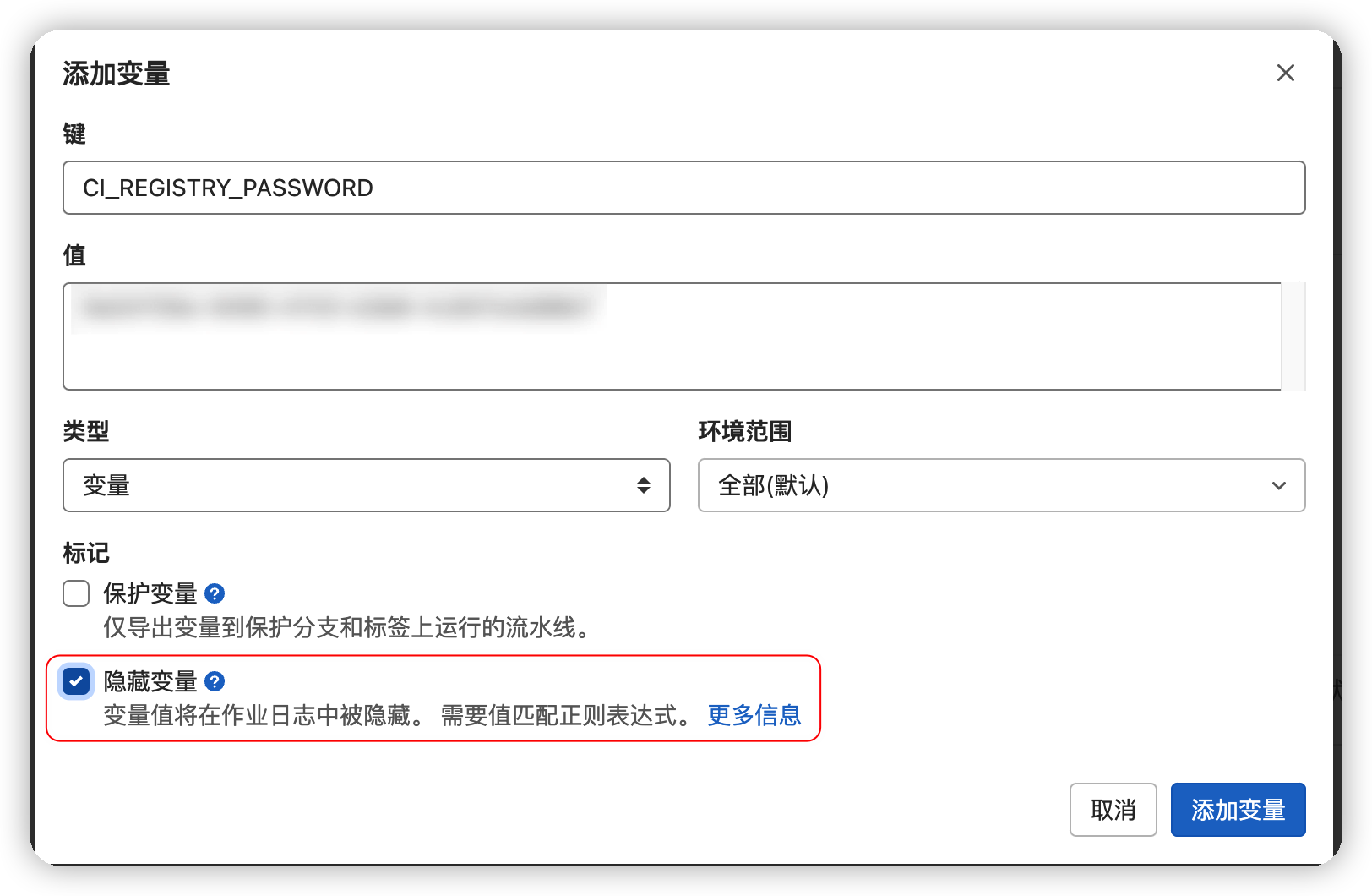
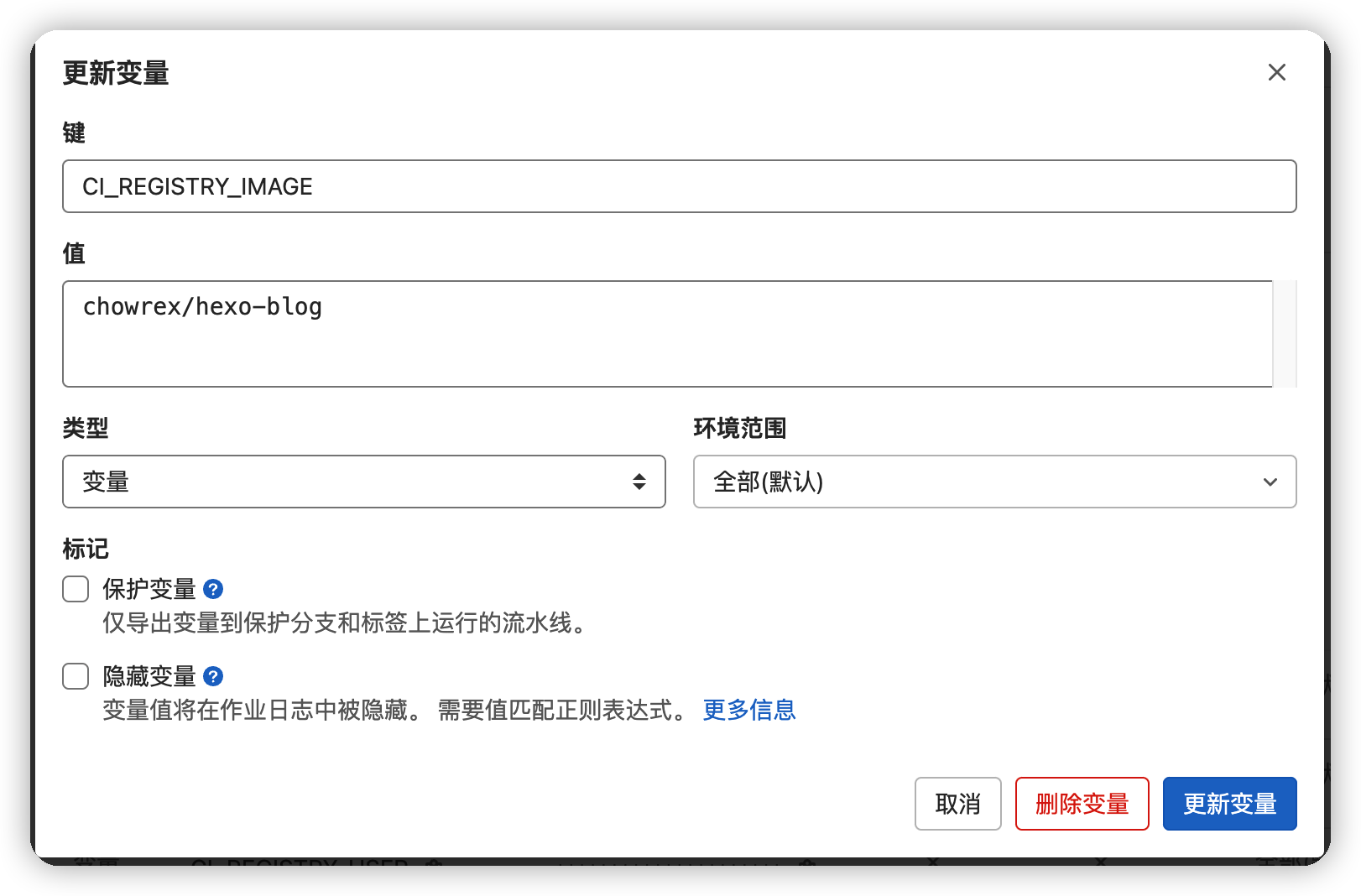
依次添加上面的各项变量, 密码记得勾选隐藏变量, 如下图

添加用户名
添加AccessToken
目标镜像名称

添加.gitlab-ci.yml文件

依次点击CI/CD->流水线, 右侧样例中, 找到Docker, 并点击使用模板
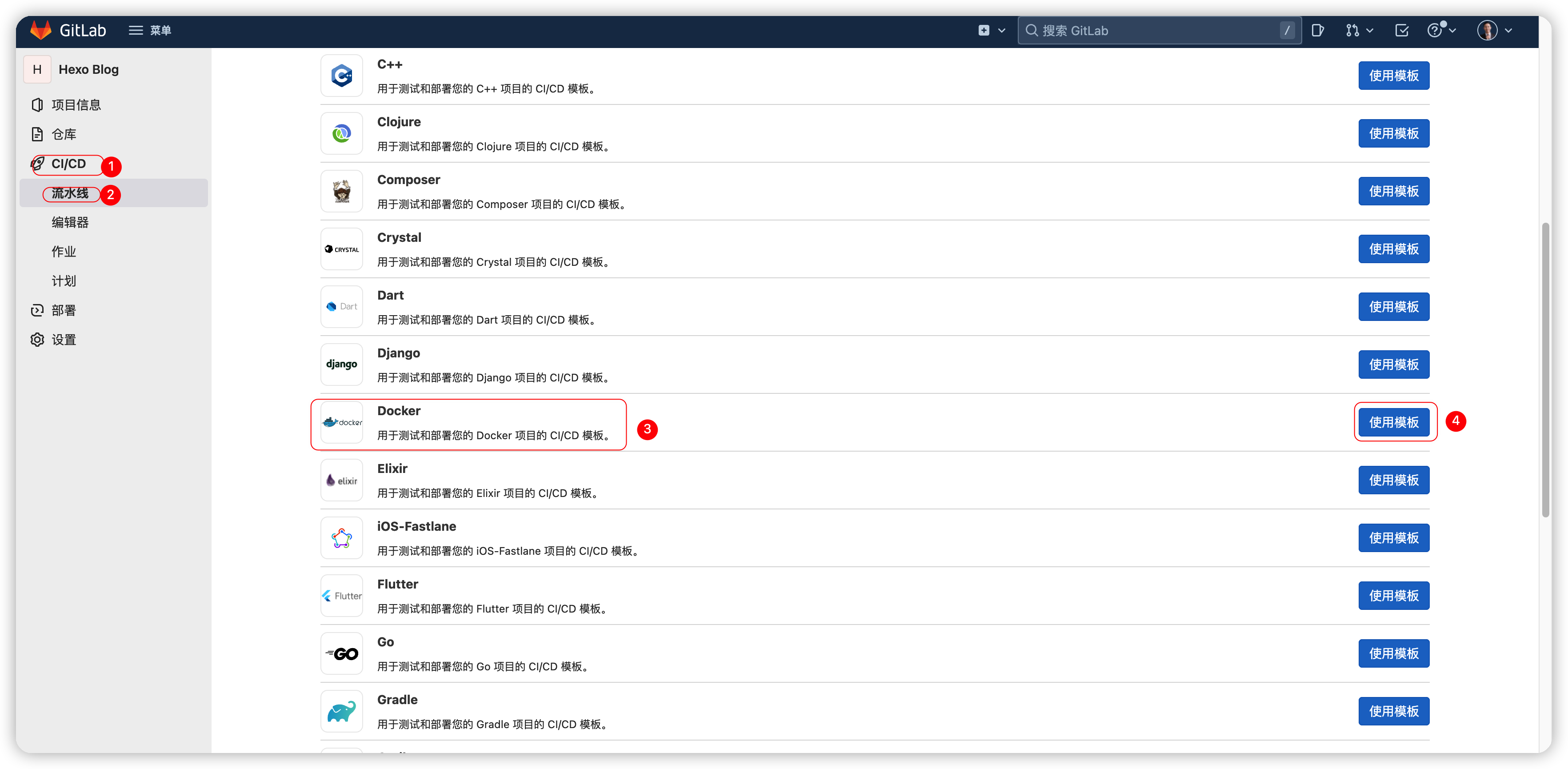
创建CI文件

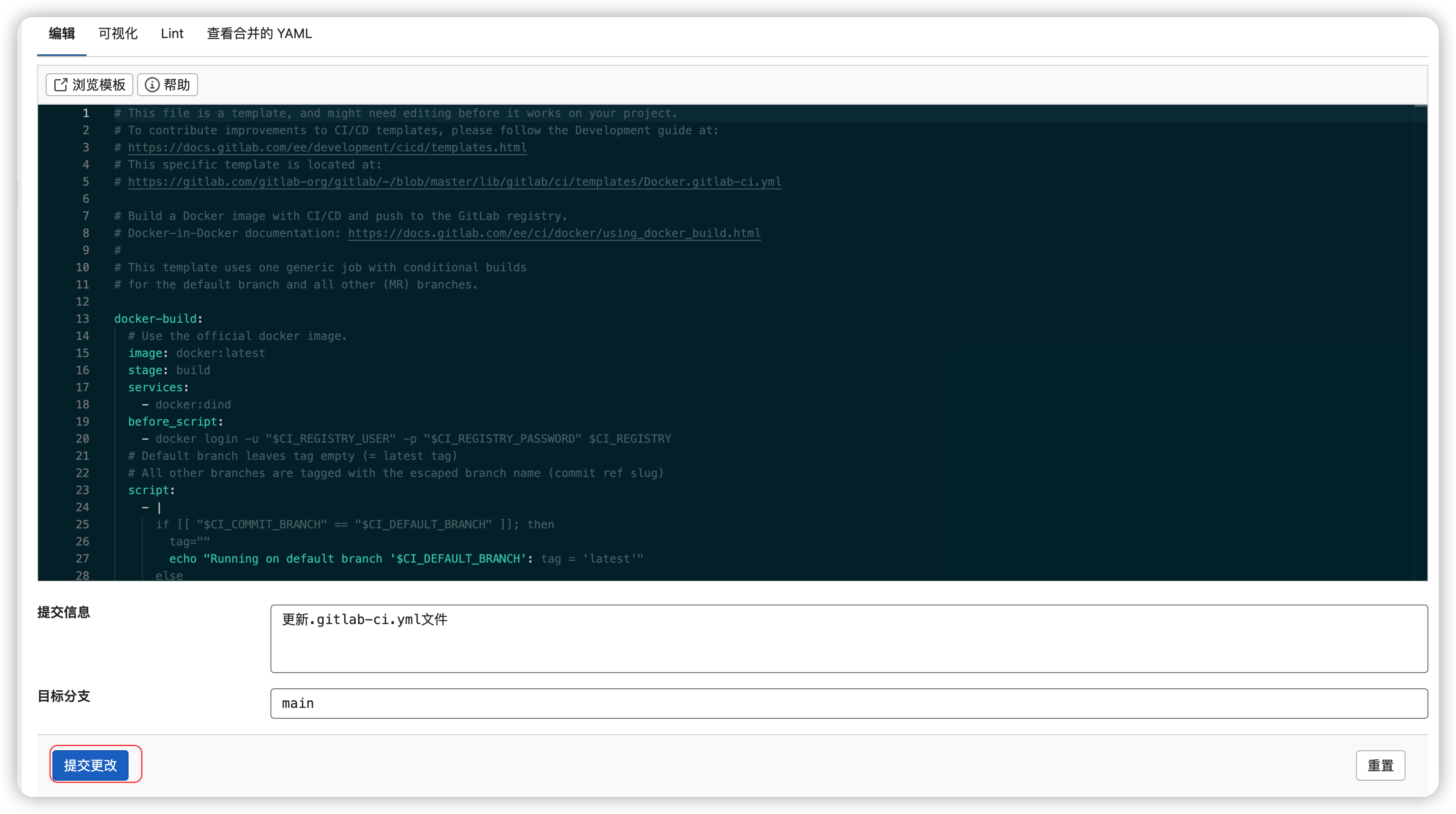
直接点击提交更改测试一下CI是否正常

提交更改

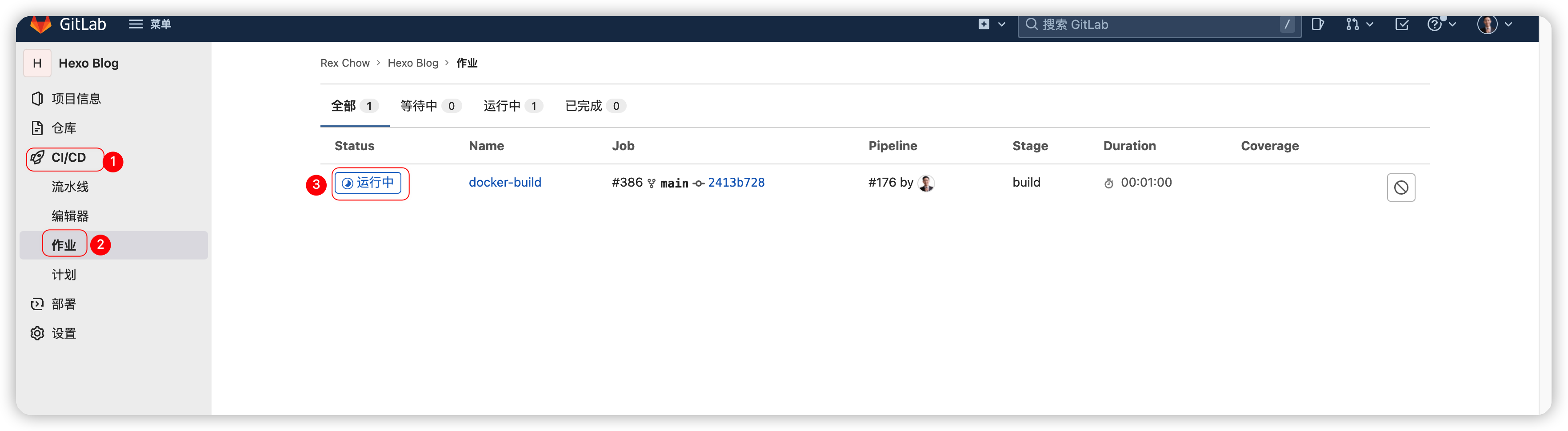
点击CI/CD->作业->Status, 查看当前执行情况

查看构建情况

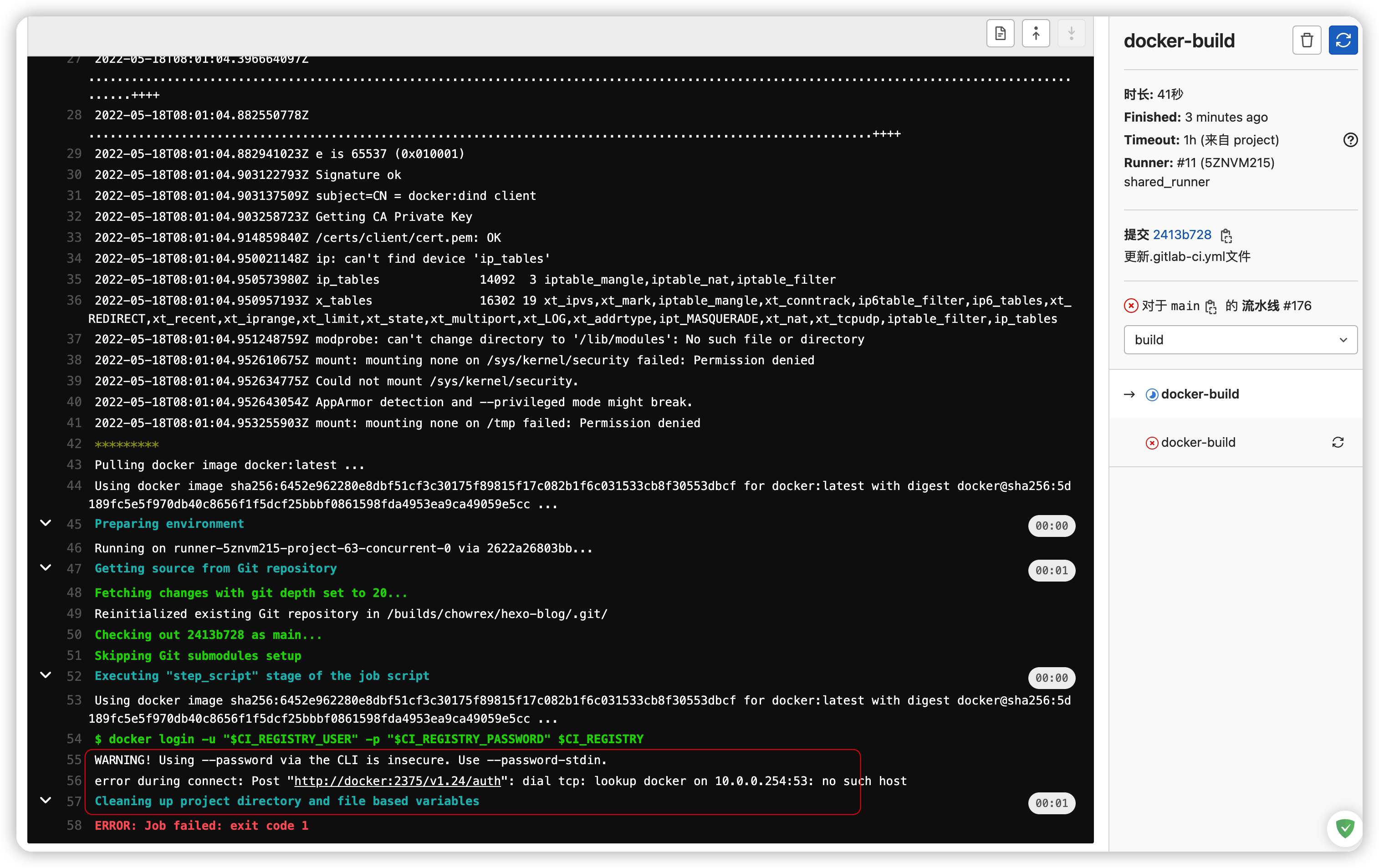
提示构建失败

构建失败

因为我的默认构建是运行在共享runner中, 即Docker Container中构建Docker image, 因此需要一些设置

修改.gitlab-ci.yml文件

1
2
3
4
5
6
7
8
9
10
11
12
13
14
15
16
17
18
19
20
21
22
23
24
25
26
27
28
29
30
31
32
33
34
35
36
37
38
39
# This file is a template, and might need editing before it works on your project.
# To contribute improvements to CI/CD templates, please follow the Development guide at:
# https://docs.gitlab.com/ee/development/cicd/templates.html
# This specific template is located at:
# https://gitlab.com/gitlab-org/gitlab/-/blob/master/lib/gitlab/ci/templates/Docker.gitlab-ci.yml

# Build a Docker image with CI/CD and push to the GitLab registry.
# Docker-in-Docker documentation: https://docs.gitlab.com/ee/ci/docker/using_docker_build.html
#
# This template uses one generic job with conditional builds
# for the default branch and all other (MR) branches.

docker-build:
# Use the official docker image.
image: docker:latest
stage: build
services:
- docker:dind
before_script:
- docker "$CI_BUILD_ARGS" login -u "$CI_REGISTRY_USER" -p "$CI_REGISTRY_PASSWORD" $CI_REGISTRY
# Default branch leaves tag empty (= latest tag)
# All other branches are tagged with the escaped branch name (commit ref slug)
script:
- |
if [[ "$CI_COMMIT_BRANCH" == "$CI_DEFAULT_BRANCH" ]]; then
tag=""
echo "Running on default branch '$CI_DEFAULT_BRANCH': tag = 'latest'"
else
tag=":$CI_COMMIT_REF_SLUG"
echo "Running on branch '$CI_COMMIT_BRANCH': tag = $tag"
fi
- docker "$CI_BUILD_ARGS" build --pull -t "$CI_REGISTRY_IMAGE${tag}" .
- docker "$CI_BUILD_ARGS" push "$CI_REGISTRY_IMAGE${tag}"
# Run this job in a branch where a Dockerfile exists
rules:
- if: $CI_COMMIT_BRANCH
exists:
- Dockerfile

增加CI_BUILD_ARGS变量, 并添加到Gitlab仓库中, 我这里是指定远程服务器链接
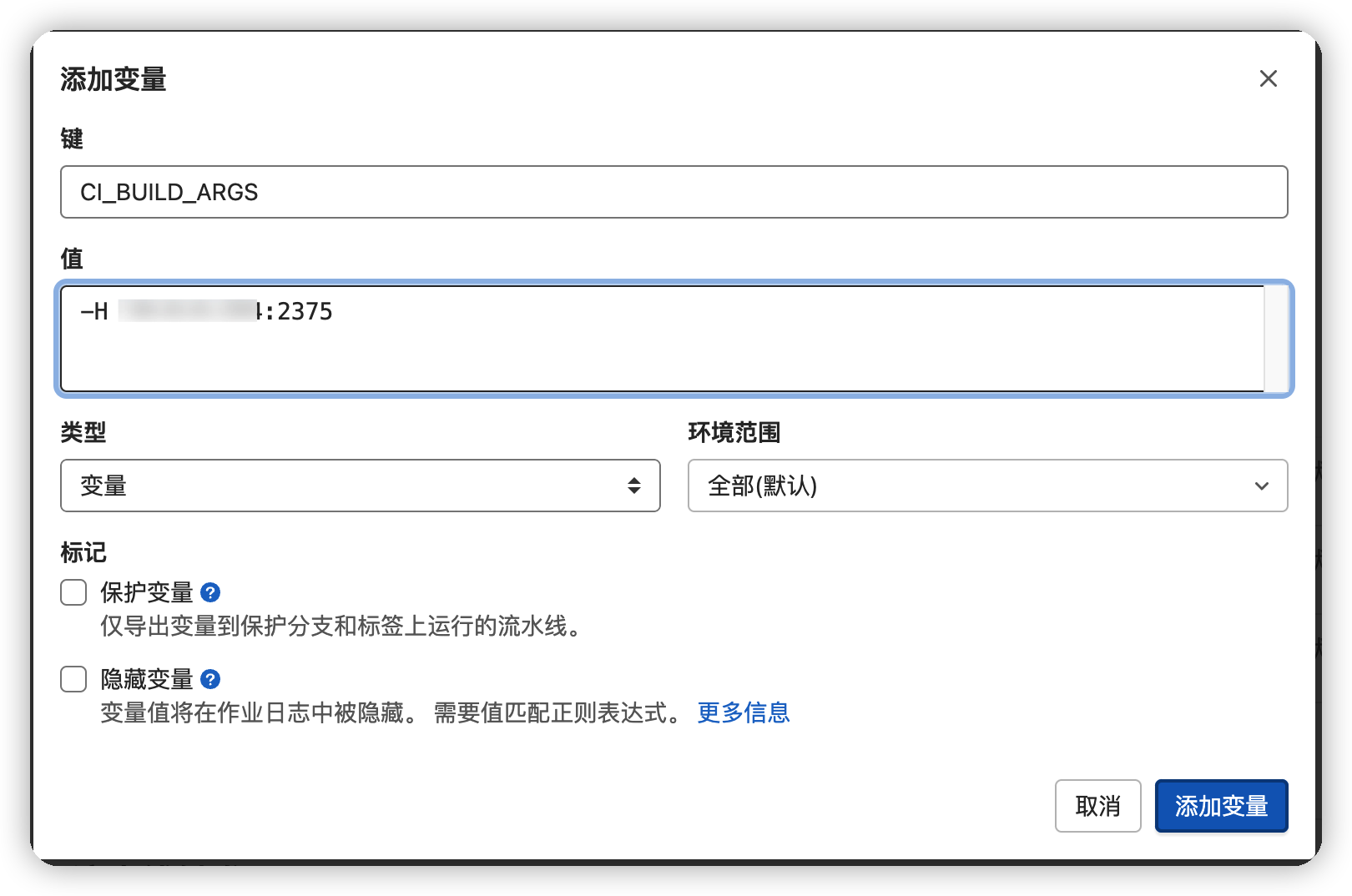
增加构建参数

再次尝试, 任务可以正确执行完毕. 登录DockerHub, 镜像已更新

镜像已更新