博客基本上搞定的差不多了,
这两天自己看的时候发现自己添加的网易云音乐的iframe有点问题,
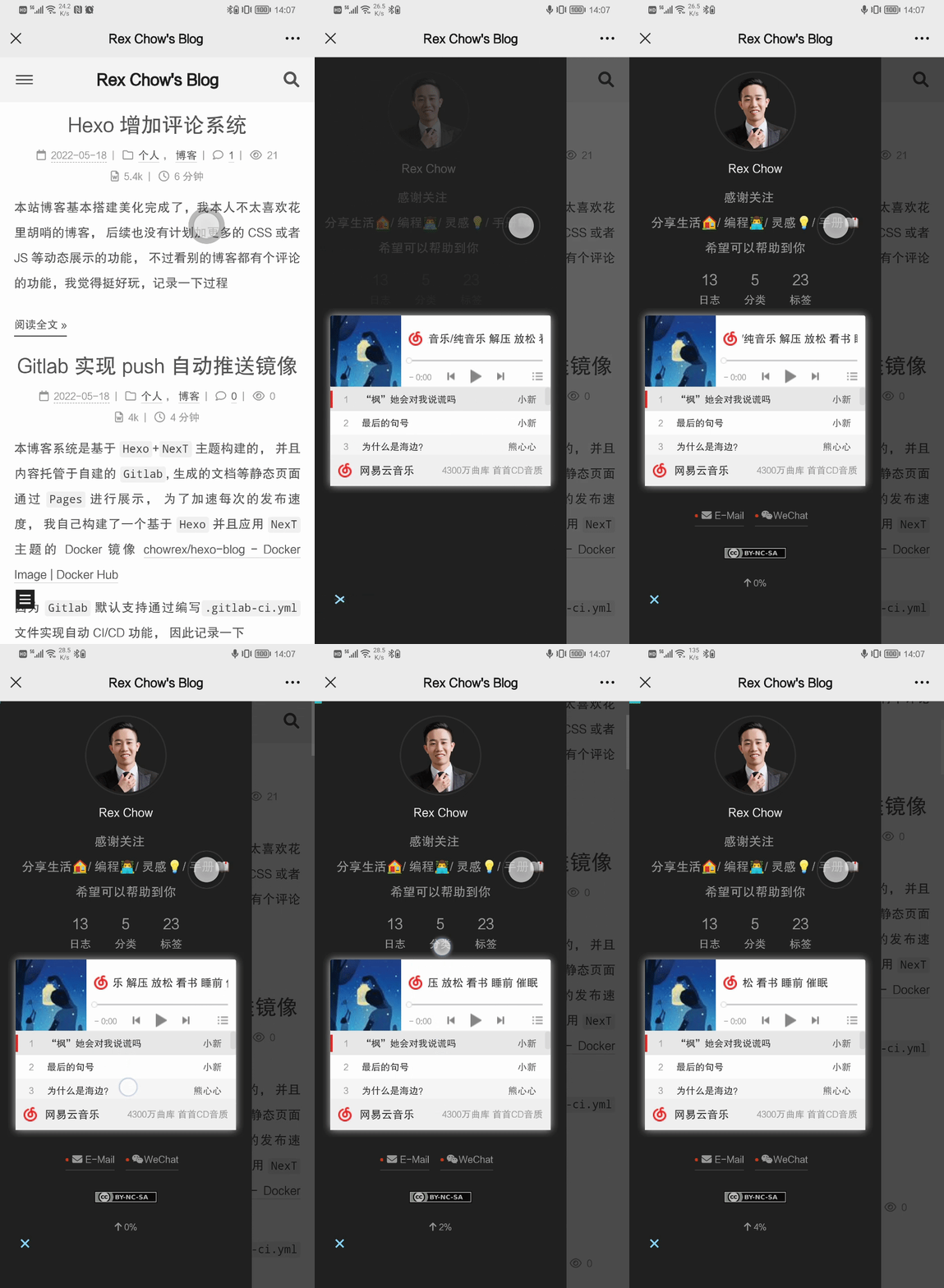
在电脑端展示正常, 但是移动端歌单不能完全展示, 也无法下拉,
因此想看下有没有直接能实现的插件
![桌面端正常显示]() 桌面端正常显示
桌面端正常显示
![移动端异常]() 移动端异常
移动端异常
寻找插件
- 官方插件: Plugins |
NexT
- 更多有趣的插件集合: next-theme/awesome-next:
😎 Theme NexT, AWESOME NexT!
在官方文档翻看的时候, 找到了个宝藏页面next-theme/awesome-next:
😎 Theme NexT, AWESOME NexT!, 挑了两个比较有兴趣的看一下
- 🍰 hexo-cake-moon-menu:
A new style for back2top button and
scrollpercent.(这个美化并增加直达页首/页尾)
- 📆
[theme-next-calendar](https://github.com/theme-next/theme-next-calendar):
一个简洁的日历云插件。(这个主要是展示日历功能)
💥 hexo-next-fireworks:
Fireworks animation for NexT.(点一下就放烟花, 这个太花里胡哨了,
弃)- 💎 @waline/hexo-next: Waline
comment system for NexT.(这个就是我已经在用的评论插件, 见Hexo
增加评论系统 | Rex Chow's Blog)
- 🎁 hexo-next-share:
Content sharing services for NexT.(分享功能的插件)
增加直达页首/页尾功能
1
2
3
4
5
6
7
8
9
10
11
12
13
14
15
16
|
npm i hexo-cake-moon-menu --save
cat << EOF >> _config.yml
moon_menu:
back2top:
enable: true
icon: fas fa-chevron-up
order: -1
back2bottom:
enable: true
icon: fas fa-chevron-down
order: -2
EOF
|
![实现效果]() 实现效果
实现效果
增加日历功能
Custom
Pages | NexT
theme-next/theme-next-calendar:
一个简洁的hexo-next日历云插件
HCLonely/hexo-calendar:
Insert a calendar like Github contributions into your hexo blog.
使用theme-next-calendar(已弃用)
1
2
3
4
5
6
7
8
9
10
11
12
13
14
15
16
|
npm install theme-next/theme-next-calendar --save
cat << EOF >> _config.yml
CloudCalendar:
enable: true
language: zh-CN
single: true
# 这里在NexT主题中叫 schedule
root: /schedule/
calendarCdn: //cdn.jsdelivr.net/gh/theme-next/theme-next-calendar/calendar.min.js
langCdn: //cdn.jsdelivr.net/gh/theme-next/theme-next-calendar/languages.min.js
#disableSidebar: false
EOF
|
执行hexo cl && hexo g && hexo s,
提示报错
![提示缺少日历配置]() 提示缺少日历配置
提示缺少日历配置
首先修改_config.next.yml文件, 开启日历页面
1
2
3
4
5
6
7
8
9
10
11
| ...
menu:
home: / || fa fa-home
about: /about/ || fa fa-user
tags: /tags/ || fas fa-tags
categories: /categories/ || fa fa-th
archives: /archives/ || fa fa-archive
schedule: /schedule/ || fa fa-calendar
...
|
添加日历页面
1
2
3
4
5
6
|
hexo new page schedule
sed -ie '$d' source/schedule/index.md
echo 'type: schedule\n---' >> source/schedule/index.md
|
首页发现未翻译, 显示为calendar
![存在未翻译内容]() 存在未翻译内容
存在未翻译内容
应该是翻译的锅,
修改一下node_modules/hexo-theme-next/languages/zh-CN.yml
1
2
3
4
5
6
7
8
9
10
11
12
13
14
15
16
17
18
19
| ---
name: 简体中文
title:
archive: 归档
category: 分类
tag: 标签
schedule: 日程表
calendar: 日历
menu:
home: 首页
archives: 归档
categories: 分类
tags: 标签
about: 关于
search: 搜索
schedule: 日程表
calendar: 日历
sitemap: 站点地图
commonweal: 公益 404
|
![翻译正常]() 翻译正常
翻译正常
查看官方文档Custom
Pages | NexT, 这个需要添加谷歌日历, 这, excuse me???
国内完全无法访问的好吧, 该项目暂缓哈,
后续我研究一下能不能用Outlook之类的替换一下...
1
2
3
| CloudCalendar:
enable: false
|
使用hexo-calendar
HCLonely/hexo-calendar:
Insert a calendar like Github contributions into your hexo blog.
无意间搜索到这个插件, 这个插件可以满足我的需求, 其实就是想展示一个git
push的记录
前置条件
Node.js >= 12.0- 使用Git对博客源码(不是使用 git
部署)进行管理;
- 在博客根目录使用
git log -1 --date=iso --pretty=format:"%ad"命令能够输出一个日期;
如何确定第二项是否符合:
- 博客根目录含有
.git文件夹,这是一个隐藏文件夹;
- 符合上面的第三项。
开始安装
1
2
|
npm i hexo-calendar --save
|
修改日历页面文件source/schedule/index.md
1
2
3
4
5
6
7
8
9
10
11
12
13
14
| ---
title: 日历
date: 2022-05-19 15:26:02
# type: schedule
---
<center>
{% calendar %}
{"monthLang": "cn", "dayLang": "cn", "title": "文章发布日历"}
{% endcalendar %}
<p>
鼠标悬停即可看到发布次数哦
</p>
</center>
|
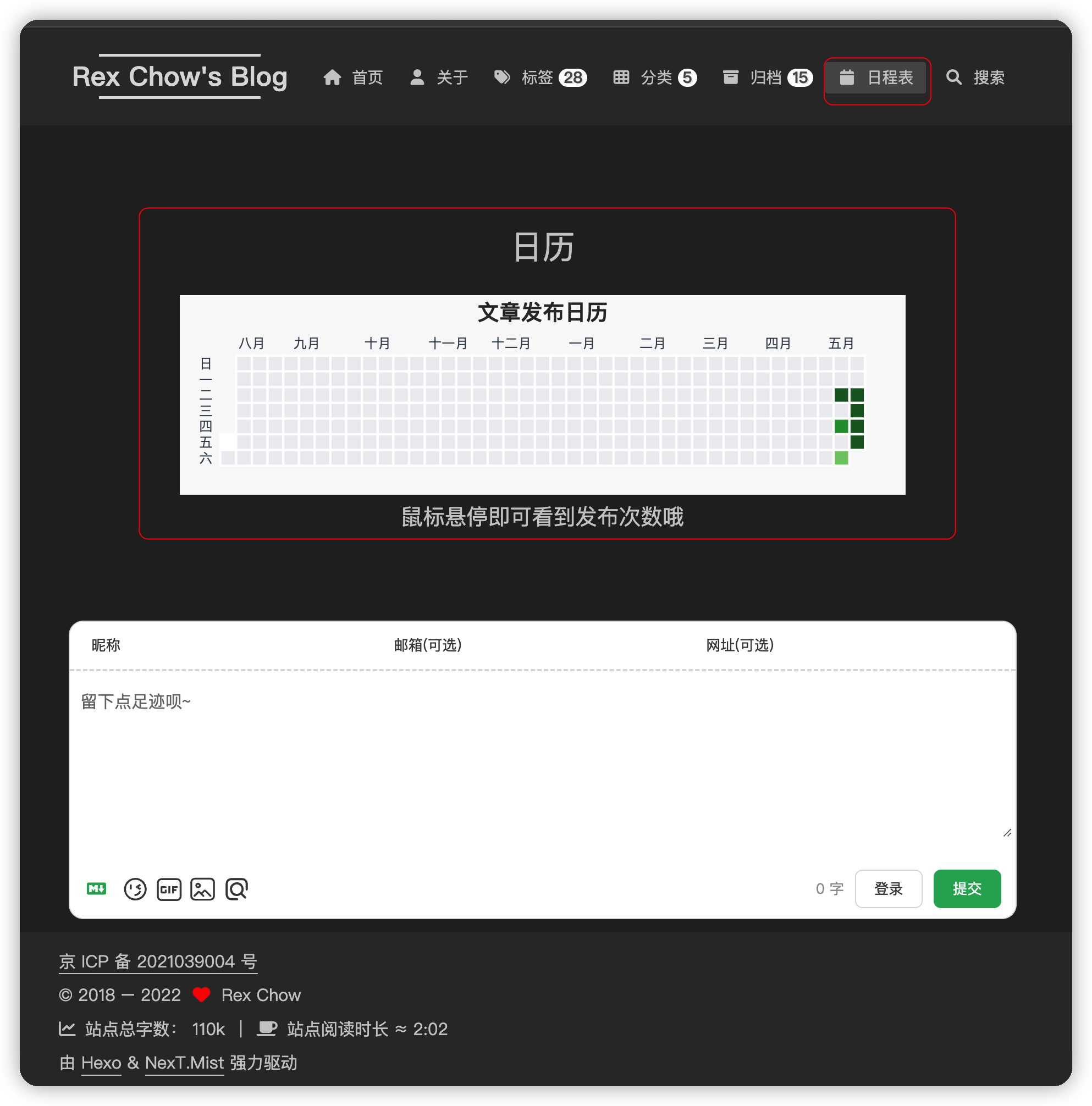
效果展示
![实现效果]() 实现效果
实现效果
增加分享功能
theme-next/hexo-next-share:
Content sharing services for NexT.
Hexo
博客 NexT 主题的安装使用 | Julian's blog
1
2
3
4
5
6
7
8
9
10
11
12
13
14
15
16
17
18
19
20
|
npm install theme-next/hexo-next-share --save
cat << EOF >> _config.yml
# share.js
# See: https://github.com/overtrue/share.js
# networks: weibo,qq,wechat,tencent,douban,qzone,linkedin,diandian,facebook,twitter,google
sharejs:
enable: true
cdn:
js: https://cdnjs.sourcegcdn.com/ajax/libs/social-share.js/1.0.16/js/social-share.min.js
css: https://cdnjs.sourcegcdn.com/ajax/libs/social-share.js/1.0.16/css/share.min.css
networks: weibo,qq,wechat
wechat_qrcode:
# 这里的两个参数都不能使用, 不知道为啥, 置空后能取到值
title:
prompt:
EOF
|
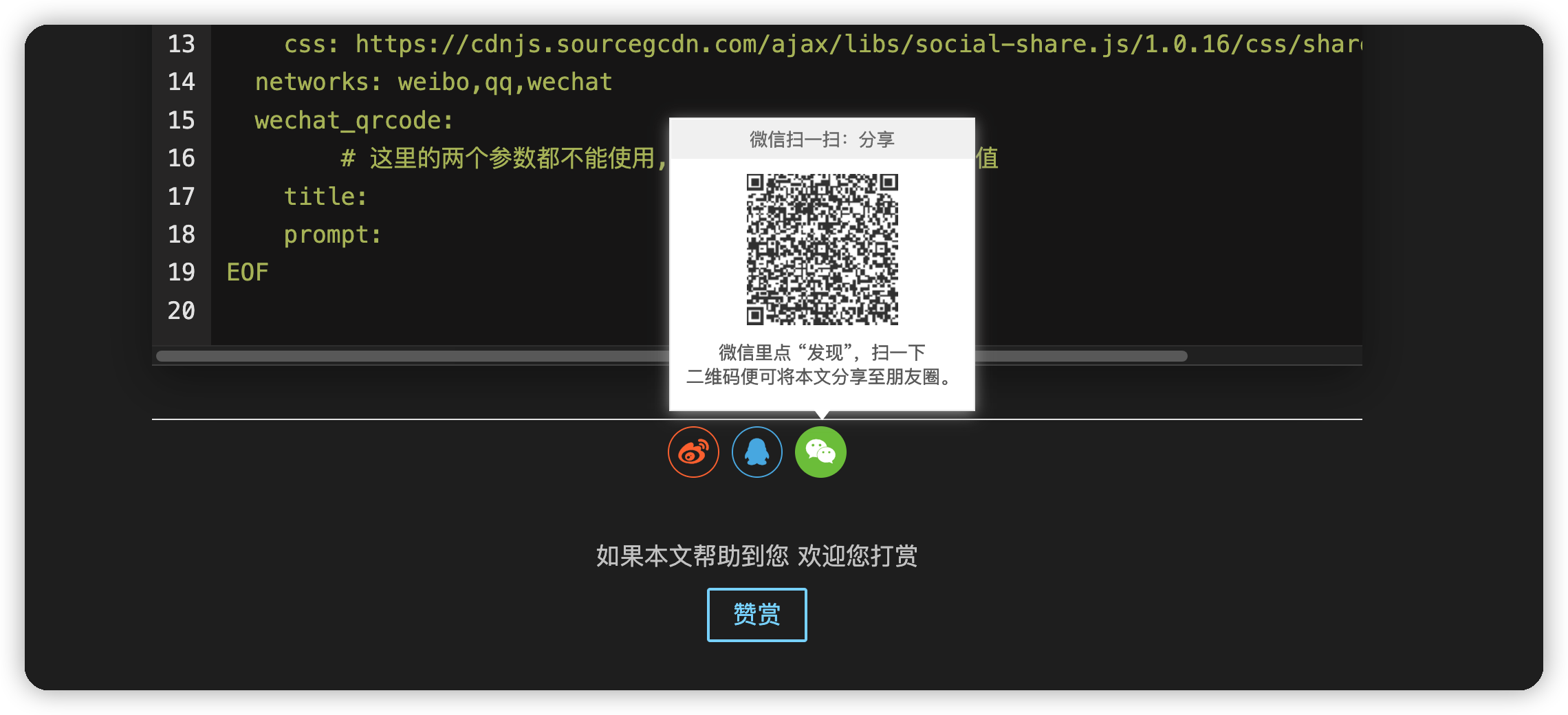
![效果图]() 效果图
效果图
sourcegcdn这个貌似不够快, 想放到自己的七牛云上
social-share.js
CDN by jsDelivr - A free, fast, and reliable Open Source CDN
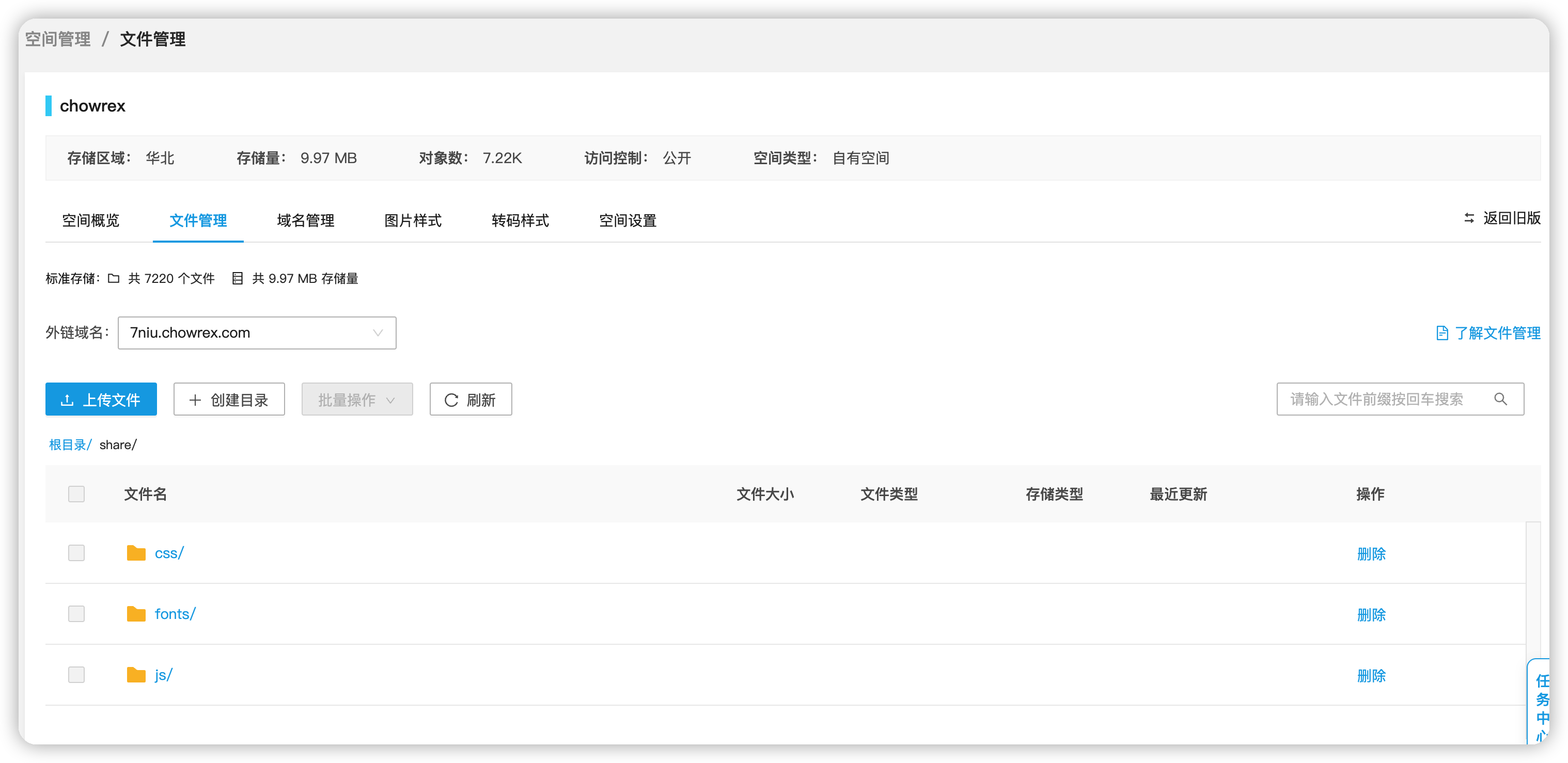
参考上面的链接, 下载并按照原路径创建目录并上传到七牛云
![七牛云目录]() 七牛云目录
七牛云目录
修改_config.yml
1
2
3
4
5
6
7
8
9
10
11
12
13
|
sharejs:
enable: true
cdn:
js: https://blog-static.chowrex.com/share/js/social-share.min.js
css: https://blog-static.chowrex.com/share/css/share.min.css
networks: weibo,qq,wechat
wechat_qrcode:
title:
prompt:
|