Nexus 迁移blob到AWS S3
公司的Nexus部署在AWS EC2上, 因为存储了很多内部的Docker image等等制品, 因此导致容量越来越大, 已经扩容到2T了, 鉴于成本的考量, 计划将这些制品迁移到AWS S3上, 后续不光可以通过S3的生命周期管理, 而且可以不用再无限制扩容现有的环境了, 因此记录一下, 以便后续查阅
Nexus 3.x blob 如何从file 迁移至 s3_Makun1995的博客-CSDN博客_nexus 迁移blob
创建现有EC2的AMI
以防对现有生产环境造成不可逆的影响, 因此先创建一个当前环境的AMI, 从AMI拉起一个新实例进行测试操作
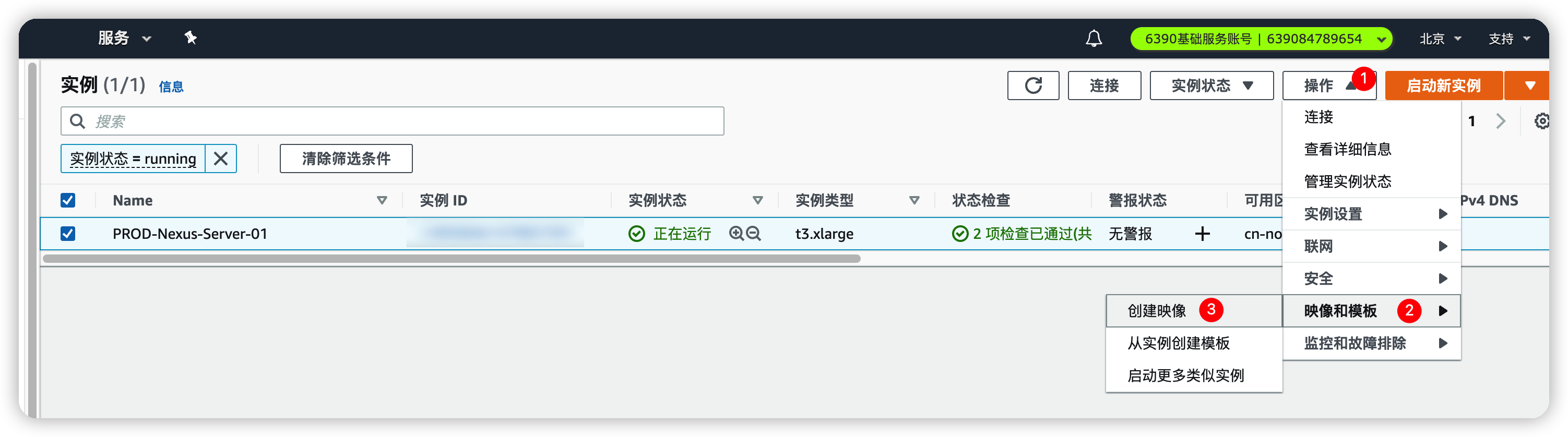
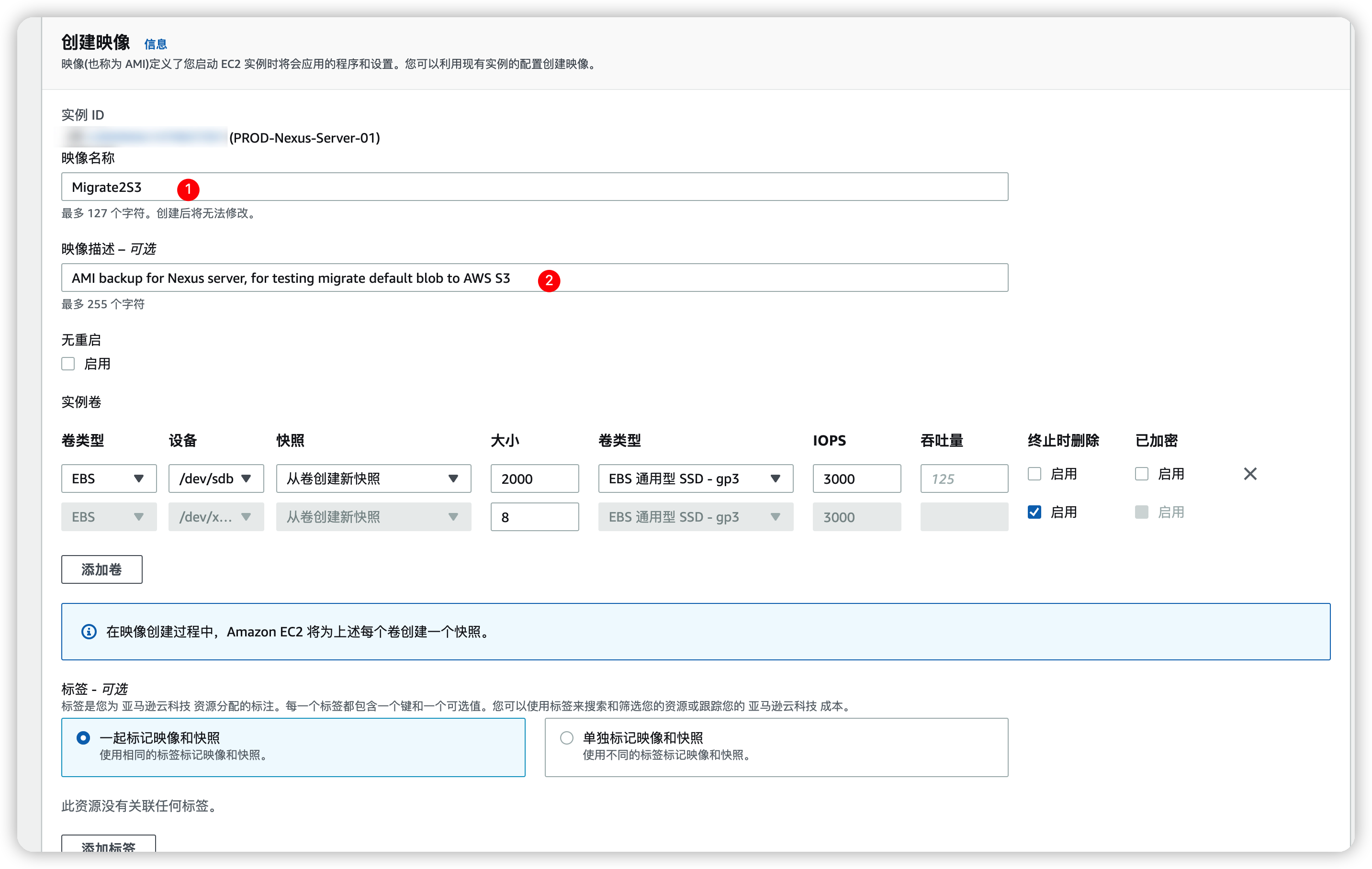
记住一定unckecked▫无重启的选项, 避免数据出现异常, 这个过程比较缓慢, 不用傻等, 提前准备其他资源

创建S3存储桶
进入Nexus的blob设置页面, 尝试创建一个类型为S3的blob
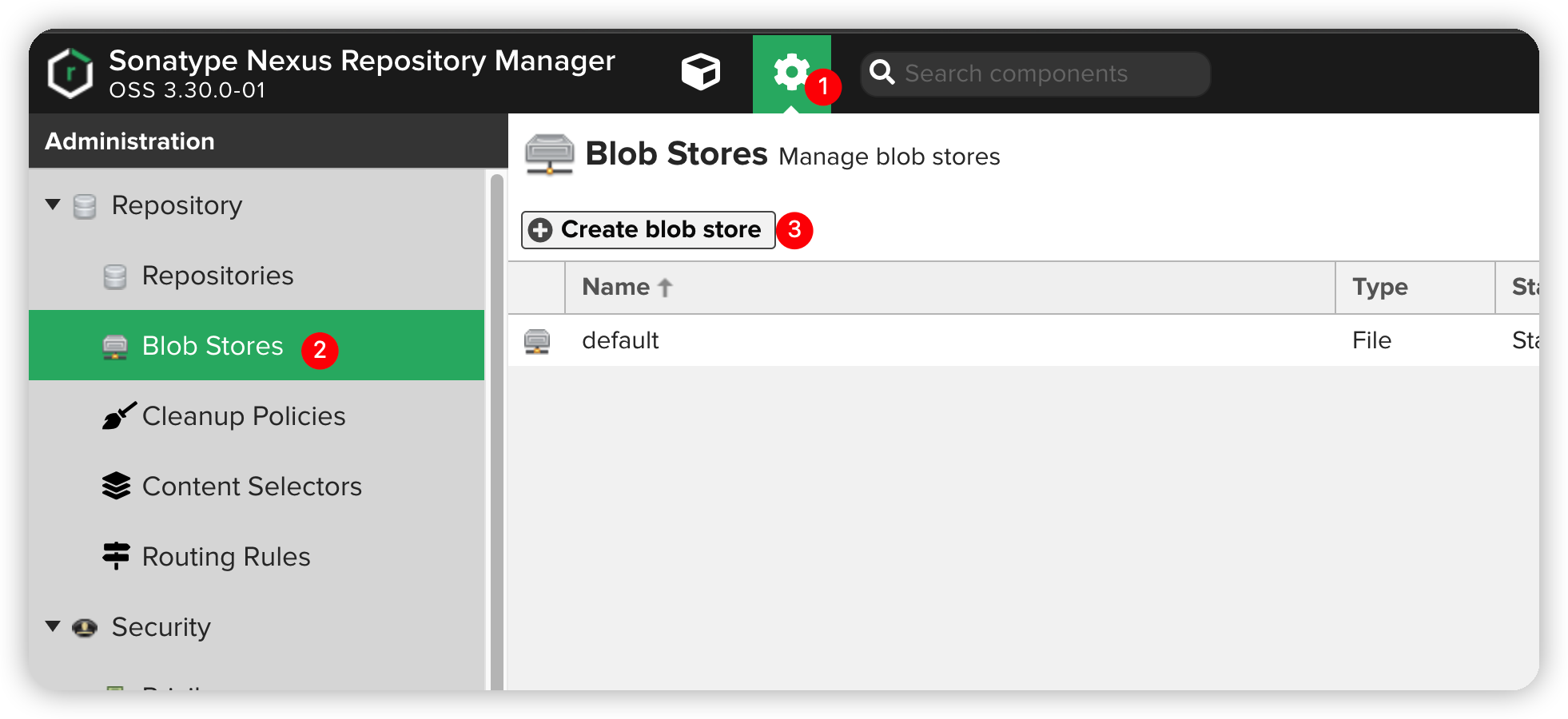
观察下图, 可以发现几个必填信息
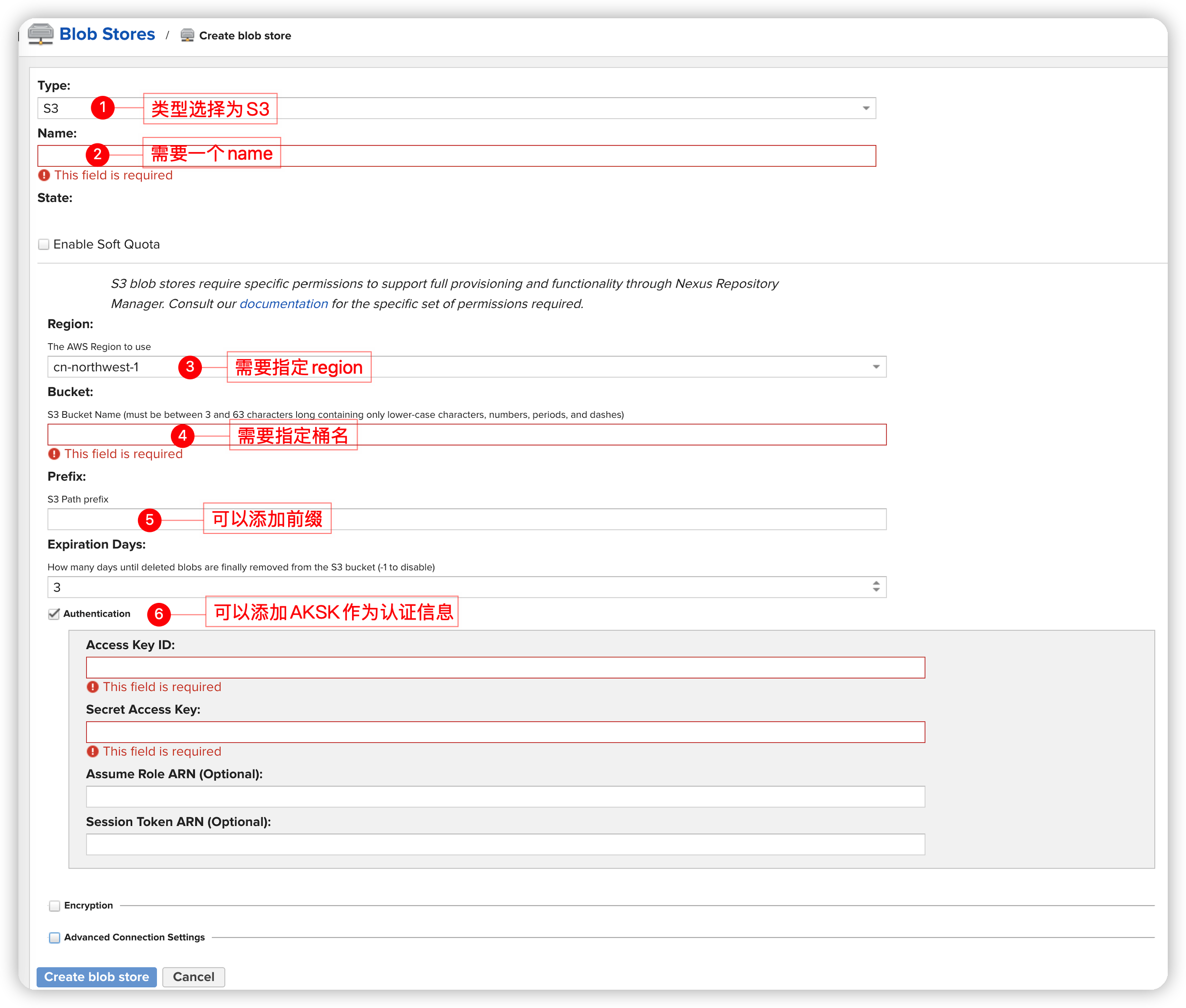
因此需要创建一个与该EC2同region的S3桶(避免跨Region产生额外费用), 首先查看EC2所属的区域信息
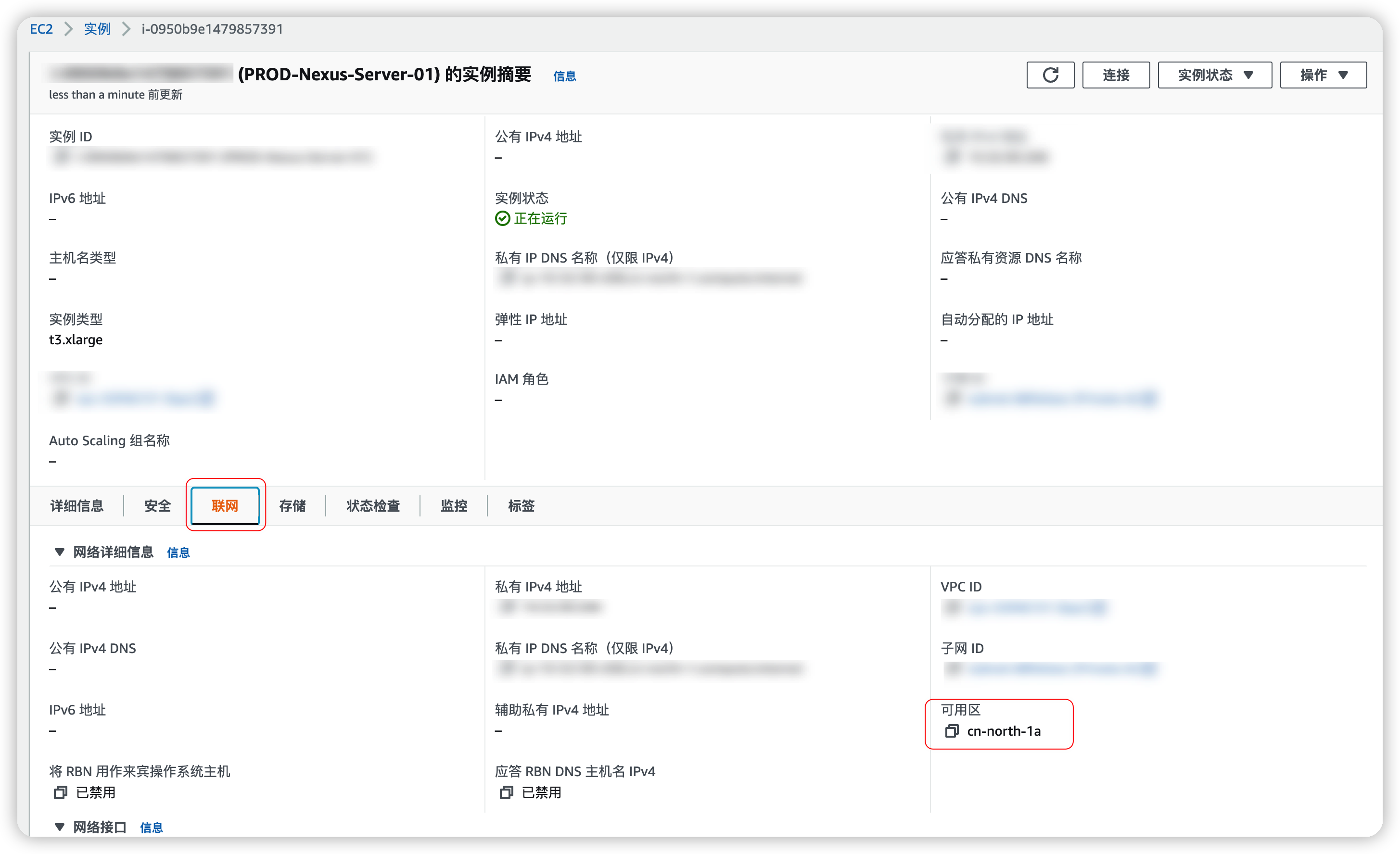
创建需求的桶
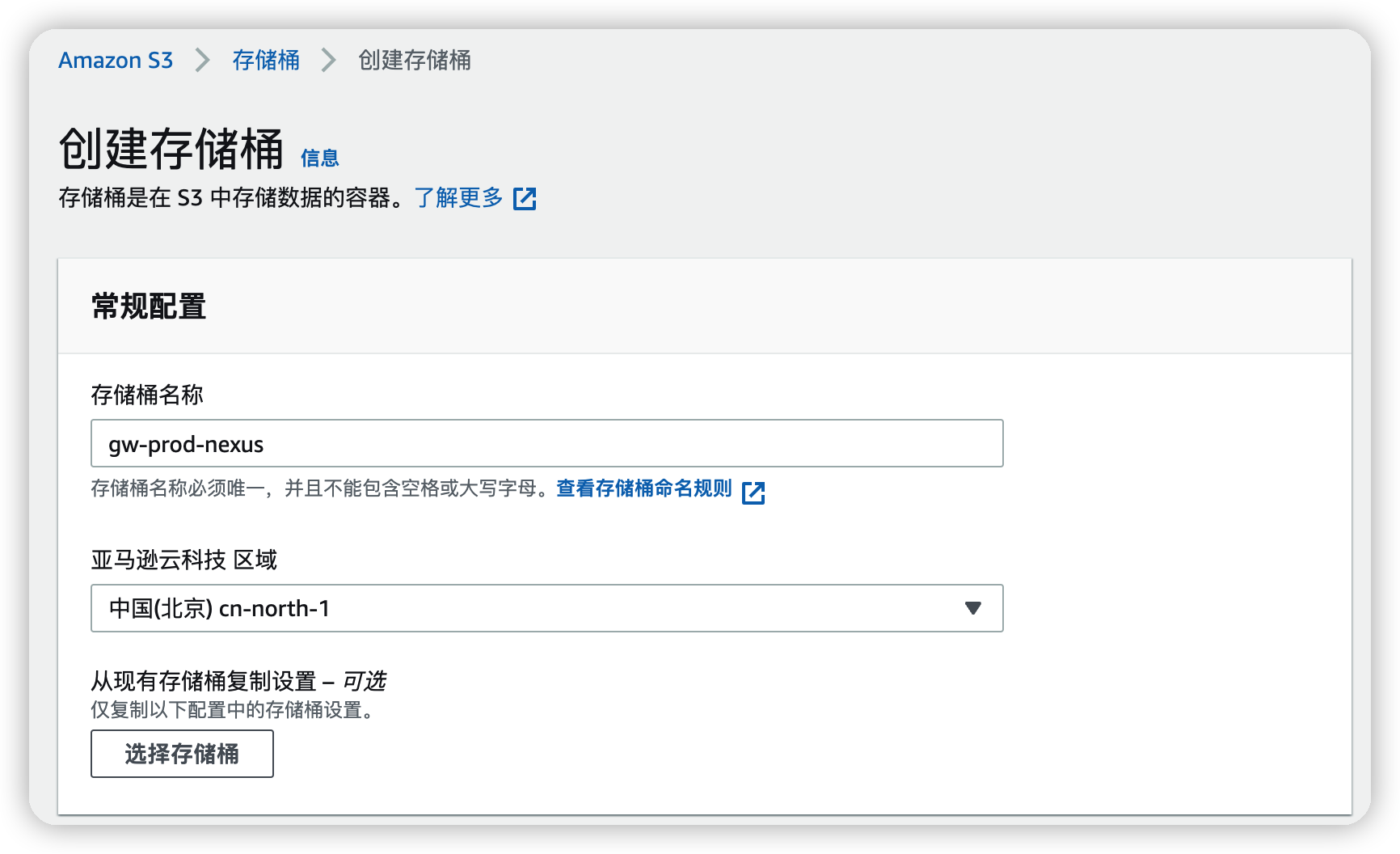
创建IAM相关资源
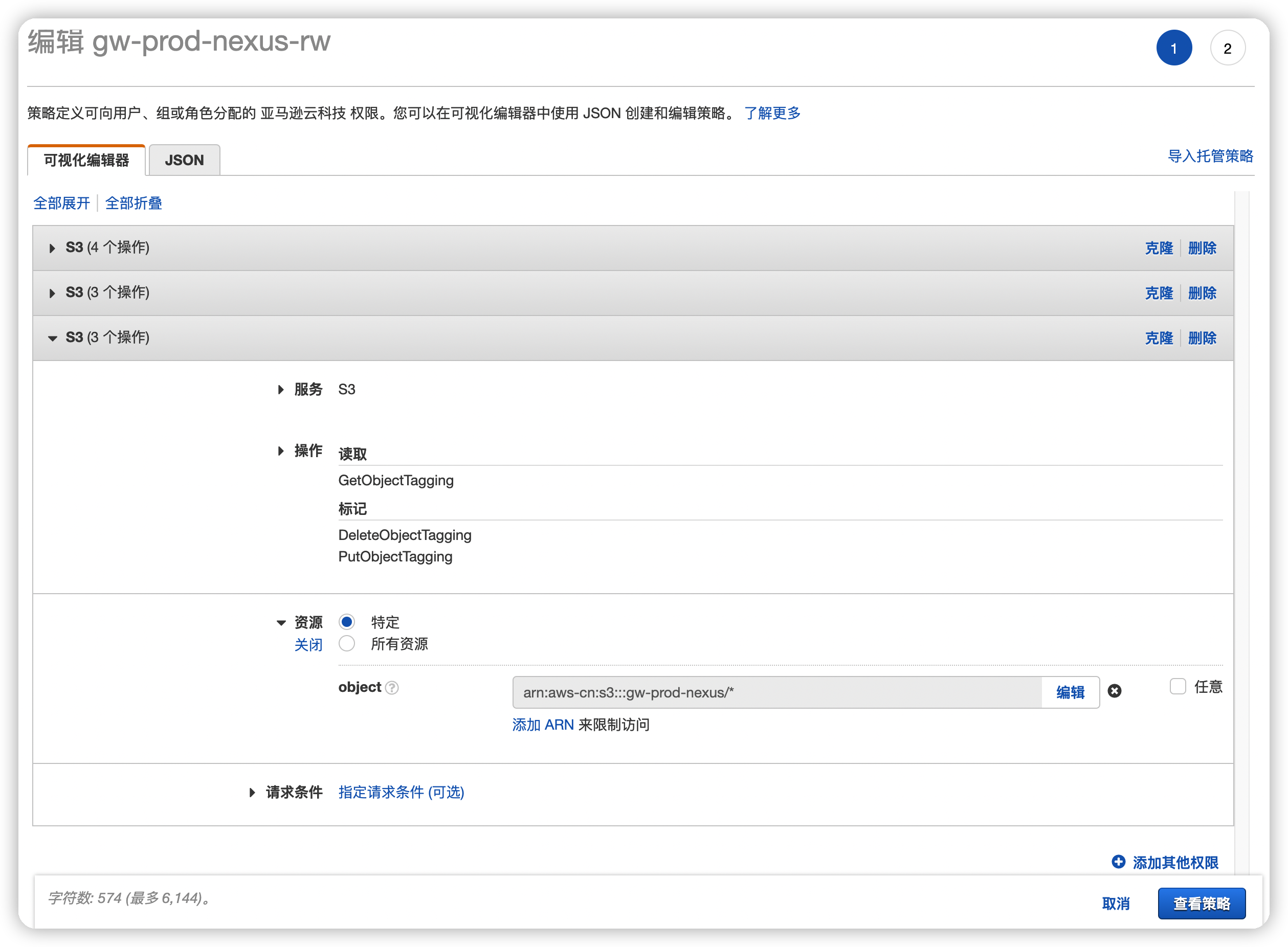
创建IAM Policy
执行最小权限原则1, 为该EC2添加一个Role用于执行S3的操作, Role依赖于Policy, 因此需要先创建Policy
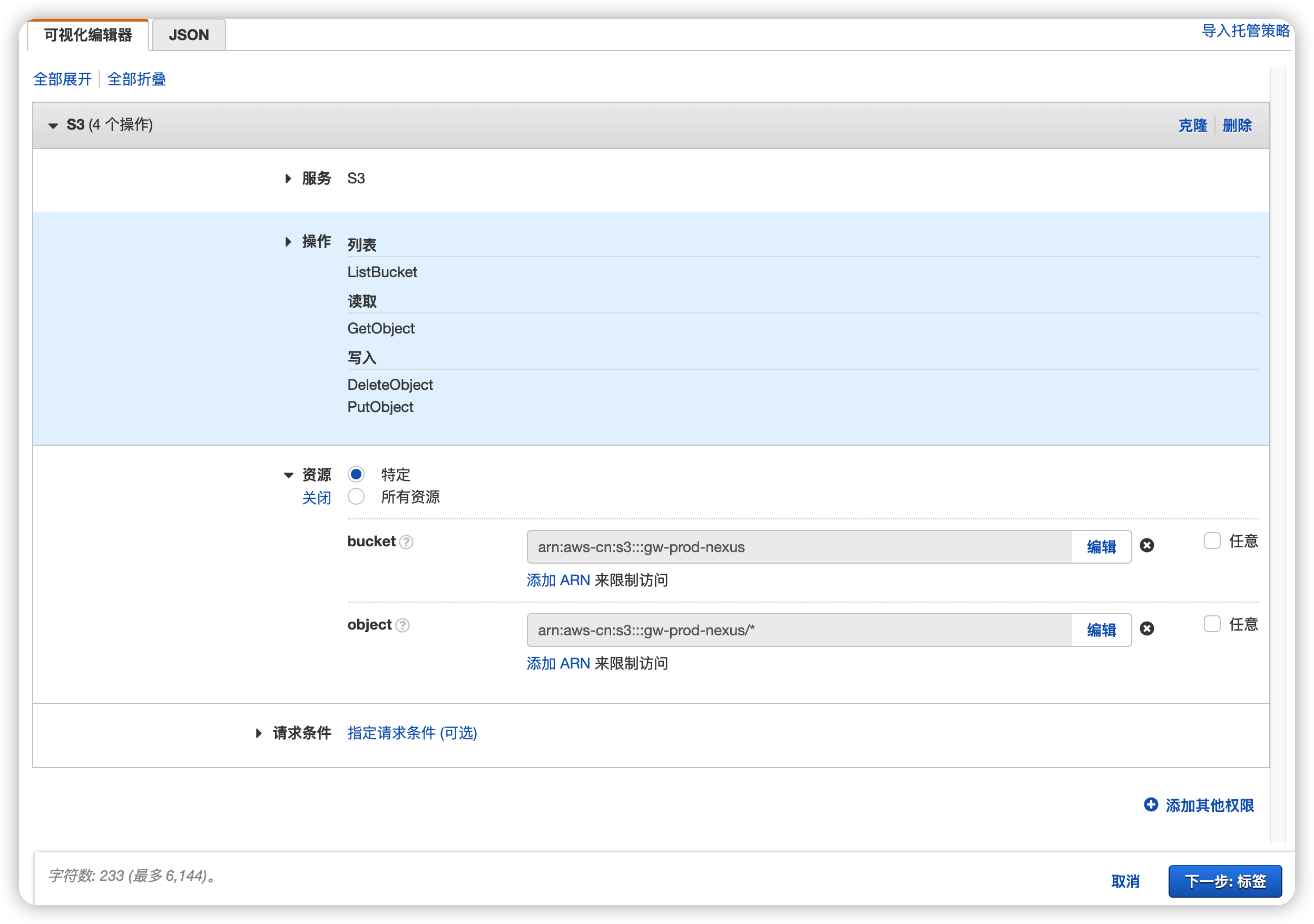
策略中仅需包含必要权限:
ListBucket+GetObject+DeleteObject+PutObject
🆙2022-06-02更新

增加权限GetBucketAcl+GetLifecycleConfiguration+PutLifecycleConfiguration
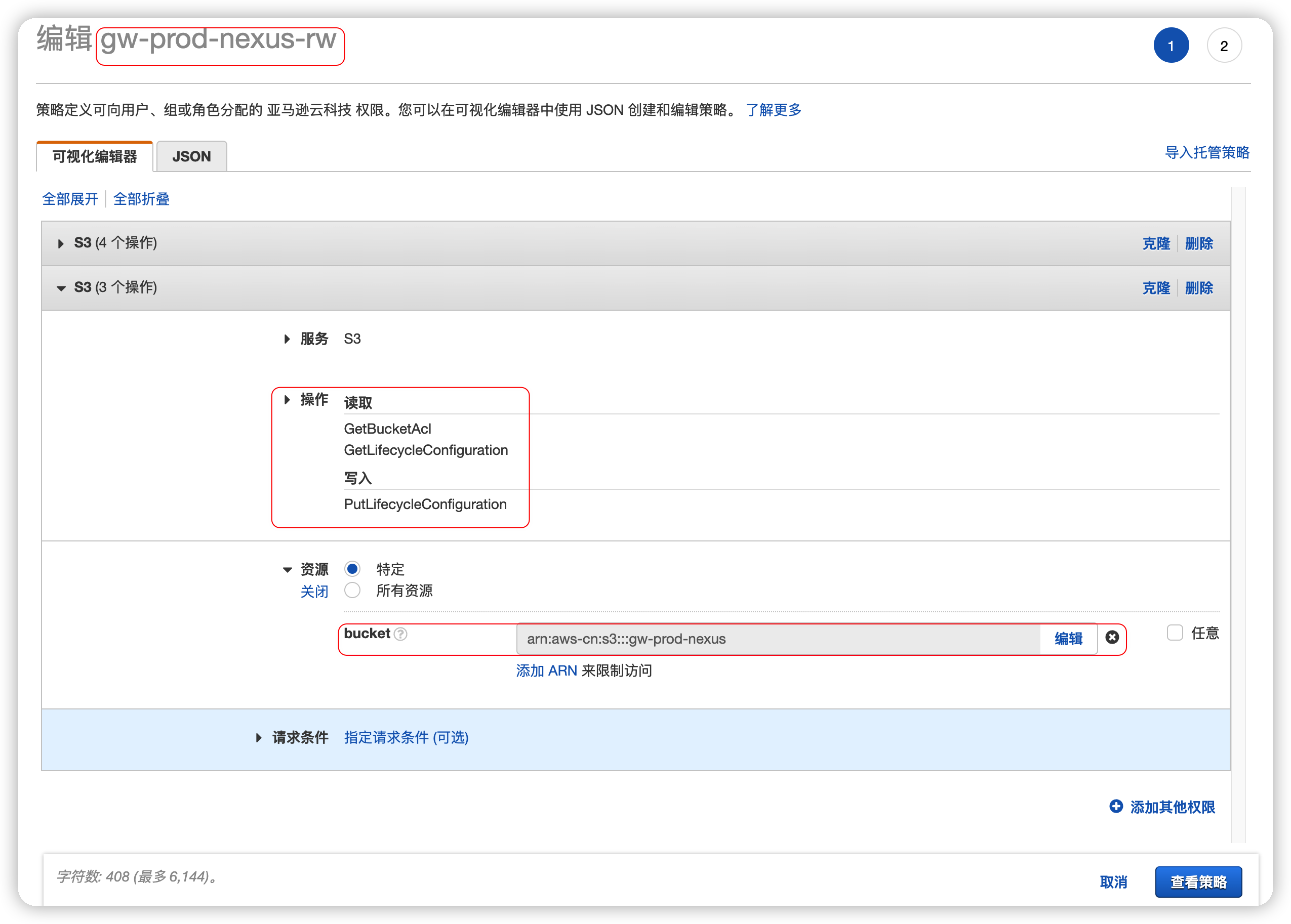
🆙2022-06-03更新
根据官方手册推荐,
增加权限PutObjectTagging+GetObjectTagging+DeleteObjectTagging
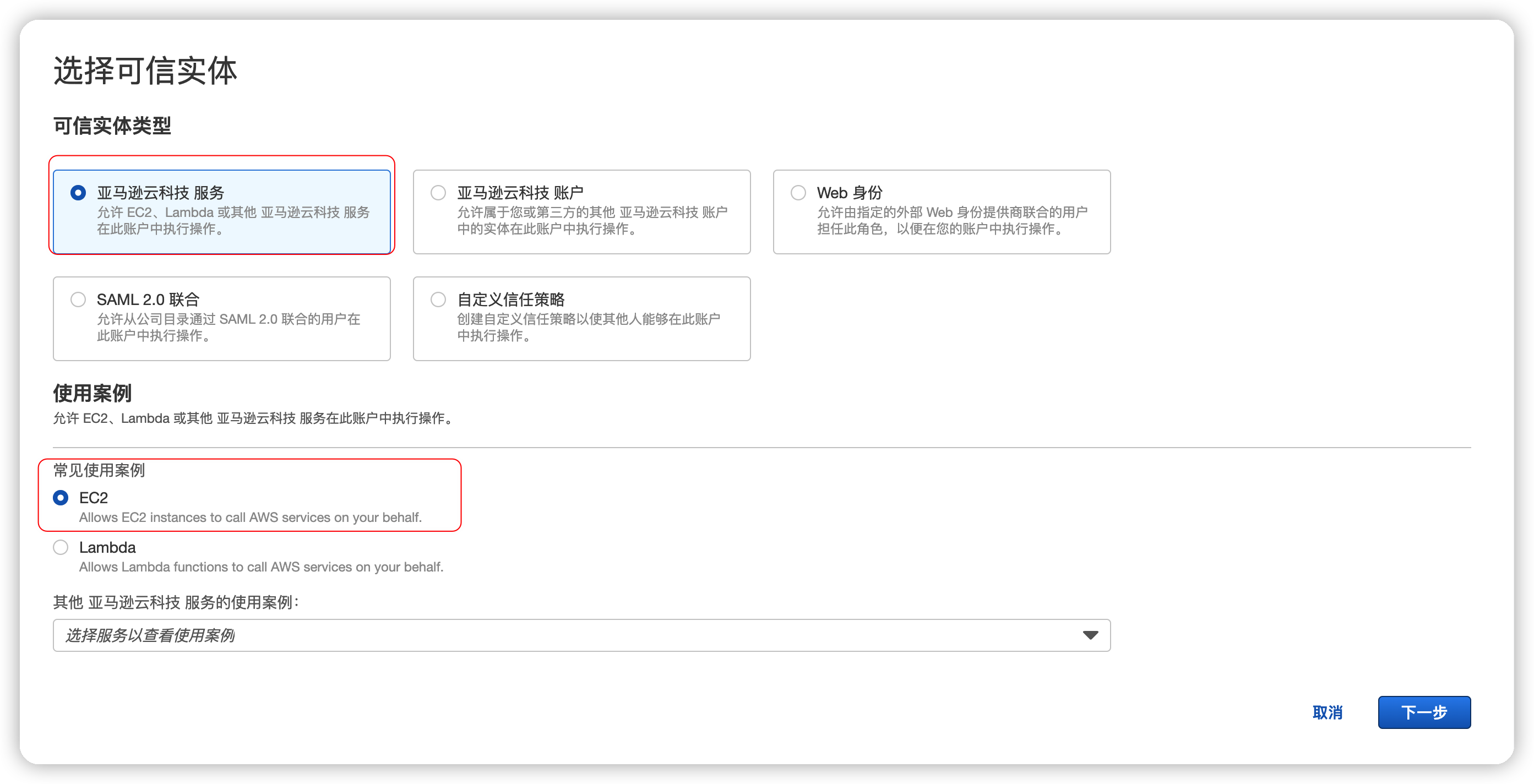
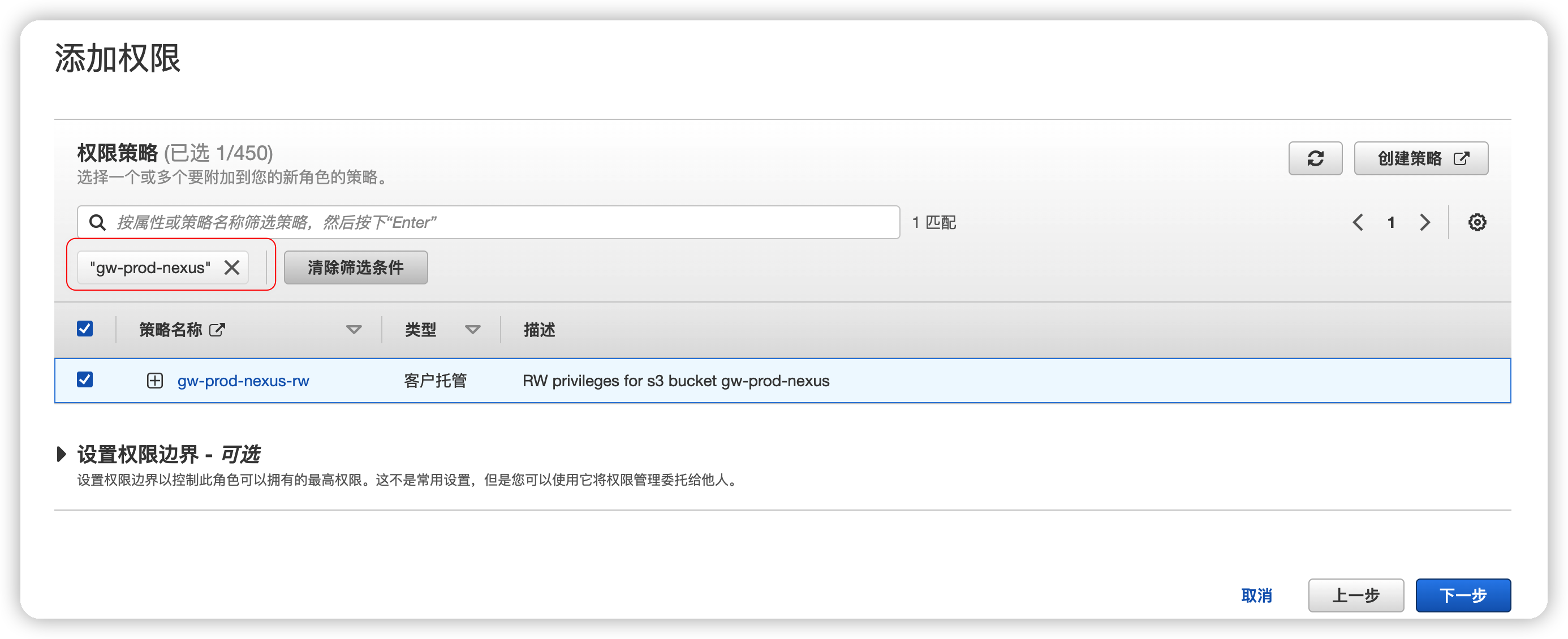
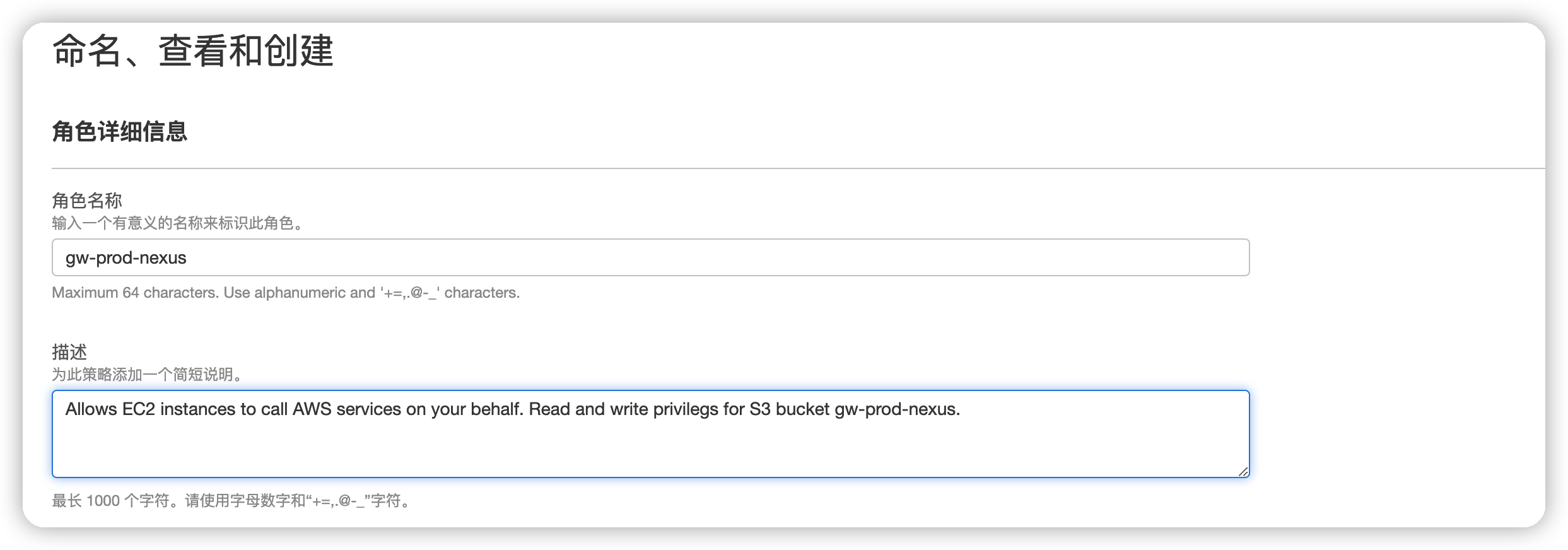
创建IAM Role
按照如下图示创建即可
创建IAM User(可选操作)
点击展开
按照图示创建即可
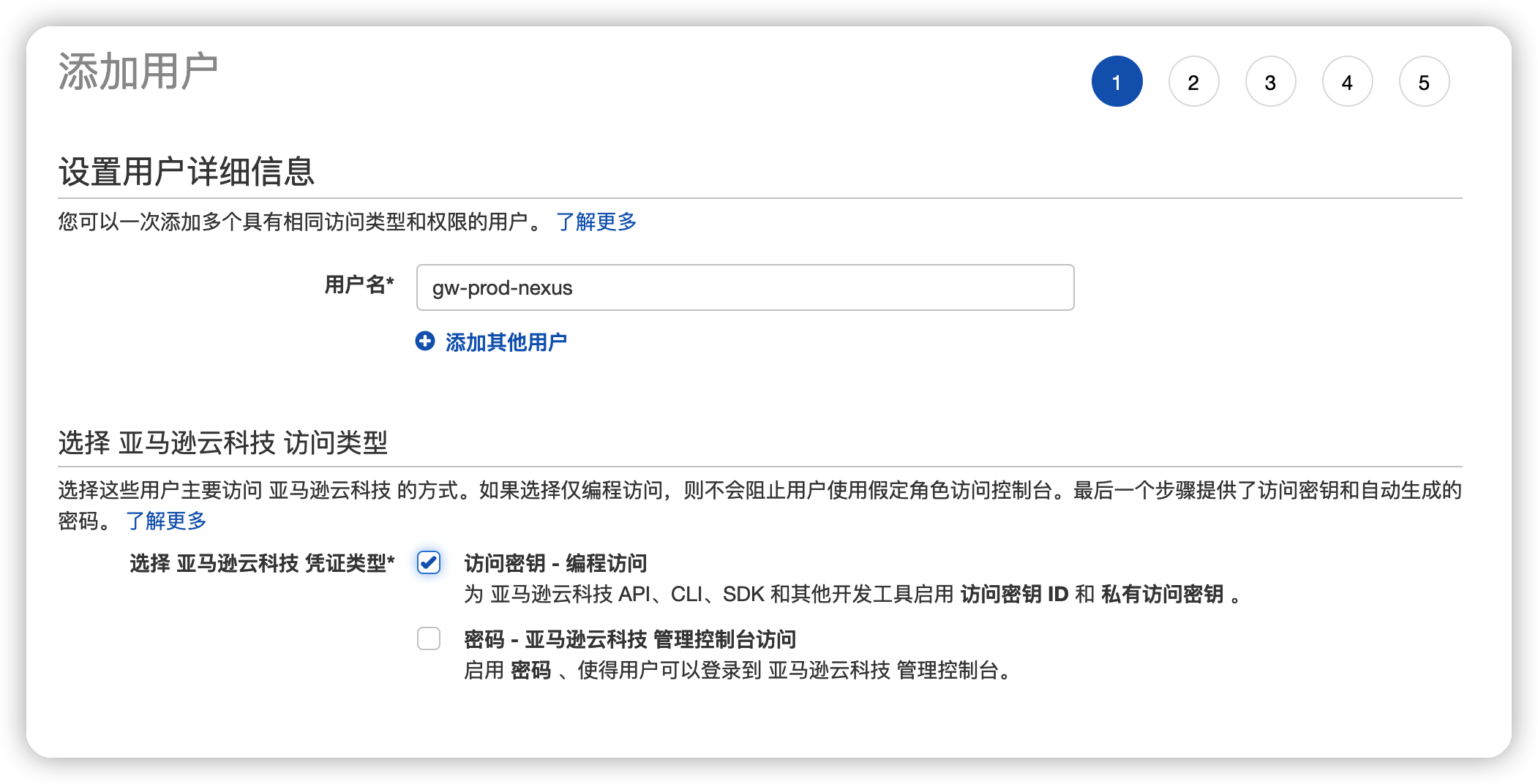
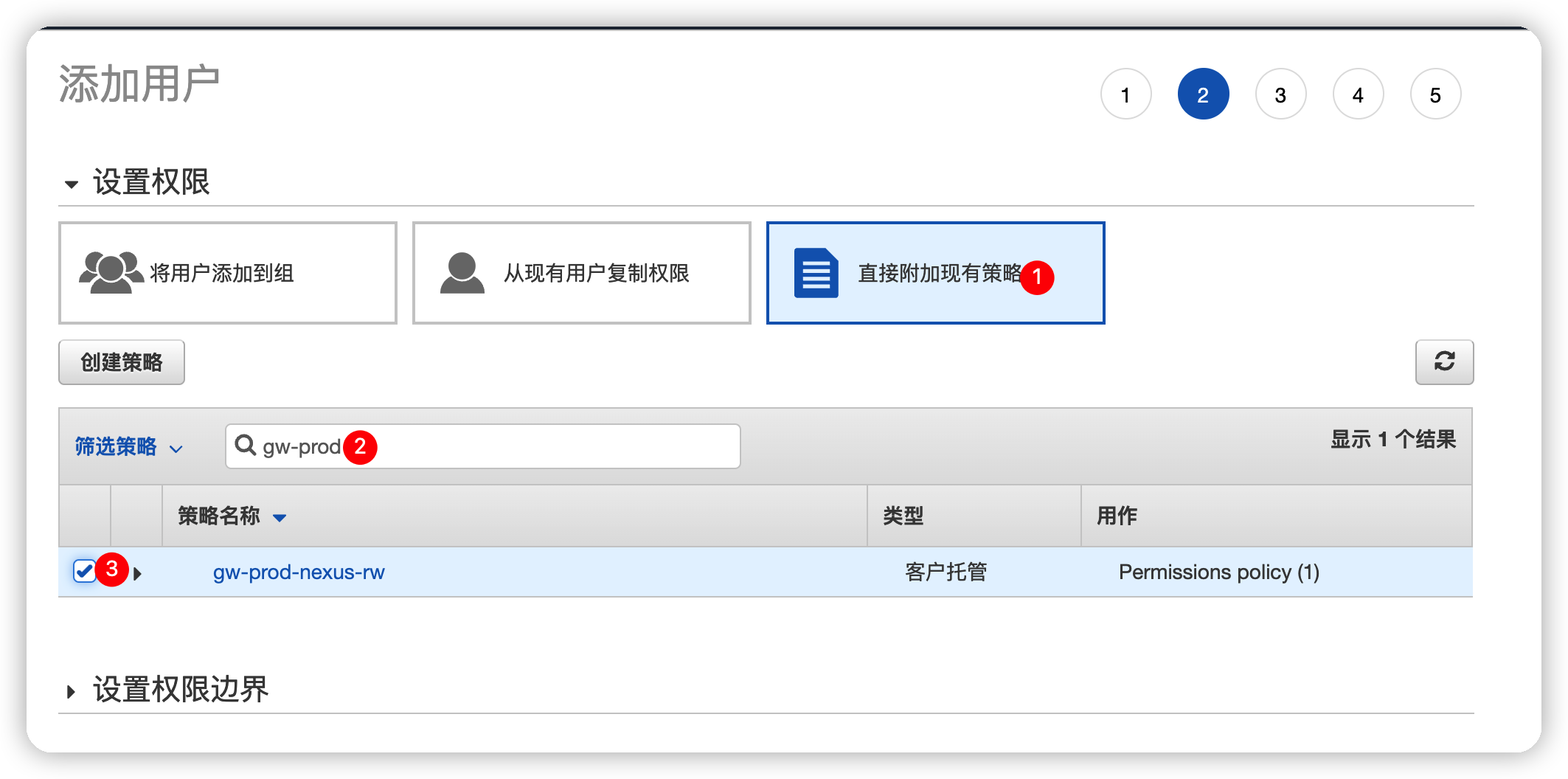
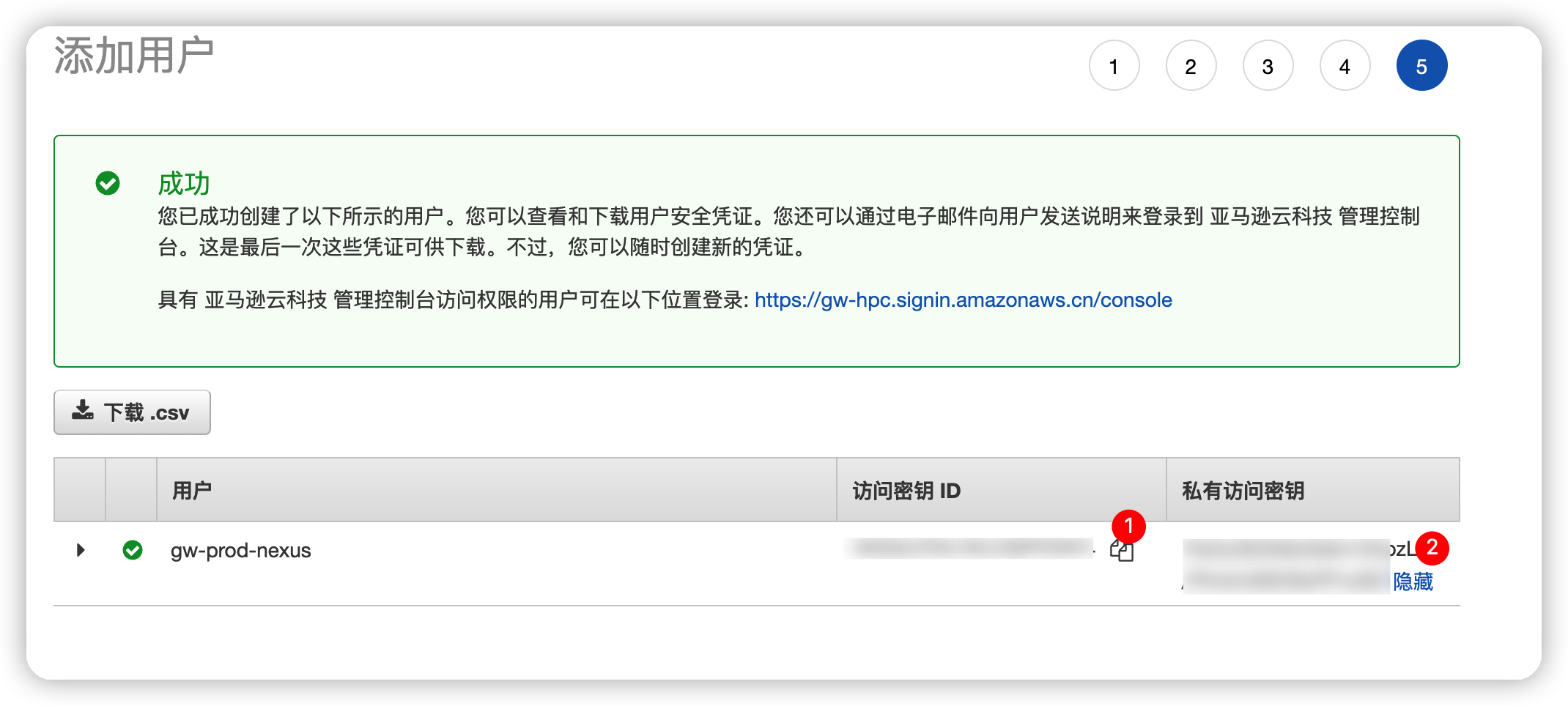
⚠一定注意保存AKSK信息, 该信息会在关闭页面后无法显示, 因此一定妥善保存

同步数据到S3
通过AMI拉起新EC2实例(过程略), 为该EC2附加刚刚创建的IAM Role
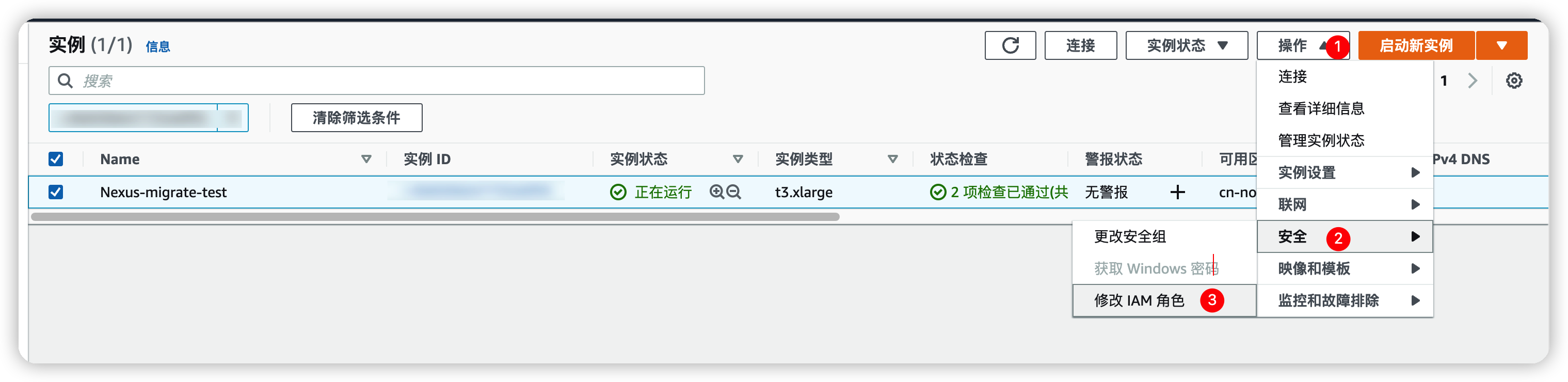
搜索并添加刚刚创建的Role
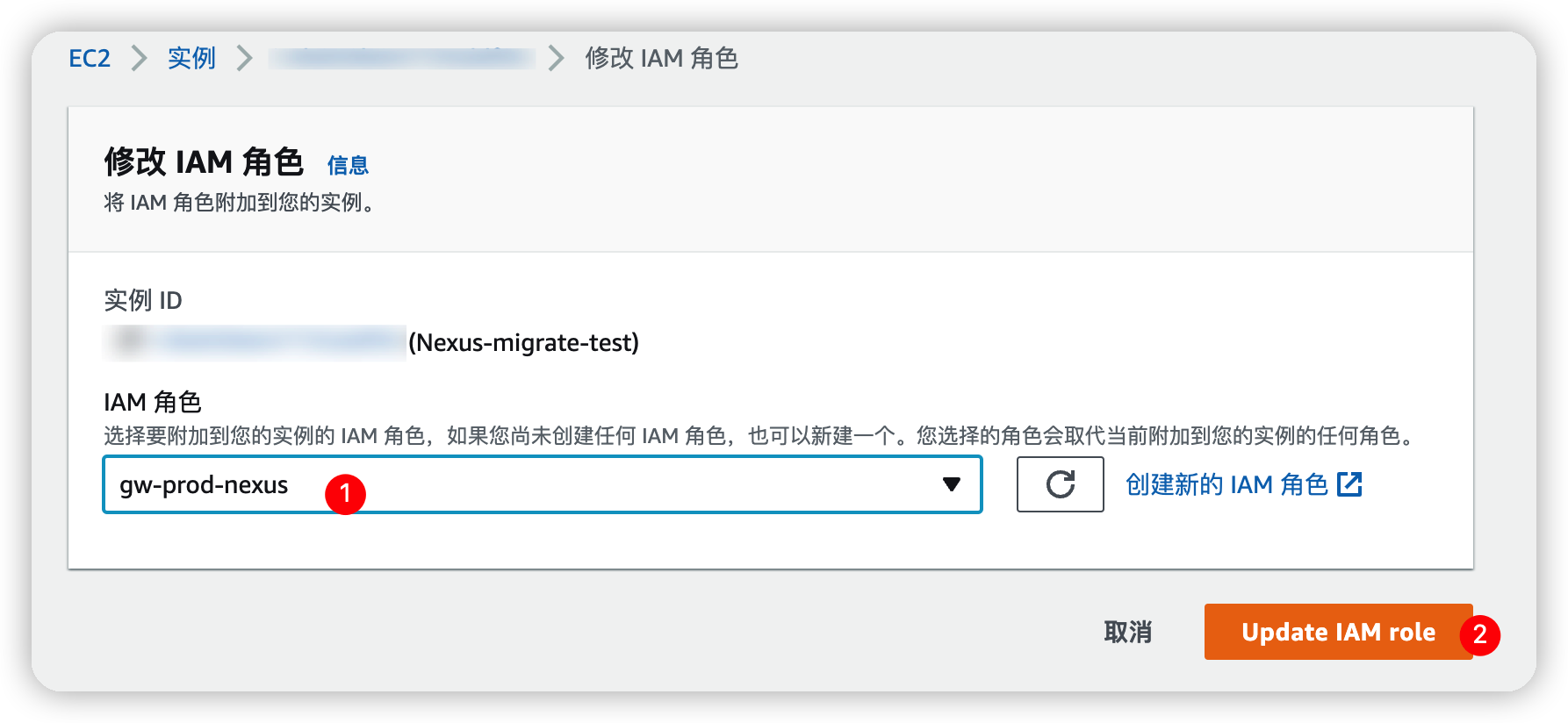
使用SSH登录测试EC2, 切换至root用户, 定位到blob的目录
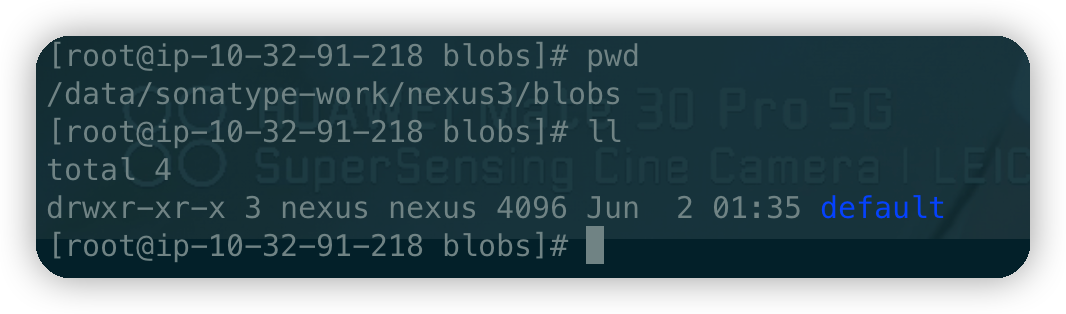
执行S3同步命令, 将存储blob的文件同步至S3桶
1 | aws --region cn-north-1 s3 sync . s3://gw-prod-nexus/ |
其中需要指定region信息, 否则可能会提示权限异常哈, 剩下的就是等待同步完成即可
创建测试blob
使用测试EC2启动Nexus服务, 并登录web控制台, 添加一个测试S3的blob, 如下图
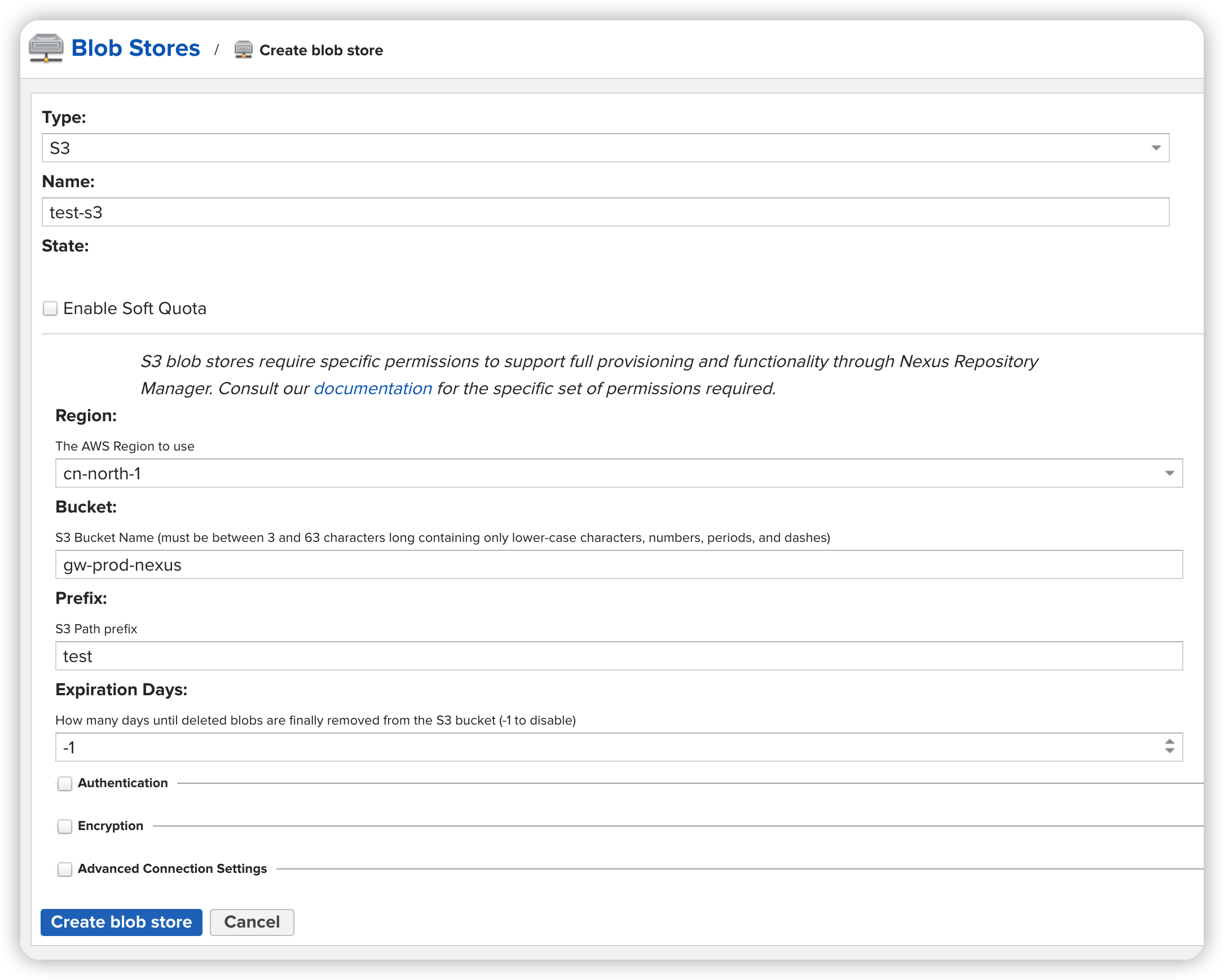
提取S3类型blob的配置信息
找到并使用官方配置支持工具
1
2
3
4
5
6
7
8
9
10
11
12
13
14
15
16
17
18
19
20
21
# 金风的nexus是以普通用户创建的, 因此需要切换到普通用户进行操作
su - nexus
# 设置环境变量
NEXUS_HOME="/data/nexus"
# 查看当前JAVA版本
java -version
# ----
# > java version "1.8.0_281"
# > Java(TM) SE Runtime Environment (build 1.8.0_281-b09)
# > Java HotSpot(TM) 64-Bit Server VM (build 25.281-b09, mixed mode)
#.----
# 打开支持客户端工具
java -jar ${NEXUS_HOME}/lib/support/nexus-orient-console.jar
# ----
# > OrientDB console v.2.2.36 (build d3beb772c02098ceaea89779a7afd4b7305d3788, branch 2.2.x) https://www.orientdb.com
# > Type 'help' to display all the supported commands.
# > orientdb>
# ----打开配置文件, 我这里是
/data/sonatype-work/nexus3/db/config, 默认的管理员账号密码:admin/admin1
connect plocal:/data/sonatype-work/nexus3/db/config admin admin
输出信息一览, 提示的warning不用理会, 因为没关闭服务导致
1
2
3
4
5
6
7
8
9
10
11
OrientDB console v.2.2.36 (build d3beb772c02098ceaea89779a7afd4b7305d3788, branch 2.2.x) https://www.orientdb.com
Type 'help' to display all the supported commands.
orientdb>
orientdb> connect plocal:/data/sonatype-work/nexus3/db/config admin admin
Connecting to database [plocal:/data/sonatype-work/nexus3/db/config] with user 'admin'...
2022-06-02 07:58:28:350 WARNI {db=config} Storage 'config' was not closed properly. Will try to recover from write ahead log... [OLocalPaginatedStorage]
2022-06-02 07:58:28:356 WARNI {db=config} Record OFuzzyCheckpointStartRecord{lsn=LSN{segment=928, position=1166251}} com.orientechnologies.orient.core.storage.impl.local.paginated.wal.OFuzzyCheckpointStartRecord{lsn=null, previousCheckpoint=LSN{segment=928, position=1159588}} will be skipped during data restore [OLocalPaginatedStorage]
2022-06-02 07:58:28:357 WARNI {db=config} Record com.orientechnologies.orient.core.storage.impl.local.paginated.wal.OFuzzyCheckpointEndRecord{lsn=LSN{segment=928, position=1166291}} will be skipped during data restore [OLocalPaginatedStorage]OK
orientdb {db=config}>查看当前默认blob的配置信息
select * from repository_blobstore, 如下输出结果1
2
3
4
5
6
7
8
9
10orientdb {db=config}> select * from repository_blobstore
+----+-----+--------------------+-------+----+---------------------------------------------------------------------------------------------------+
|# |@RID |@CLASS |name |type|attributes |
+----+-----+--------------------+-------+----+---------------------------------------------------------------------------------------------------+
|0 |#19:0|repository_blobstore|default|File|{file={path=default}} |
|1 |#20:0|repository_blobstore|test-s3|S3 |{s3={region=cn-north-1, bucket=gw-prod-nexus, prefix=test, expiration=-1}, blobStoreQuotaConfig={}}|
+----+-----+--------------------+-------+----+---------------------------------------------------------------------------------------------------+
2 item(s) found. Query executed in 0.009 sec(s).
其中, 测试的S3类型blob, 可以看到的信息如下表,
其中粗体并加*内容为必填项
| 配置项 | 值 | 备注 |
|---|---|---|
| region* | cn-north-1 | 区域名称 |
| bucket* | gw-prod-nexus | 桶名 |
| prefix | test | 传到S3的文件夹名称 |
| expiration | -1 | blob内容过期天数, 设置为-1避免执行清理 |
| blobStoreQuotaConfig | {} | Soft Quota信息 |
修改默认blob
将Nexus停机后, 先准备S3信息,
需知悉以下内容,
其中粗体并加*内容为必填项
| 配置项 | 值 | 备注 |
|---|---|---|
| region* | cn-north-1 | 区域名称 |
| bucket* | gw-prod-nexus | 桶名 |
| prefix | default | 传到S3的文件夹名称,
此处设置为default便于后续创建额外blob |
| expiration | -1 | blob内容过期天数, 设置为-1避免执行清理 |
1 | # 修改默认类型为S3 |
验证修改结果
重新启动Nexus服务, 登录web页面查看变更情况
🔧2022-06-02修复: blob无法识别


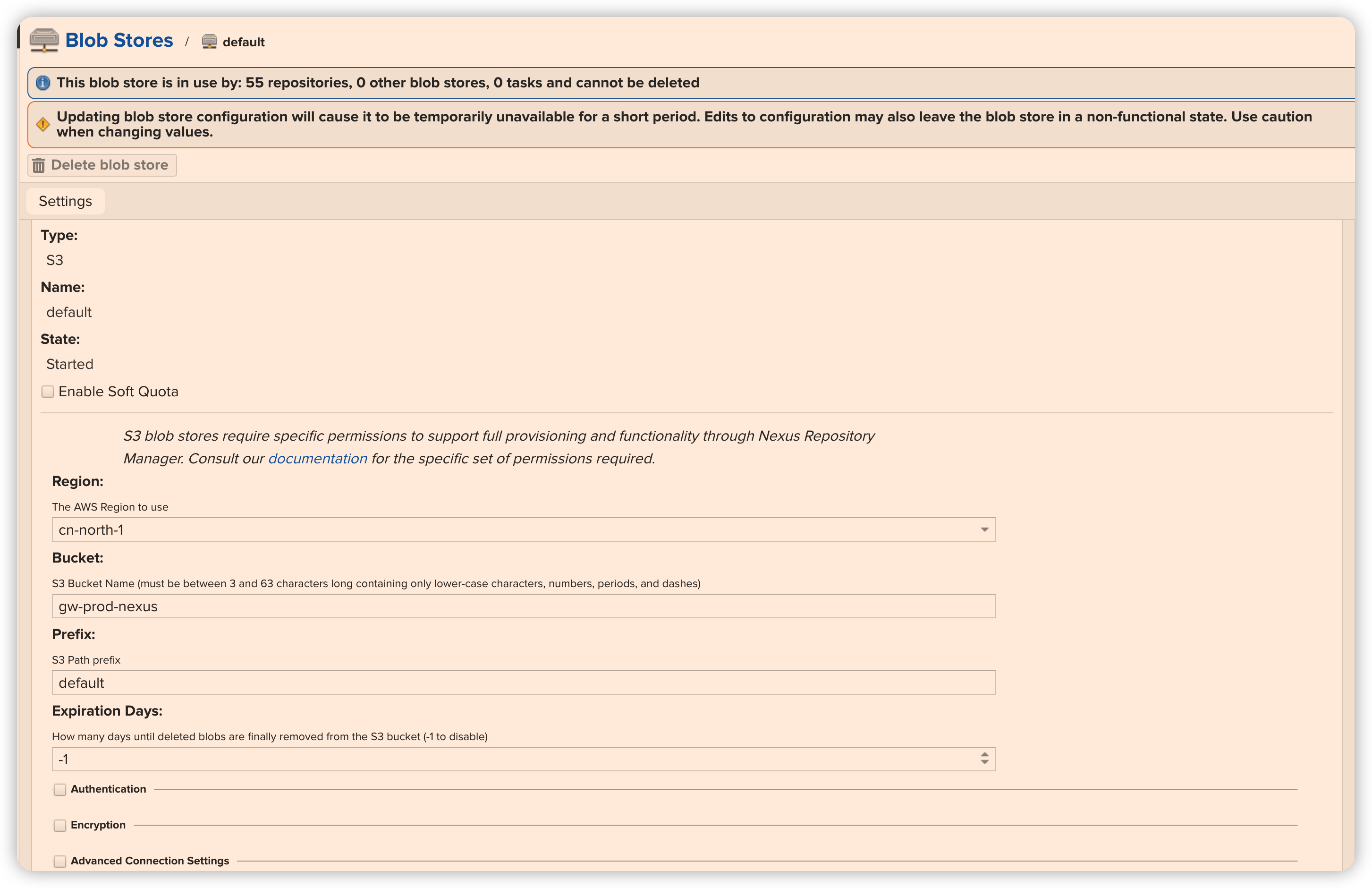
部署生产系统
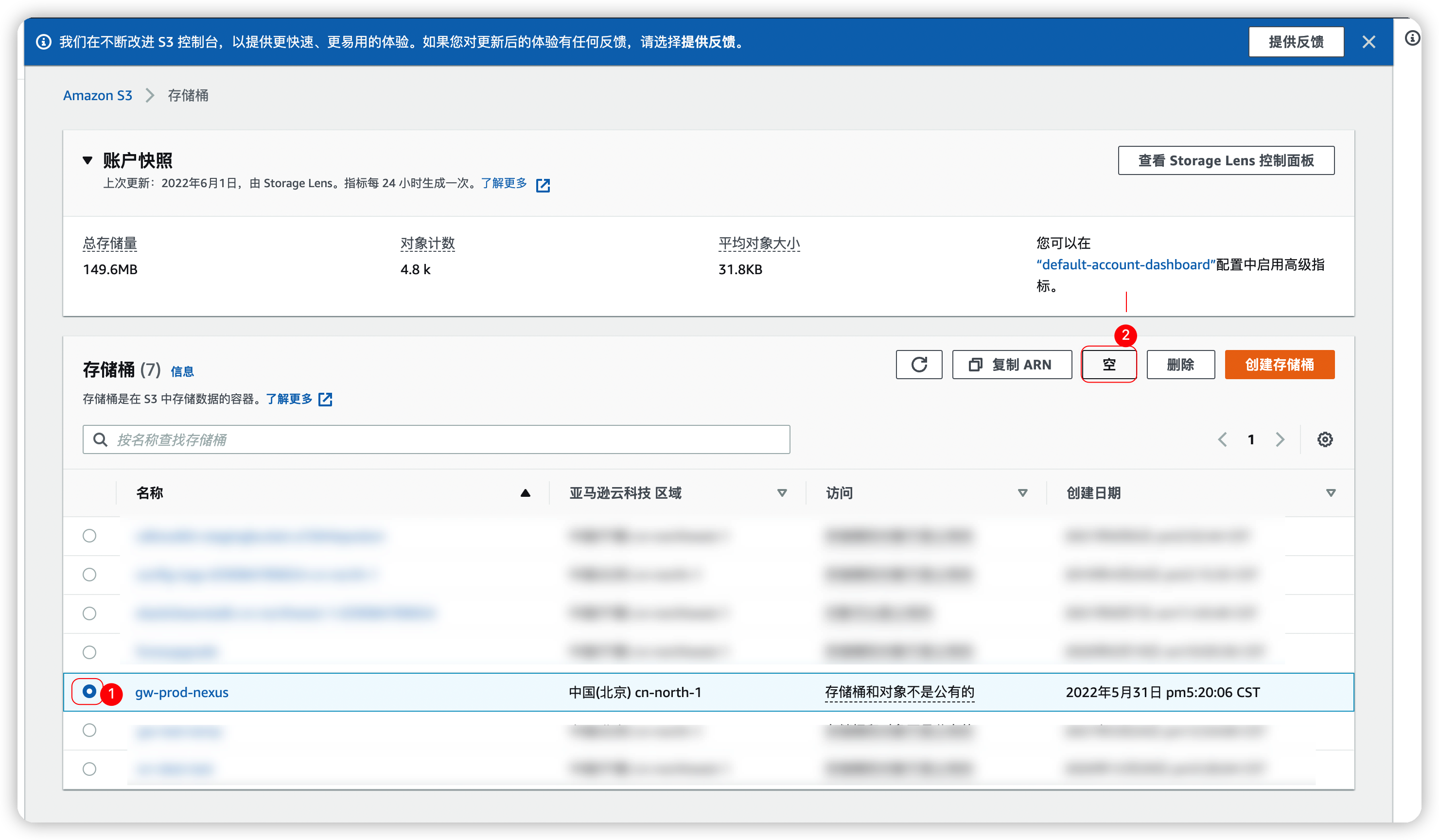
为了避免数据出现异常, 建议先将S3数据进行清理, 或者使用新的prefix, 避免生产数据异常
![清空桶数据]()
登录
生产环境的EC2配置Role并同步S3数据停止生产环境的Nexus服务
systemctl stop nexus再次同步S3数据
执行以下命令
1
2
3
4
5
6
7
8
9
10
11
12
13
14
15
16
17
18
19
20
21
22
23
24
25
26
27
28
29
30
31
32
33
34
35
36
37# 金风的nexus是以普通用户创建的, 因此需要切换到普通用户进行操作
su - nexus
# 设置环境变量
NEXUS_HOME="/data/nexus"
# 备份配置文件
cp -r /data/sonatype-work/nexus3/db/config /data/sonatype-work/nexus3/db/config.$(date +%Y%m%d)
# 查看当前JAVA版本
java -version
# 打开支持客户端工具
java -jar ${NEXUS_HOME}/lib/support/nexus-orient-console.jar
# 打开配置文件
connect plocal:/data/sonatype-work/nexus3/db/config admin admin
# 修改默认类型为S3
update repository_blobstore set type="S3" where name="default"
# 将属性清空
update repository_blobstore set attributes={} where name = "default"
# 修改S3的属性
update repository_blobstore set attributes.s3={region: 'cn-north-1', bucket: 'gw-prod-nexus', prefix: 'default', expiration: -1} where name = "default"
update repository_blobstore set attributes.blobStoreQuotaConfig={} where name = "default"
# 查看修改后的结果
select * from repository_blobstore
# 保存退出
exit
# 切回root用户
exit启动生产环境的Nexus服务
systemctl start nexus登录web界面, 验证blob是否正确识别
![生产Nexus服务正常]()
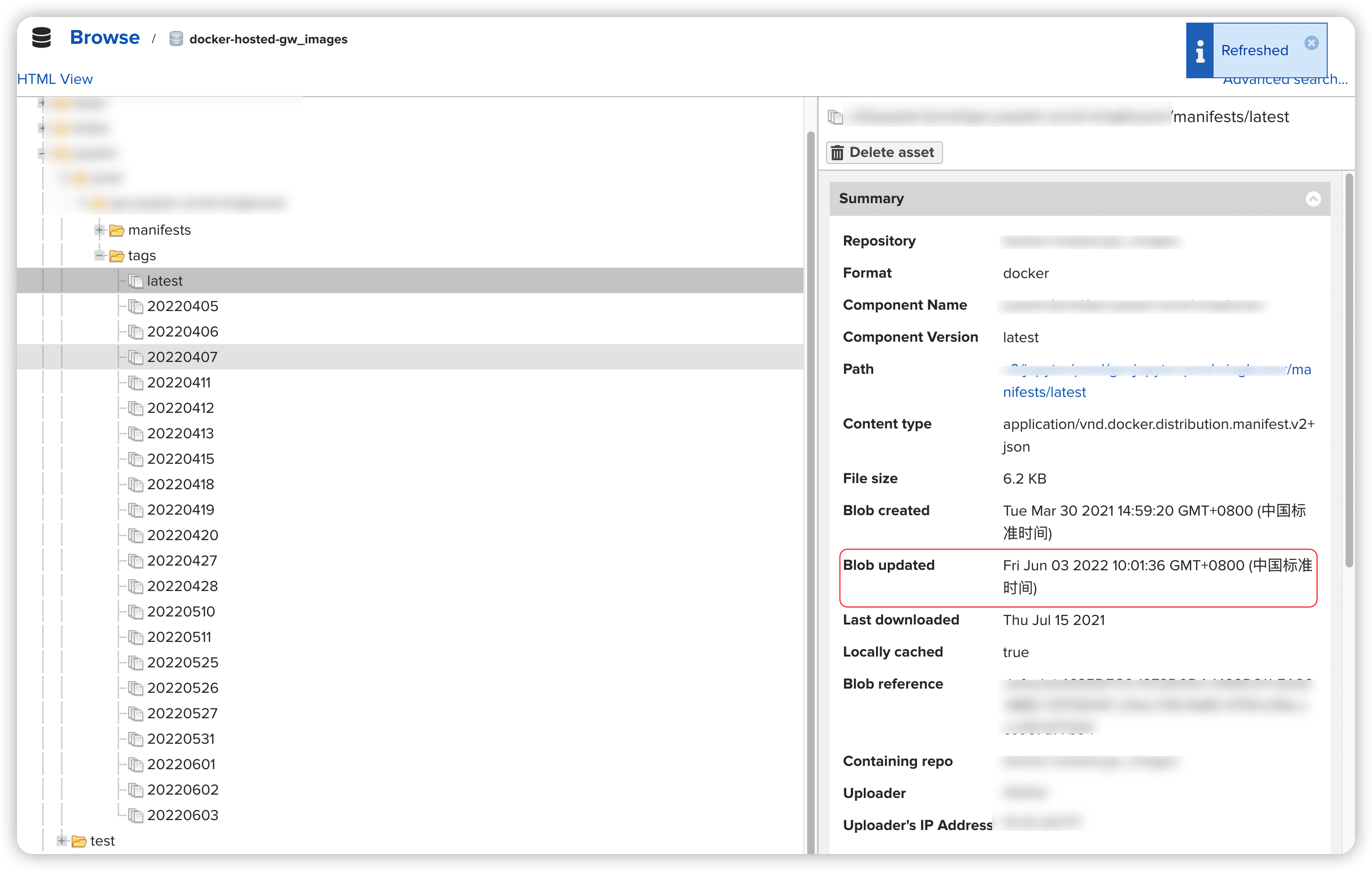
登录Jenkins, 尝试发布验证上传是否正常
![发布正常]()

错误处理
Bucket exists but is not owned by you.
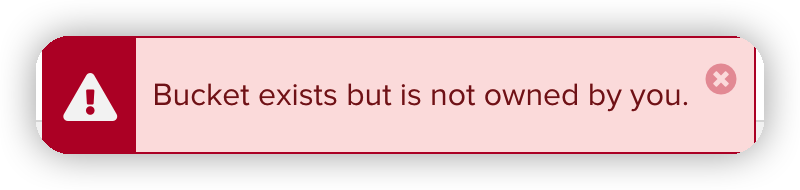
创建测试blob的时候出现了这个问题
- 怀疑Nexus无法获取该EC2挂载的IAM Role
- 尝试添加同样权限的IAM
User并填写
Authentication下的AKSK信息后仍然报错 - 尝试使用最高权限AKSK信息, 问题得到解决✅
- 尝试添加同样权限的IAM
User并填写

使用CloudTrail排查问题
针对以上解决情况, 打开控制台并导航至CloudTrail
Management Console, 查询刚刚输入的最高权限AK信息,
并缩小周期为30m, 如下图
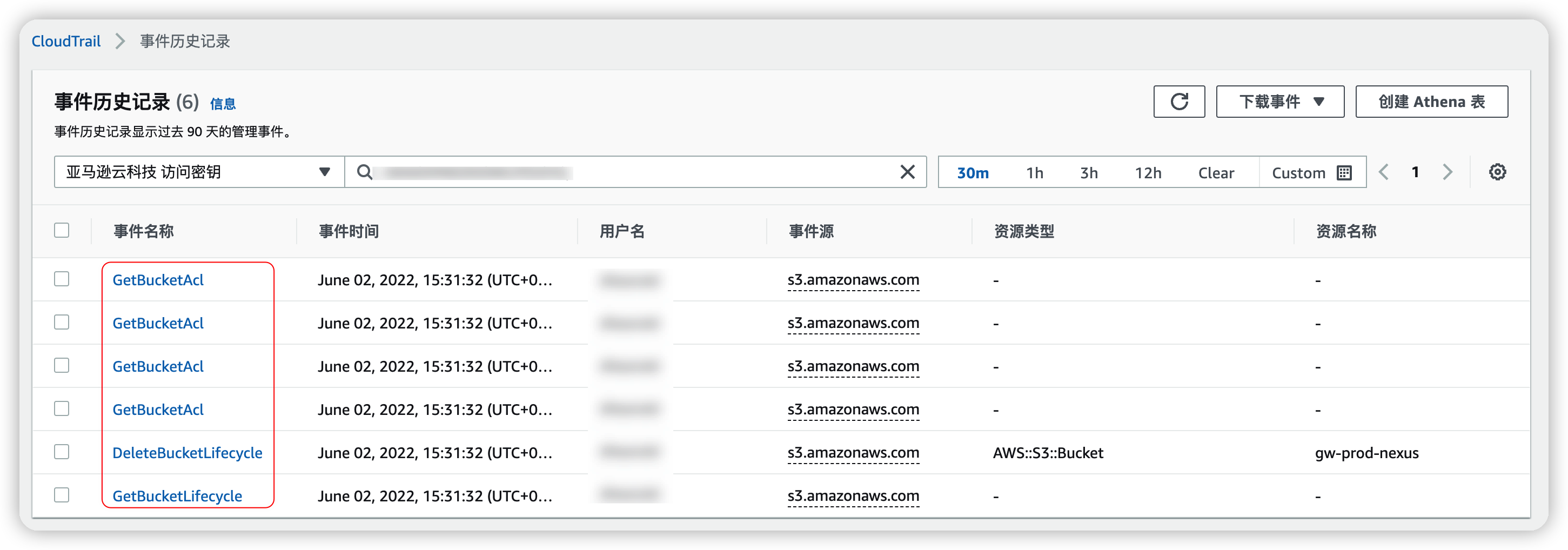
可以发现, 使用到了额外权限:
GetBucketAclDeleteBucketLifecycleGetBucketLifecycle
对应IAM权限控制为:
GetBucketAclGetLifecycleConfigurationPutLifecycleConfiguration
该答案内容已同步至Bucket exists but is not owned by you - Nexus Repository Manager - Sonatype Community
官方手册
🆙2022-06-02更新
官方文档有最小权限解释, 需以下权限:
- s3:PutObject
- s3:GetObject
- s3:DeleteObject
- s3:ListBucket
- s3:GetLifecycleConfiguration
- s3:PutLifecycleConfiguration
- s3:PutObjectTagging
- s3:GetObjectTagging
- s3:DeleteObjectTagging
- s3:GetBucketAcl ( used for problem diagnosis )
com.orientechnologies.orient.core.record.impl.ODocument cannot be cast to java.util.Map
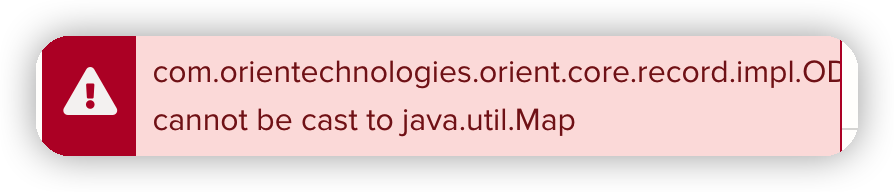
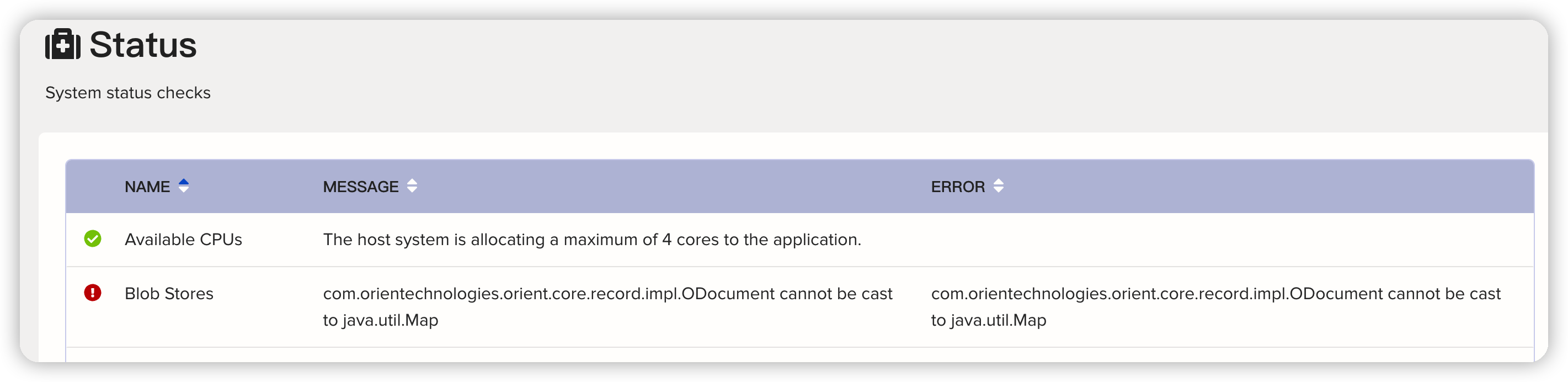
初步怀疑博客中语句存在问题
通过对比测试blob, 貌似缺少一些属性信息, 见下图
![缺少blobStoreQuotaConfig信息]()
➕增加语句
1
update repository_blobstore set attributes.blobStoreQuotaConfig={} where name = "default"
问题解决!
![识别到S3]()



生产Nexus配置文件属性问题
问题描述
使用如下命令对生产系统实施变更
1 | # 金风的nexus是以普通用户创建的, 因此需要切换到普通用户进行操作 |
🚨查询结果与预期不符!


可以发现仍然存在file={path=default}的属性
尝试执行如下命令修改属性
1
2
3
4
# 更新属性信息
update repository_blobstore set attributes={s3: {region: 'cn-north-1', bucket: 'gw-prod-nexus', prefix: 'default', expiration: -1}, blobStoreQuotaConfig: {}} where name = "default"
# 查询修改结果
select * from repository_blobstore![覆盖了file属性, 但是仍与预期不符]()
再次重新执行更新语句
1
2
3
4
5
6
update repository_blobstore set attributes.s3={region: 'cn-north-1', bucket: 'gw-prod-nexus', prefix: 'default', expiration: -1} where name = "default"
update repository_blobstore set attributes.blobStoreQuotaConfig={} where name = "default"
# 查询修改结果
select * from repository_blobstore![结果与预期一致]()


问题排查
复现生产系统更新过程中遇到的配置文件问题, 首先创建一个生产环境原始配置文件副本进行测试
1
2
# 创建原始配置文件副本
cp -r /data/sonatype-work/nexus3/db/config.$(date +%Y%m%d) /data/sonatype-work/nexus3/db/config_for_test使用官方给出的
OrientDB2客户端链接到原始数据库1
2
3
4
5
6
7
8# 设置环境变量
NEXUS_HOME="/data/nexus"
# 打开支持客户端工具
java -jar ${NEXUS_HOME}/lib/support/nexus-orient-console.jar
# 打开配置文件
connect plocal:/data/sonatype-work/nexus3/db/config_for_test admin admin尝试先对
attributes字段值置空1
update repository_blobstore set attributes= NULL where name = "default"
![提示异常, 字段不允许为NULL]()
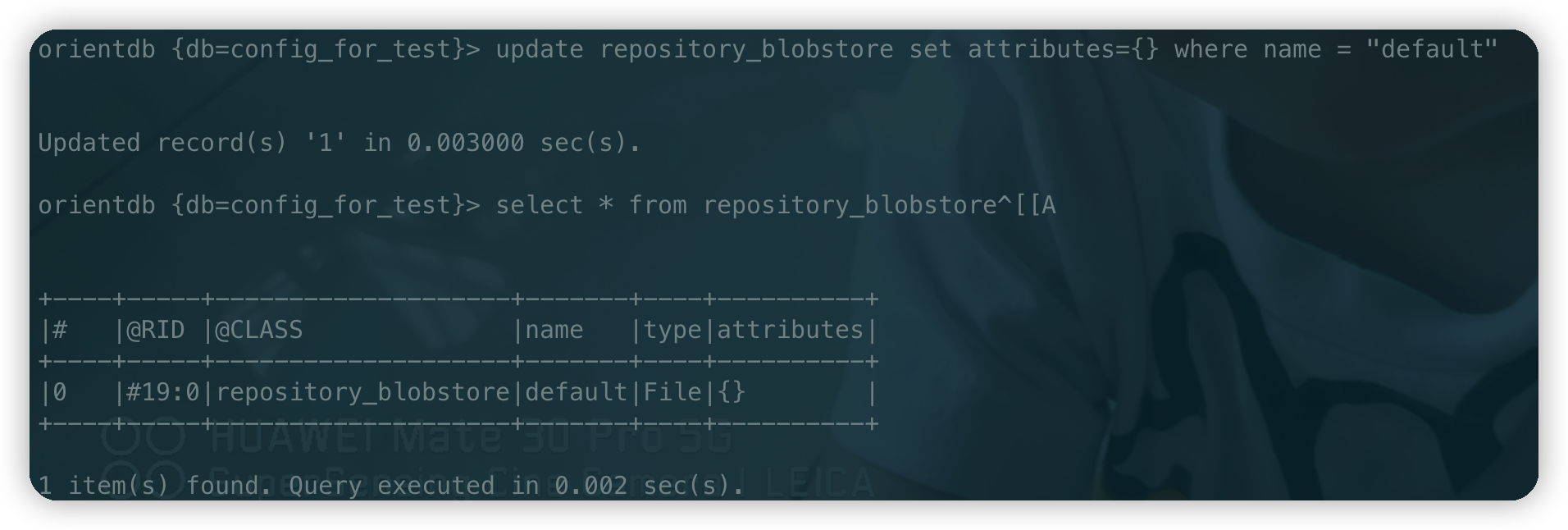
尝试先对
attributes字段值置为{}1
update repository_blobstore set attributes={} where name = "default"
![可以设置为空字典]()
再次执行更新语句
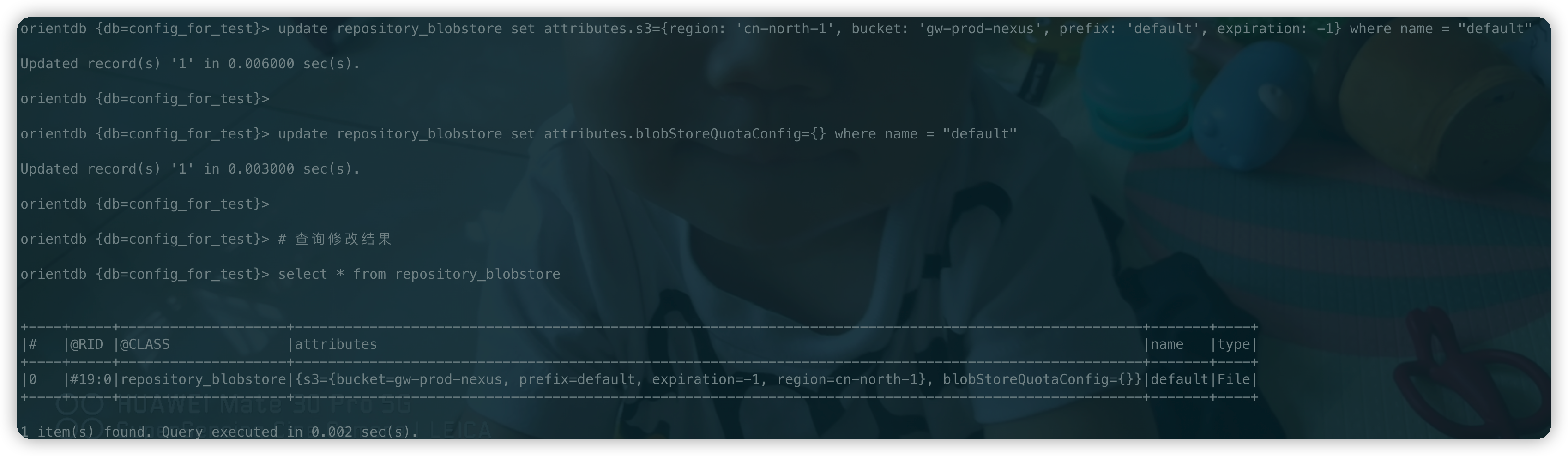
1
2
3
4
5
6
update repository_blobstore set attributes.s3={region: 'cn-north-1', bucket: 'gw-prod-nexus', prefix: 'default', expiration: -1} where name = "default"
update repository_blobstore set attributes.blobStoreQuotaConfig={} where name = "default"
# 查询修改结果
select * from repository_blobstore![达到预期效果]()

结论
需要在更新语句之前插入置为空字典语句以剔除file属性,
完整更新语句如下
1 | # 修改默认类型为S3 |