Pycharm设置Docstring
最近我在写代码的时候, 为了梳理思路,
经常需要在方法的docstring中写一写自己的思路和处理过程,
因为之前写过账单处理的代码文档,
用的是Sphinx的RTD(Read The Docs)模板生成的,
一直使用的都是reST风格的代码注释,
自己也没太细致地学习了解过,
这次写代码注释的时候发现总是存在排版异常的情况,
因此细致入微的学习一下
设置Pycharm的Docstring格式
参考 pyCharm中添加方法注释(Docstring format & Live Templates)_dkjkls的博客-CSDN博客_pycharm 方法注释博文中所写的内容, 设置Pycharm的docsting方法
英文原版: Preferences -> Tools -> Python Integrated Tools -> Docstrings -> Docstring format
![英文版docstring]()
汉化版1: Preferences -> 工具 -> Python 集成工具 -> Docstrings -> Docstring 格式
![汉化版Docstring]()
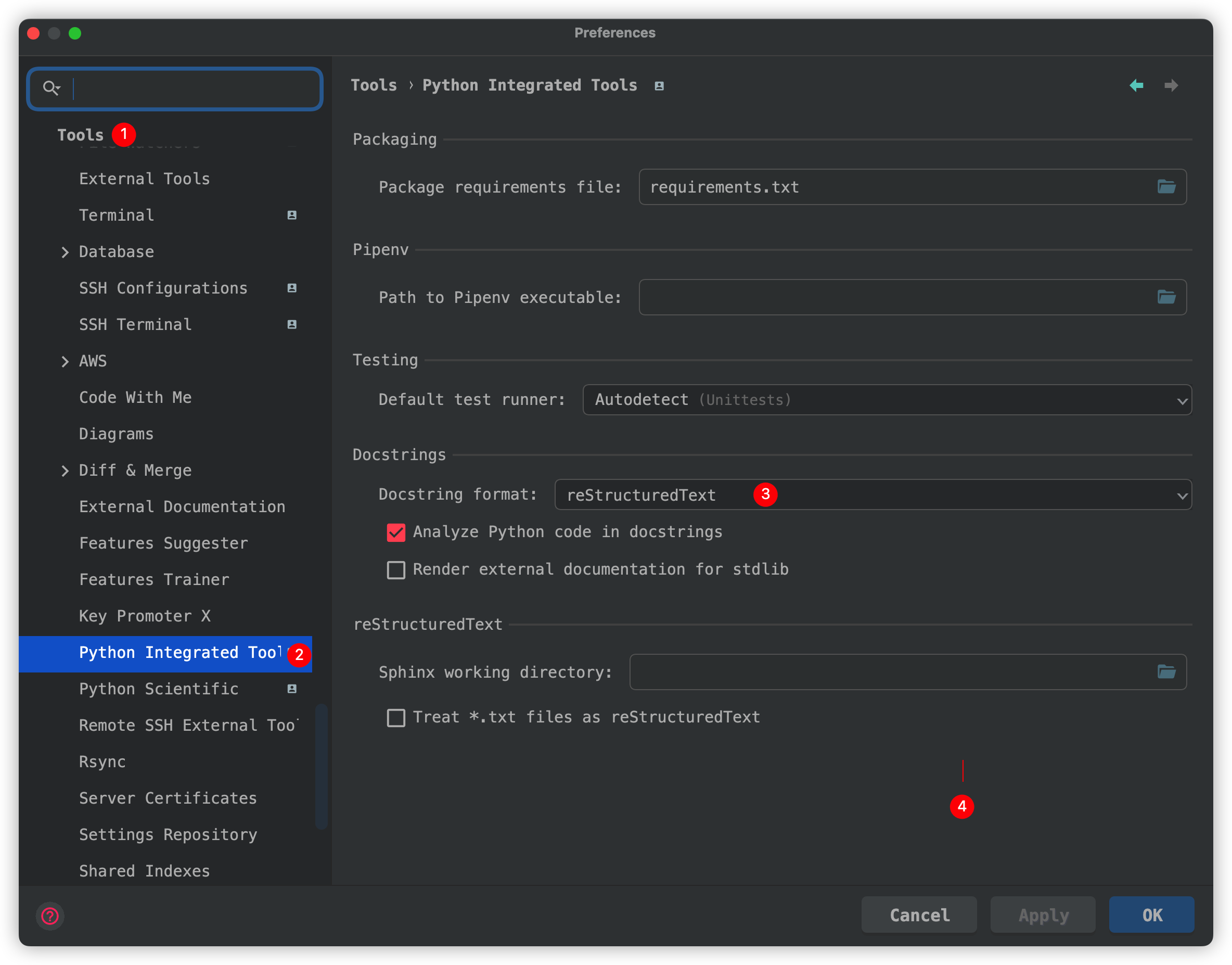
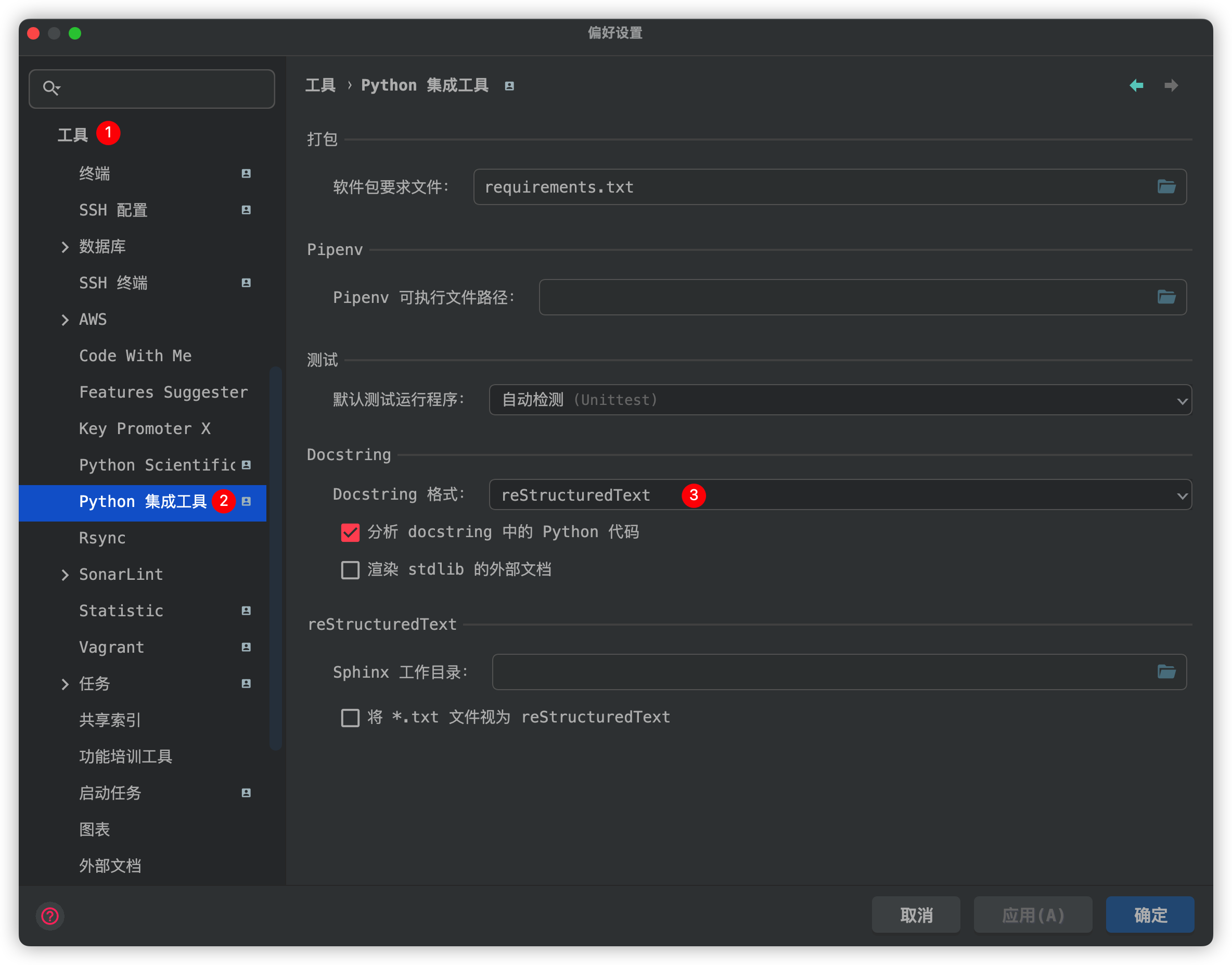
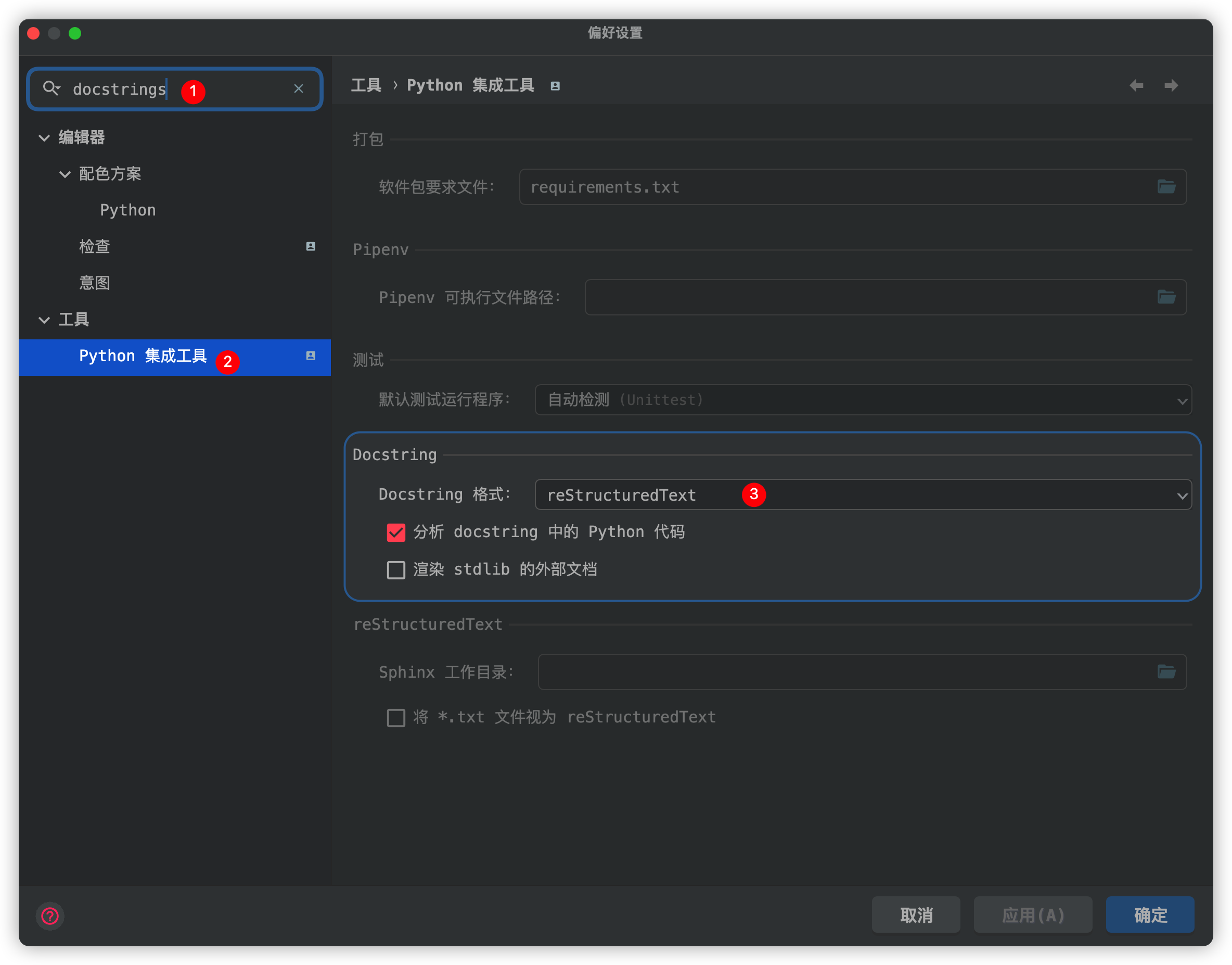
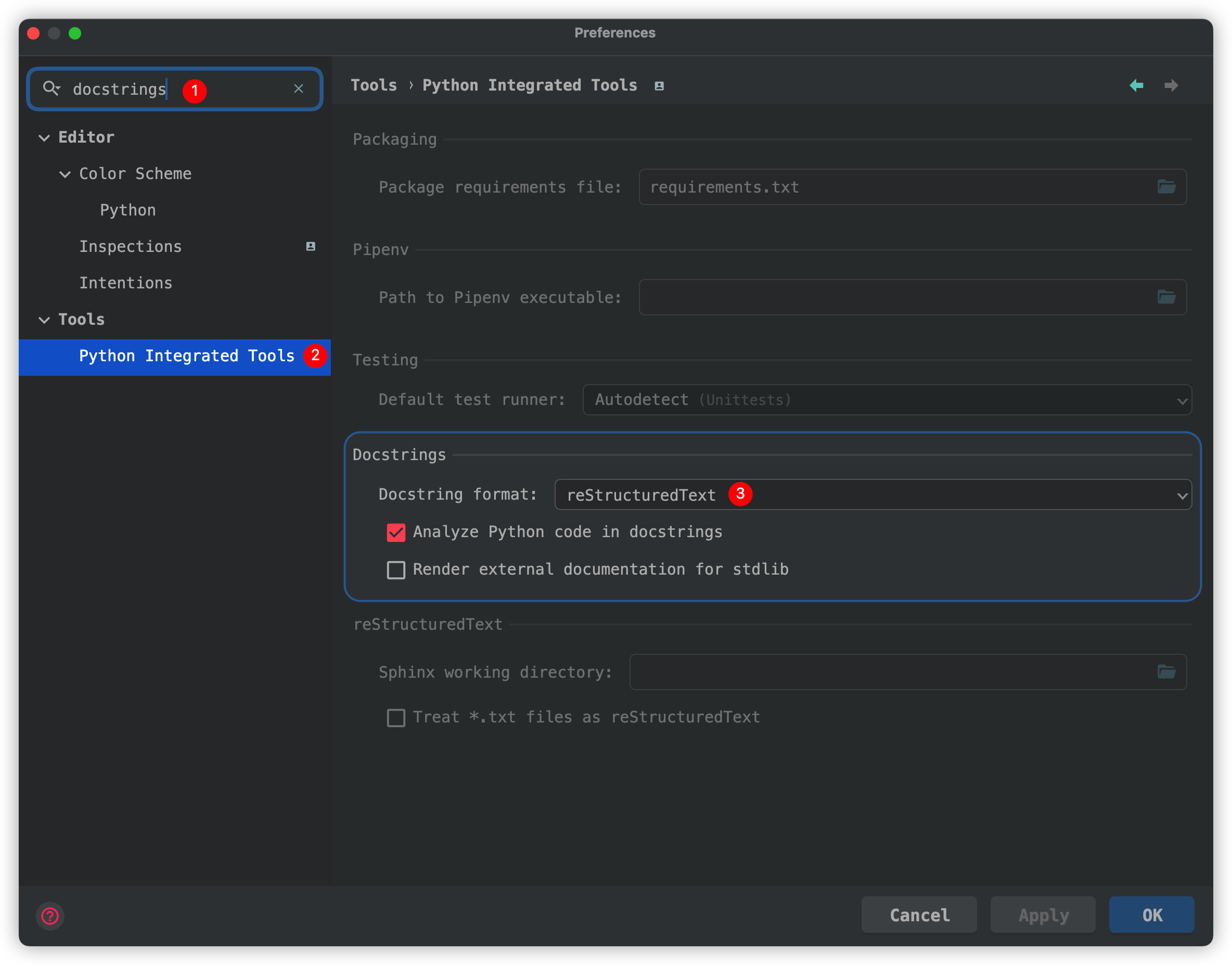
或者可以在搜索栏搜索: docstrings
Docstring主流风格
1 | def docstrings_func_plain(parm_a, parm_b, parm_c): |
援引自: pyCharm中添加方法注释(Docstring format & Live Templates)_dkjkls的博客-CSDN博客_pycharm 方法注释
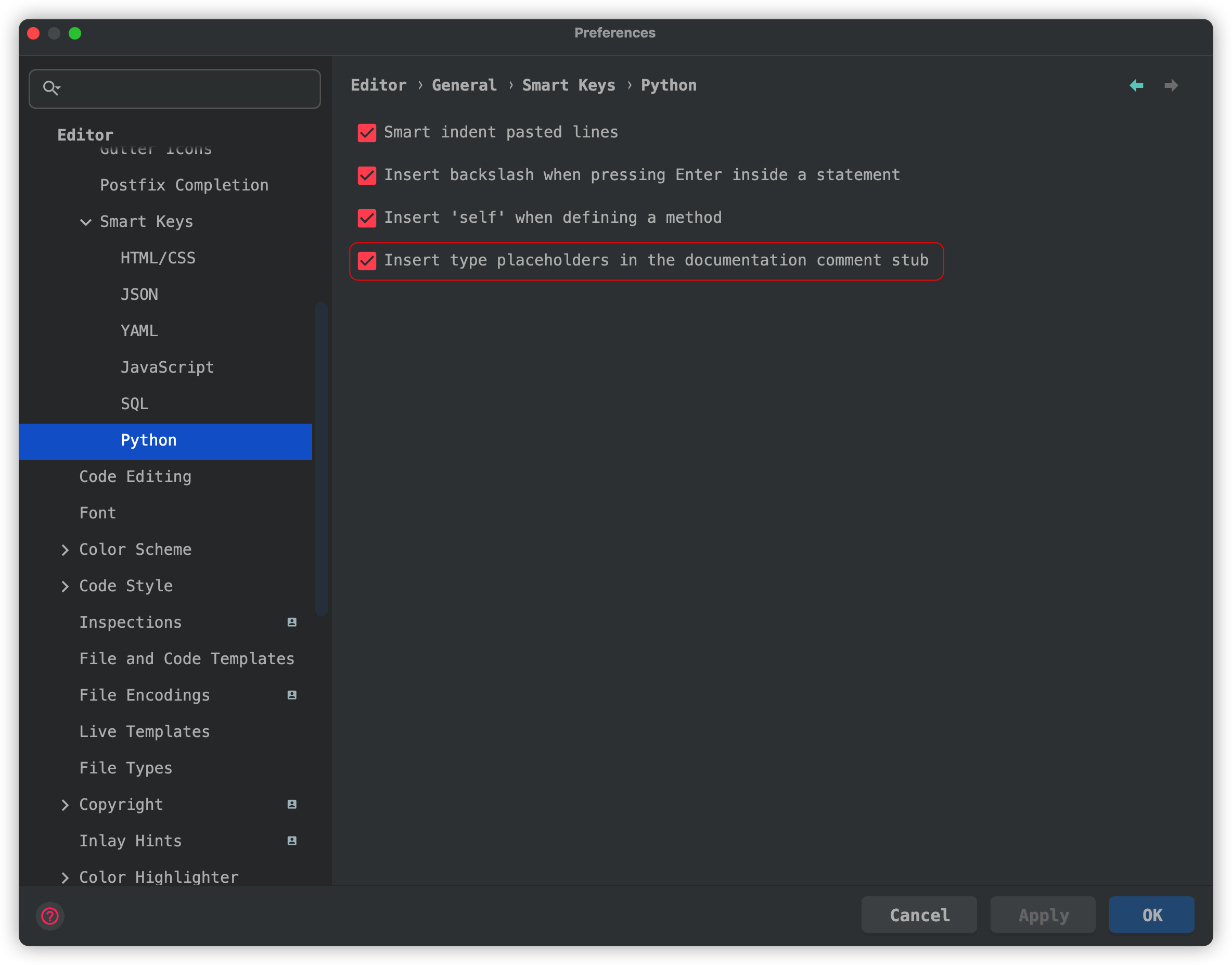
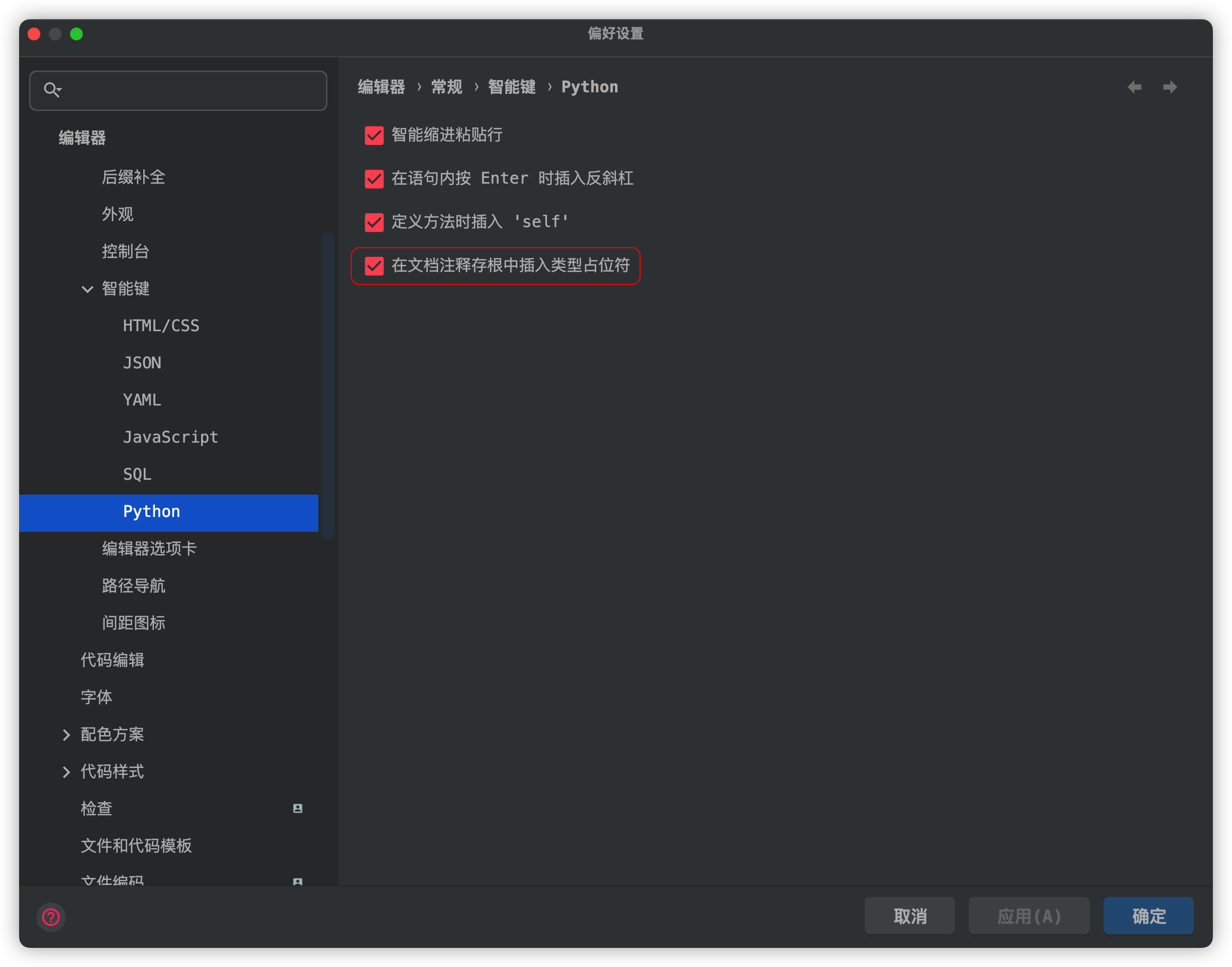
Pycharm自动添加占位符
英文原版: Preferences -> Editor -> General -> Smart Keys -> Python -> Insert type placeholders in the documentation comment stub
![英文原版设置]()
汉化版: Preferences -> 编辑器 -> 通用 -> 智能键 -> Python -> 在文档注释存根中插入类型占位符
![汉化版设置]()
Docsting添加参数类型
1 | def docstrings_func_epytext_type(parm_a, parm_b, parm_c): |
援引自: pyCharm中添加方法注释(Docstring format & Live Templates)_dkjkls的博客-CSDN博客_pycharm 方法注释
Live Template 实时模板
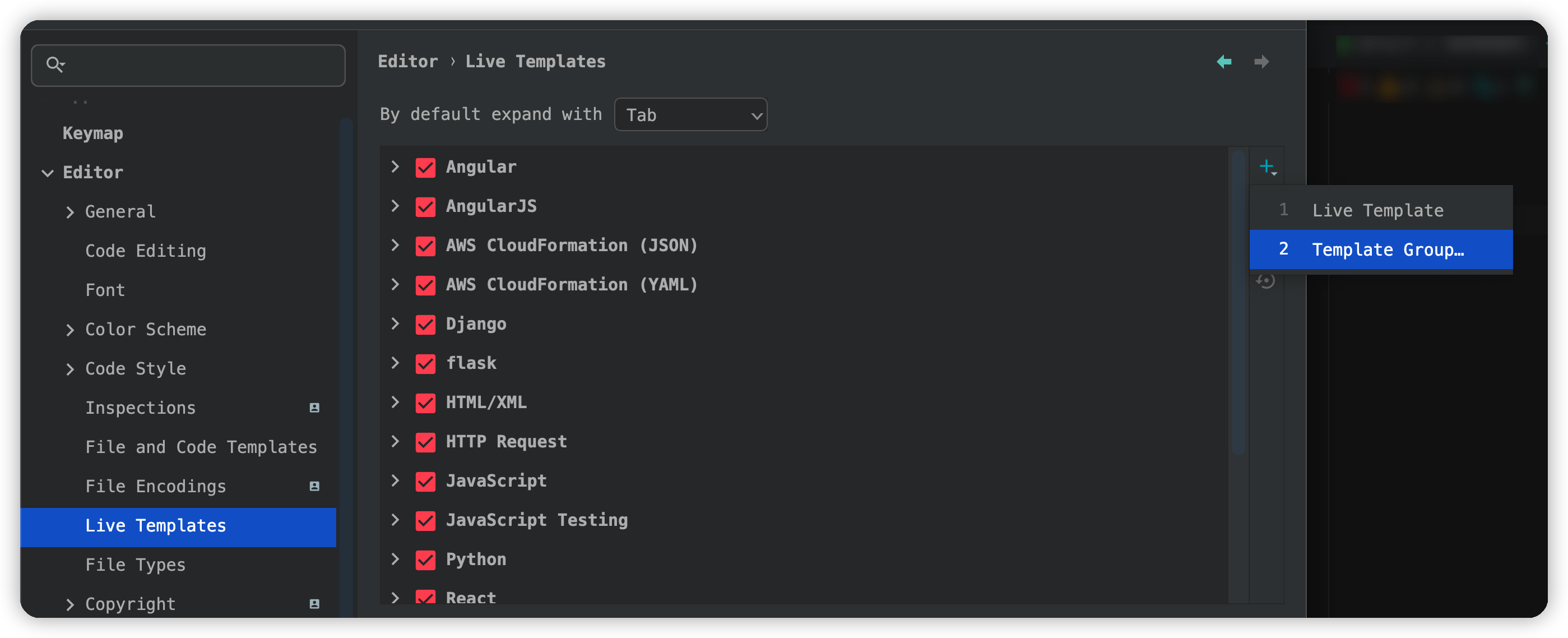
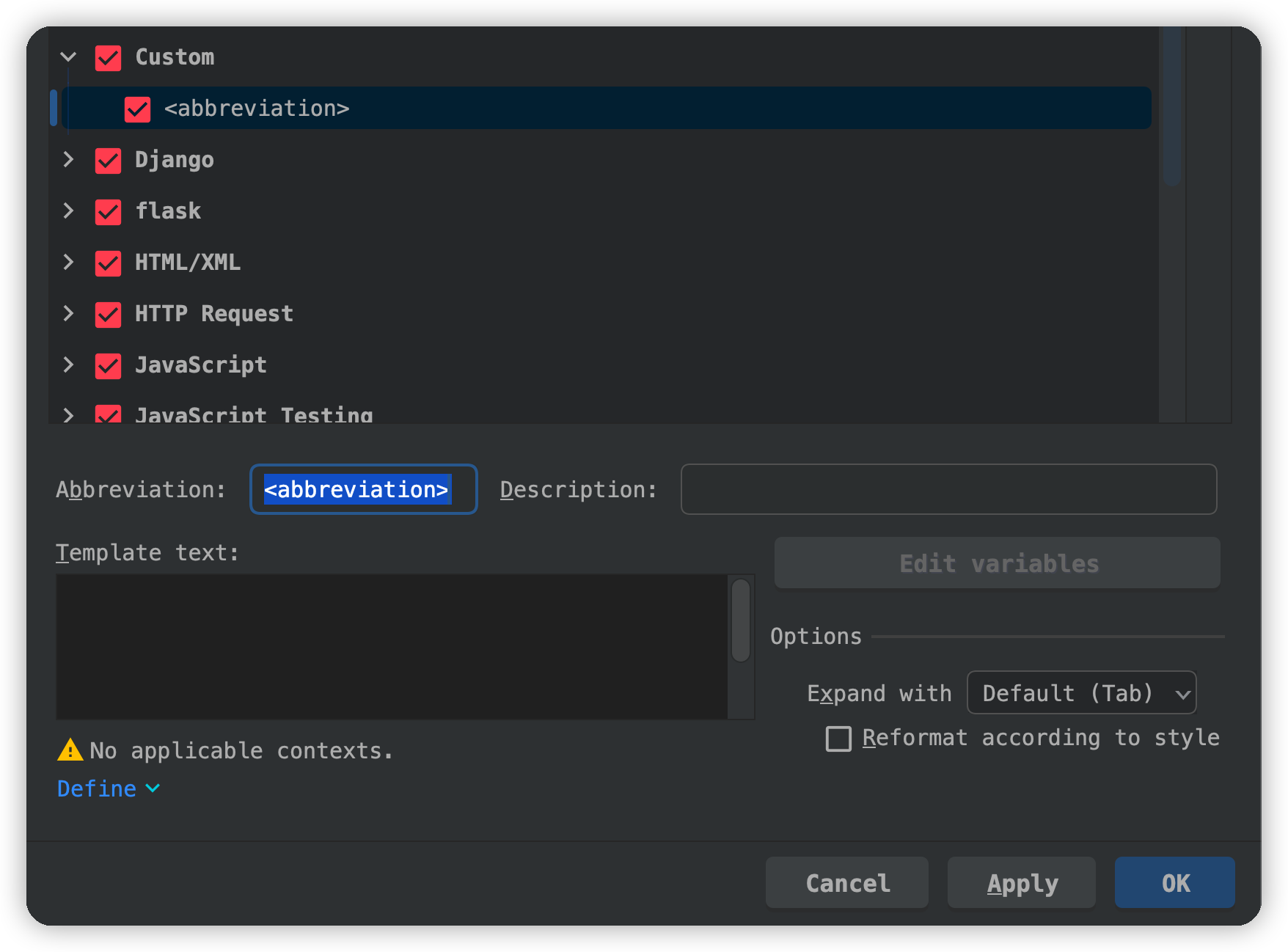
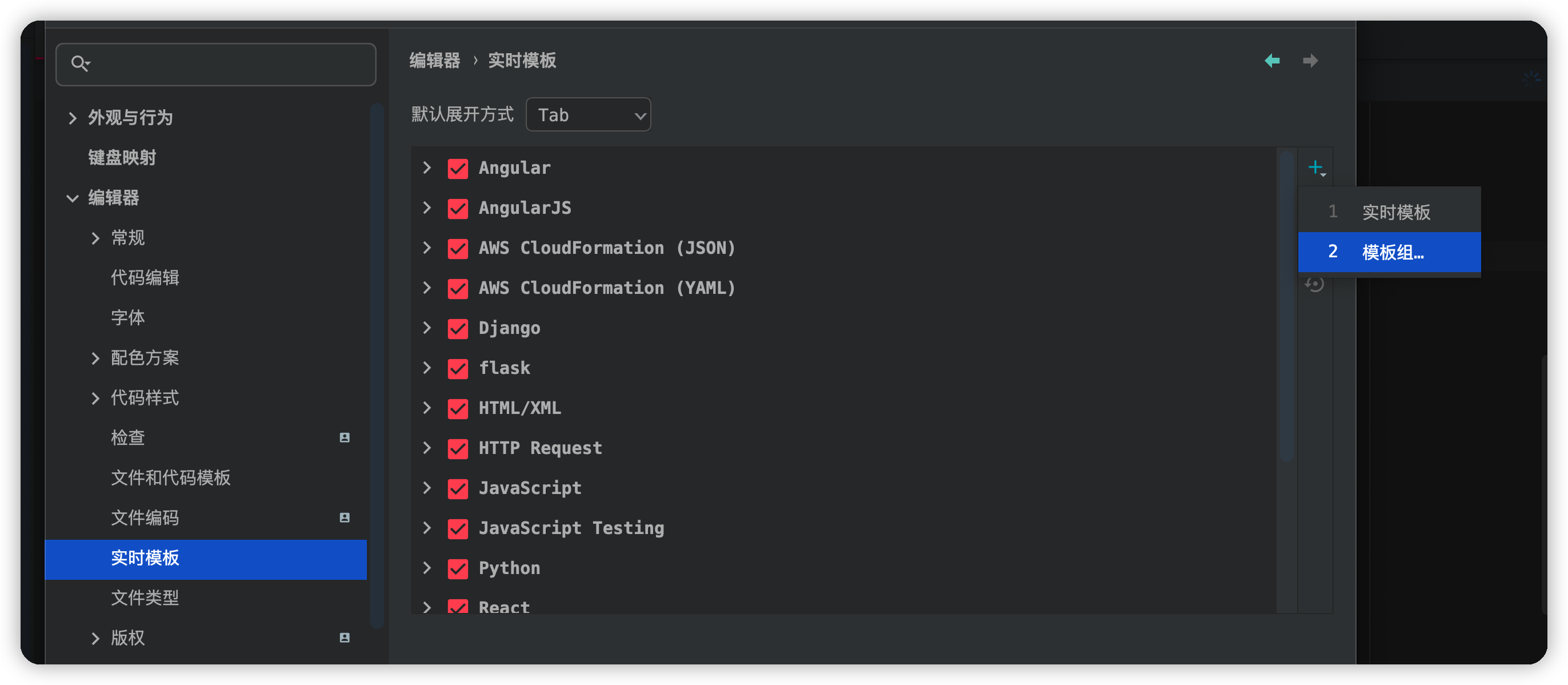
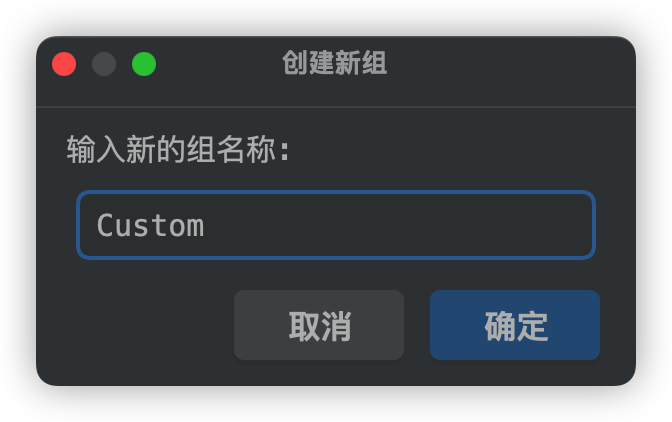
添加自定义实时模板
英文原版
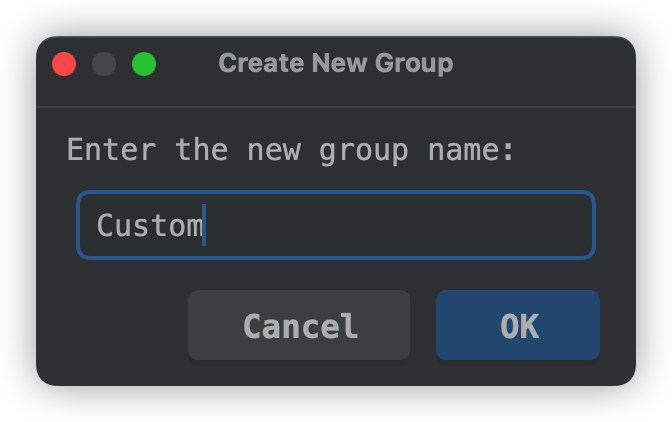
汉化版
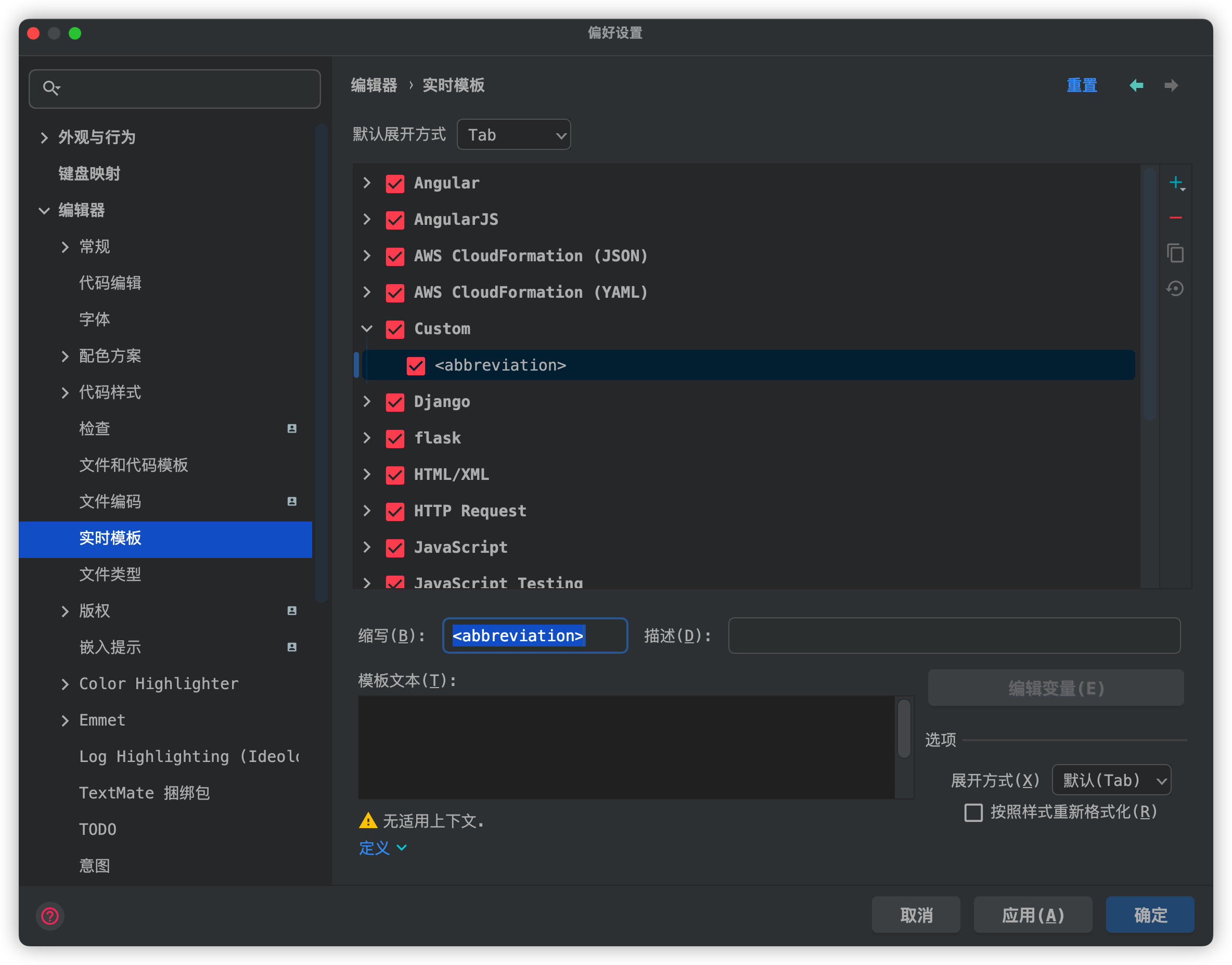
模板内容
1 | """ |
变量映射
| 变量 | 表达式 | 默认值 | 是否跳过预定义 |
|---|---|---|---|
| DATE | date("Y-MM-dd") | ❎ | |
| TIME | time("H:m z") | ❎ | |
| FILE_NAME | substringBefore(fileName(),".") | ❎ | |
| CLASS_NAME | pyClassName() | ❎ | |
| FUNCTION_NAME | pyFunctionName() | ❎ |
支持的全部变量
点击展开
| 变量 | 描述 | 翻译 |
|---|---|---|
blockCommentEnd() |
Returns the characters that indicate the end of a block comment in the current language context. | 返回指示当前语言上下文中的块注释结束的字符。 |
blockCommentStart() |
Returns the characters that indicate the start of a block comment in the current language context. | 返回指示当前语言上下文中的块注释开始的字符。 |
camelCase(<String>) |
Converts a string into camelCase.For example,
camelCase("my-text-file"),
camelCase("my text file"), and
camelCase("my_text_file") all return
myTextFile. |
将一个字符串按照camelCase2格式化 |
capitalize(<String>) |
Capitalizes the first letter of a string.For example,
capitalize("name") returns Name. Or you can
combine it into capitalize(camelCase("my awesome class"))
to get MyAwesomeClass. |
将一个字符串按照首字母大写格式化 |
capitalizeAndUnderscore(<String>) |
Capitalizes all the letters of a string, and inserts an underscore
between the parts.For example,
capitalizeAndUnderscore("FooBar"),
capitalizeAndUnderscore("foo bar"), and
capitalizeAndUnderscore("foo-bar") all return
FOO_BAR. |
将一个字符串按照全部大写格式化 |
clipboard() |
Returns the contents of the system clipboard. | 返回系统剪切板内容 |
collectionElementName() |
Removes _list and plural ending (s). |
删除_list和复数结尾(s)。 |
commentEnd() |
Returns the characters that indicate the end of a comment in the current language context. For languages with line comments, the return value is empty. | 返回在当前语言环境中表示注释结束的字符。对于有行注释的语言,返回值为空。 |
commentStart() |
Returns the characters that indicate the start of a comment in the current language context. For languages with line comments, the return value is the start of a line comment, same as lineCommentStart(). | 返回在当前语言环境中表示注释开始的字符。对于有行注释的语言,返回值是行注释的开始,与lineCommentStart()相同。 |
complete() |
Invokes code completion at the position of the variable. | 在变量的位置调用代码完成。 |
completeSmart() |
Invokes smart type completion at the position of the variable. | 在变量的位置调用智能类型补全。 |
concat(<String>, ...) |
Returns a concatenation of all the strings passed to the function as
parameters.For example, concat(date()," ",user()) returns
the current system date and username separated with a space. |
返回作为参数传递给函数的所有字符串的串联。例如,concat(date()," ",user())返回当前系统日期和以空格分隔的用户名。 |
date([format]) |
Returns the current system date.By default, without a parameter, it
returns the date in the current system format. To use a different
format, provide a parameter according to the SimpleDateFormat
specification. For example, the date("Y-MM-d, E, H:m")
returns the date formatted as 2020-02-27, Thu, 16:11. |
返回当前系统日期。默认情况下,如果没有参数,它将返回当前系统格式的日期。要使用不同的格式,请根据SimpleDateFormat规范提供一个参数。例如,date("Y-MM-d, E, H:m")返回格式化为2020-02-27,Thu, 16:11的日期。 |
dbColumns() |
Returns a list of columns for a table or a view. The
dbColumns() is used in context live templates (for example,
ins). You can access context live templates by
right-clicking an object and selecting SQL Scripts. |
返回表或视图的列列表。dbColumns()用于上下文实时模板(例如ins)。您可以通过右键单击对象并选择SQL
Scripts来访问上下文活动模板。 |
dbObjectName() |
Returns a name of a table or a view. The dbObjectName()
is used in context live templates (for example, top). You
can access context live templates by right-clicking an object and
selecting SQL Scripts. |
返回表或视图的名称。dbObjectName()在上下文实时模板中使用(例如top)。您可以通过右键单击对象并选择SQL
Scripts来访问上下文活动模板。 |
decapitalize(<String>) |
Replaces the first letter of a string with the corresponding
lowercase letter.For example, decapitalize("Name") returns
name. |
将字符串的第一个字母替换为对应的小写字母。例如,decapitalize("Name")返回name。 |
defaultReturnValues |
Returns the default value if the expression is used in the return
statement. Uses the errorVariableName parameter if the
expression is of the error type. |
如果在return语句中使用了表达式,则返回默认值。如果表达式是错误类型,则使用errorVariableName参数。 |
djangoBlock |
Shows completion popup for the available Django blocks. | 显示可用的Django块的完成弹出窗口。 |
djangoFilter |
Shows completion popup for the available Django filters. | 显示可用的Django过滤器的补全弹出框。 |
djangoTemplateTags |
Shows completion popup for the available Django template tags | 显示可用的Django模板标签的完成弹出窗口 |
djangoVariable |
Shows completion popup for the available Django variable. | 显示可用的Django变量的完成弹出窗口。 |
enum(<String>, ...) |
Returns a list of strings suggested for completion when the template
expands.For example, enum("Foo","Bar","Baz") shows a list
from which you can choose one of the specified strings. |
返回模板展开时建议完成的字符串列表。例如,enum("Foo","Bar","Baz")显示一个列表,你可以从中选择一个指定的字符串。 |
escapeString(<String>) |
Escapes special characters so that the result can be used in a Java
string.For example, it replaces the tab character with \t,
the newline character with \n, escapes the backslash as
\\, quotes as \", and so on. |
转义特殊字符,以便结果可以在Java字符串中使用。例如,它用\t替换制表符,用\n替换换行符,转义反斜杠为\\,引号为\",等等。 |
expectedType() |
Returns the expected type of the expression where the template
expands (in the right part of an assignment, after return,
as a method parameter, and so on). |
返回模板展开的表达式的预期类型(在赋值的右边,在return之后,作为方法参数,等等)。 |
fileName() |
Returns the name of the current file with its extension. | 返回当前文件的名称及其扩展名。 |
fileNameWithoutExtension() |
Returns the name of the current file without its extension. | 返回不带扩展名的当前文件的名称。 |
filePath() |
Returns the absolute path to the current file. | 返回当前文件的绝对路径。 |
fileRelativePath() |
Returns the current file path relative to the current project. To check what the relative path is for a given file, right-click it and select Copy Reference, or press ⌥ ⇧ ⌘ C. | 返回相对于当前项目的当前文件路径。要查看给定文件的相对路径,右键单击它并选择Copy Reference,或按⌥⇧⌘C。 |
firstWord(<String>) |
Returns the first word of the string passed as the parameter.For
example, firstWord("one two three") returns
one. |
返回作为参数传递的字符串的第一个单词。例如,firstWord("one two three")返回1。 |
groovyScript(<String>, [arg, ...]) |
Executes the Groovy script passed as a string.The first argument is
a string with either the text of the script or the path to the file that
contains the script. The function passes other optional arguments to the
script as values for _1, _2, _3,
..., _n variables. Also, you can access the current editor
from inside the script using the _editor variable.The
following example shows a groovyScript() function that
splits the selected text into words and displays them as a numbered
list:groovyScript("def result = ''; _1.split().eachWithIndex { item, index -> result = result + index.next() + '. ' + item + System.lineSeparator() }; return result;", SELECTION); |
执行作为字符串传递的Groovy脚本。第一个参数是一个字符串,包含脚本的文本或包含脚本的文件的路径。函数将其他可选参数作为_1,_2,_3,…,_n变量的值传递给脚本。此外,您可以使用_editor变量从脚本内部访问当前编辑器。下面的示例显示了一个groovyScript()函数,它将选中的文本分割成单词,并将它们显示为一个编号列表:groovyScript("def result = ''; _1.split().eachWithIndex { item, index -> result = result + index.next() + '. ' + item + System.lineSeparator() }; return result;", SELECTION); |
JsArrayVariable() |
Returns the name of the current JavaScript array. | 返回当前JavaScript数组的名称。 |
jsClassName() |
Returns the name of the current JavaScript class. | 返回当前JavaScript类的名称。 |
jsComponentTypeOf() |
Returns the type of the current JavaScript component. | 返回当前JavaScript组件的类型。 |
jsDefineParameter |
Based on the name of the module, returns the parameter from
define(["module"], function (<parameter_in_question>>) {}). |
根据模块的名称,返回define(["module"], function (<parameter_in_question>>){})中的参数。 |
jsMethodName() |
Returns the name of the current JavaScript method. | 返回当前JavaScript方法的名称。 |
jsQualifiedClassName() |
Returns the complete name of the current JavaScript class. | 返回当前JavaScript类的完整名称。 |
jsSuggestDefaultVariableKind(Boolean) |
The Boolean parameter determines whether constants are allowed or
not in the current context. If no parameter is specified, constants are
allowed. When the templates expands, a list is shown with
var, let, const options for
TypeScript and ES6 and with only one var option for earlier
JavaScript versions. |
布尔型参数确定当前上下文中是否允许使用常量。如果没有指定参数,则允许常量。当模板展开时,TypeScript和ES6会显示一个包含var,let,const选项的列表,而在早期的JavaScript版本中只有一个var选项。 |
jsSuggestImportedEntityName() |
Suggests the name for import statements of the type
import * as $ITEM$ from "$MODULE$" or
import $ITEM$ from "$MODULE$" based on the filename. |
根据文件名建议导入语句的名称,类型为import * as $ITEM$ from "$MODULE$"或import $ITEM$ from "$MODULE$" |
jsSuggestIndexName() |
Returns a suggested name for an index variable from most commonly
used ones: i, j, k, and so on.
The names that are not used in the current scope yet are shown
first. |
返回最常用索引变量的建议名称:i,j,k等等。当前作用域中尚未使用的名称将首先显示。 |
jsSuggestVariableName() |
Returns the suggested name for a variable based on its variable type and initializer expression, according to your code style settings that refer to the variable naming rules. For example, if it is a variable that holds an element within an iteration, PyCharm makes a guess on the most reasonable name, taking into account the name of the container that is iterated. | 根据引用变量命名规则的代码样式设置,根据变量类型和初始化器表达式返回变量的建议名称。例如,如果它是一个在迭代中保存元素的变量,PyCharm会考虑迭代容器的名称,猜测最合理的名称。 |
lineCommentStart() |
Returns the characters that indicate the start of a line comment in the current language context. | 返回在当前语言环境中表示行注释开始的字符。 |
lineNumber() |
Returns the current line number. | 返回当前行号。 |
lowercaseAndDash(<String>) |
Converts a string into lower case and inserts n-dashes as
separators. For example, lowercaseAndDash("MyExampleName")
and lowercaseAndDash("my example name") both return
my-example-name. |
将一个字符串转换为小写,并插入n个破折号作为分隔符。例如,lowercaseAndDash("MyExampleName")和lowercaseAndDash("my example name")都返回my-example-name。 |
pyClassName() |
Returns the name of the current Python class (the class where the template is expanded). | 返回当前Python类的名称(即模板展开的类)。 |
pyFunctionName() |
Returns the name of the current Python function. | 返回当前Python函数的名称。 |
pyIterableVariable() |
Enables scope specific completion for the iterable variables.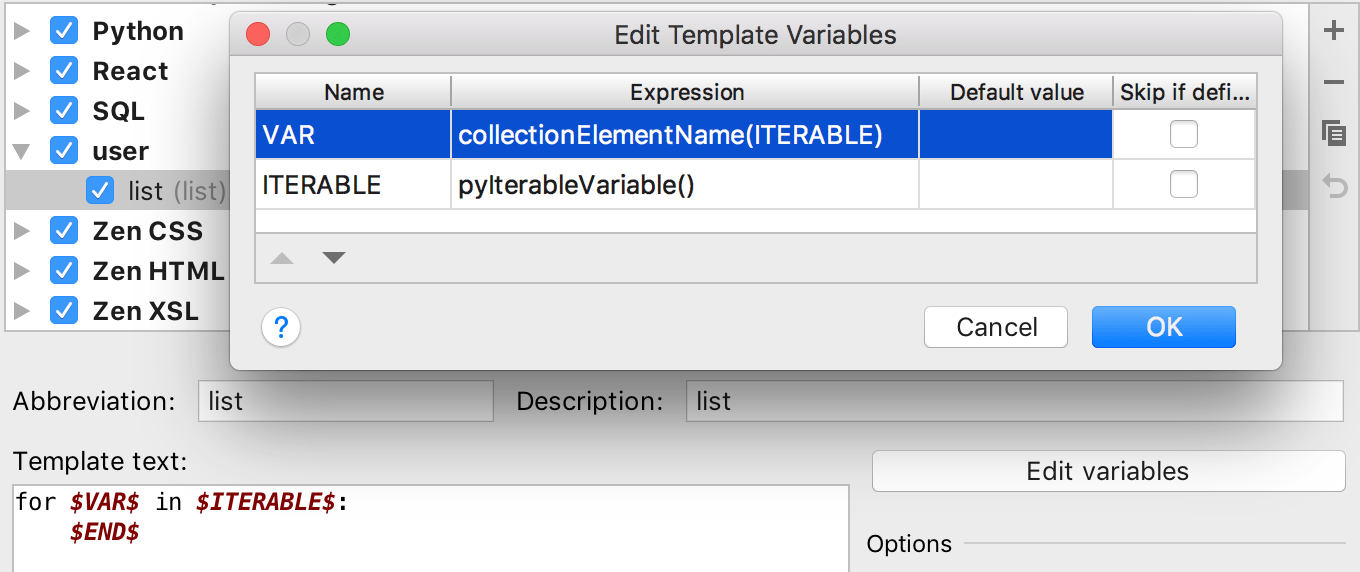 |
为可迭代变量启用特定于范围的补全功能。 |
regularExpression(<String>, <Pattern>, <Replacement>) |
Finds all occurrences of Pattern in a
String and replaces them with Replacement. You
can specify the pattern as a regular expression to find everything that
matches it in the string. |
查找String中出现的所有Pattern,并将其替换为Replacement。您可以将模式指定为正则表达式,以在字符串中查找与其匹配的所有内容。 |
showParameterInfo() |
Returns the parameter details when adding a parameter to a function
or method.Example of usage: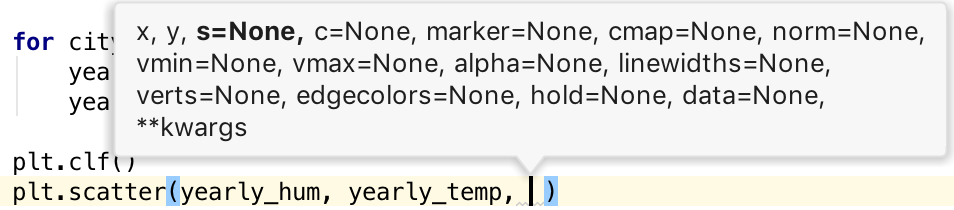 |
在向函数或方法添加参数时返回参数详细信息。 |
snakeCase(<String>) |
Converts a string into snake_case. For example,
snakeCase("fooBar") and snakeCase("foo bar")
both return foo_bar. |
将一个字符串转换为snake_case3。例如,snakeCase("fooBar")和snakeCase("foo bar")都返回foo_bar。 |
spaceSeparated(<String>) |
Returns the specified string with spaces as separators. For example,
spaceSeparated("fooBar") returns foo Bar and
spaceSeparated("Foo_BAR") returns
Foo BAR. |
返回指定的以空格为分隔符的字符串。例如,spaceSeparated("fooBar")返回foo Bar,spaceSeparated("Foo_BAR")返回Foo BAR。 |
spacesToUnderscores(<String>) |
Replaces spaces with underscores in the string passed as the
parameter. For example, spacesToUnderscores("foo bar BAZ")
returns foo_bar_BAZ. |
用下划线替换作为参数传递的字符串中的空格。例如,spacesToUnderscores("foo bar BAZ")返回foo_bar_BAZ。 |
substringBefore(<String>, <Delimeter>) |
Returns the substring up to the specified delimiter. This is helpful
for removing the extensions in test file names. For example,
substringBefore(fileName(),".") returns
component-test if used in a file named
component-test.js. |
返回到指定分隔符的子串。这对于删除测试文件名中的扩展名很有帮助。例如,substringBefore(fileName(),".")返回component-test,可匹配文件名为component-test.js的文件。 |
time([format]) |
Returns the current system time.By default, without a parameter, it
returns the time in the current system format. To use a different
format, provide a parameter according to the SimpleDateFormat
specification. For example, the time("H:m z") returns the
time formatted as 13:10 UTC. |
返回当前的系统时间。默认情况下,没有参数,它返回当前系统格式的时间。要使用不同的格式,根据SimpleDateFormat规范提供一个参数。例如,time("H:m z")返回的时间格式为13:10 UTC。 |
underscoresToCamelCase(<String>) |
Transforms a string with underscores (like snake_case) into
camelCase. For example,
underscoresToCamelCase(foo_bar_baz) and
underscoresToCamelCase(FOO_BaR_baZ) both return
fooBarBaz. |
将带有下划线的字符串(如snake_case4)转换为camelCase5。例如,underscoresToCamelCase(foo_bar_baz)和underscoresToCamelCase(FOO_BaR_baZ)都返回fooBarBaz。 |
underscoresToSpaces(<String>) |
Transforms underscores in a string to spaces. For example,
underscoresToSpaces(foo_bar_baz) returns
foo bar baz and
underscoresToSpaces(FOO_BaR_baZ) returns
FOO BaR baZ. |
将字符串中的下划线转换为空格。例如,underscoresToSpaces(foo_bar_baz)返回foo bar baz,underscoresToSpaces(FOO_BaR_baZ)返回FOO BaR baZ。 |
user() |
Returns the name of the current user. | 返回当前用户的名称。 |
文件模板
Documenting Python Code: A Complete Guide – Real Python
What is the common header format of Python files? - Stack Overflow
Python template of a comprehensive header, with shebang, docstring, GPLv3 license and all metadata.
各种格式对比
| Formatting Type | Description | Supported by Sphynx | Formal Specification |
|---|---|---|---|
| Google docstrings | Google’s recommended form of documentation | Yes | No |
| reStructuredText | Official Python documentation standard; Not beginner friendly but feature rich | Yes | Yes |
| NumPy/SciPy docstrings | NumPy’s combination of reStructuredText and Google Docstrings | Yes | Yes |
| Epytext | A Python adaptation of Epydoc; Great for Java developers | Not officially | Yes |
Pycharm默认创建Python文件的时候, 并不会添加一些常用的头语句进去, 因此需要设置一个通用模板
英文原版: Preferences -> Editor -> File and Code Templates ->Python Script
![设置模板]()
汉化版: Preferences -> 编辑器 -> 文件和代码模板 -> Python Script
![添加文件模板]()
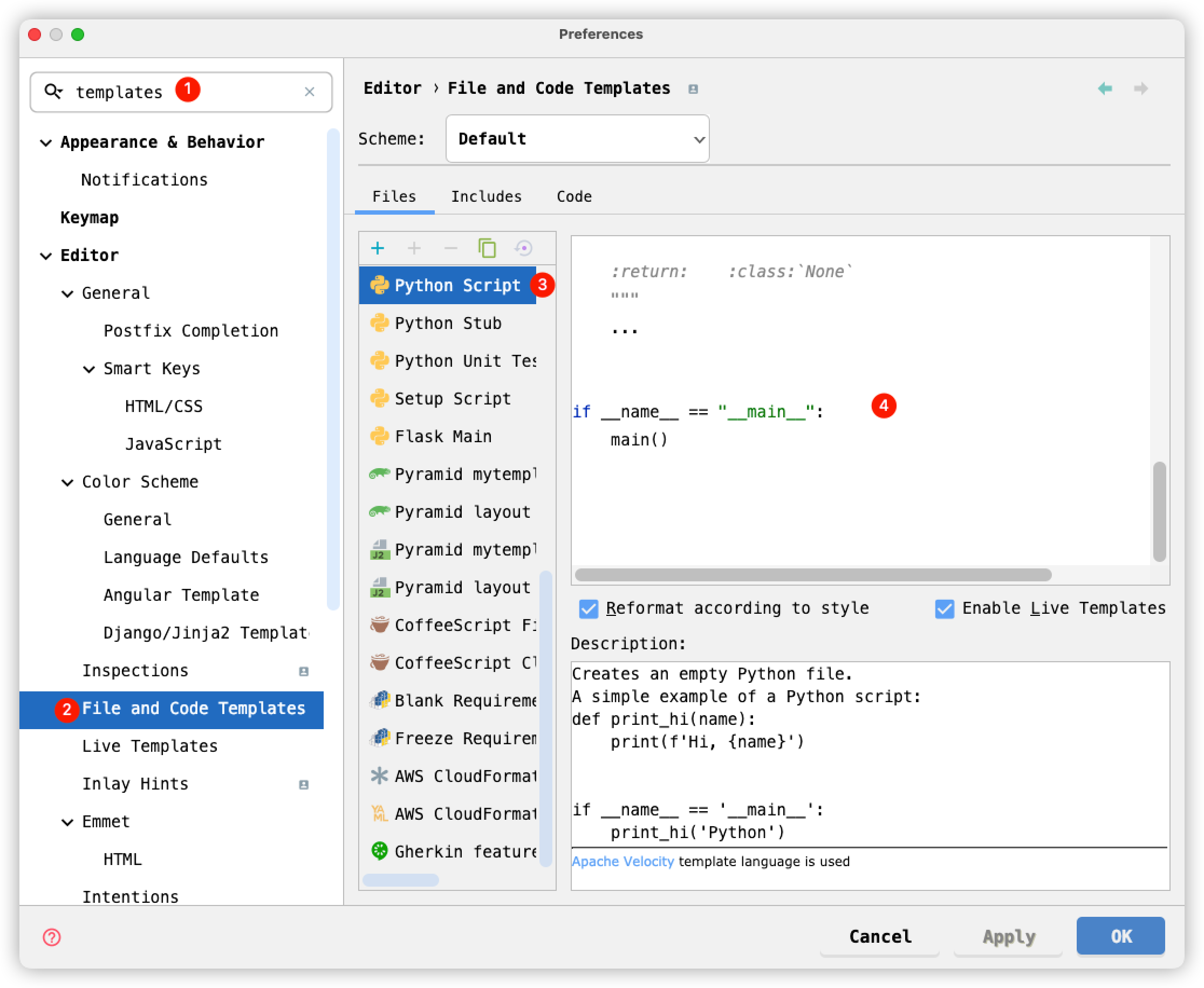
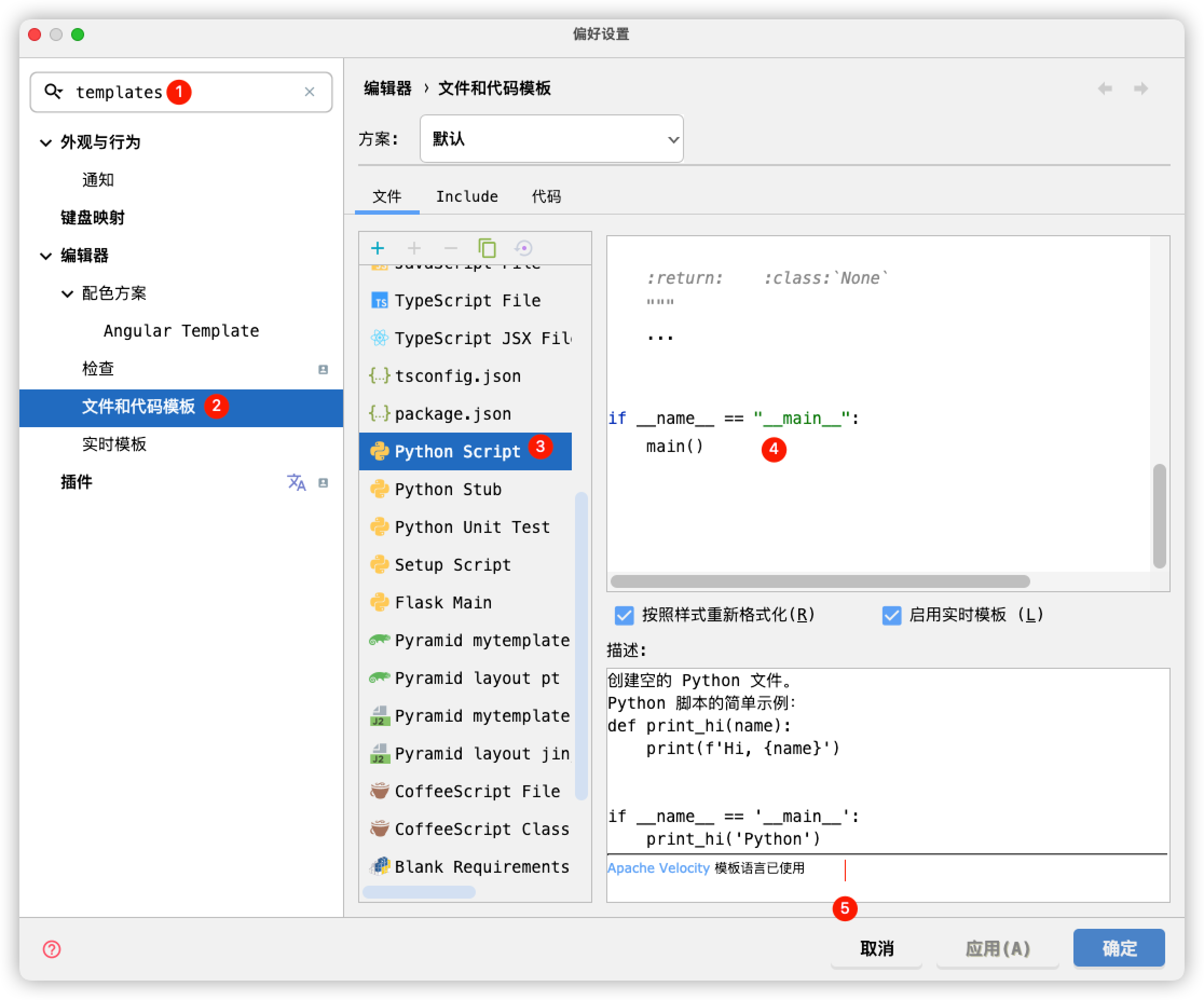
参考引用链接, 模板内容为:
1 | #!/usr/bin/env python3 |
相关阅读
reStructuredText 简介 — Sphinx 使用手册
reStructuredText(rst)快速入门语法说明 - 简书
pyCharm中添加方法注释(Docstring format & Live Templates)_dkjkls的博客-CSDN博客_pycharm 方法注释